
GlockApps became popular for one specific capability: sending email through a network of seed inboxes that shows you exactly where each copy lands. That’s data your sending platform can’t give you, since “delivered” only confirms a server accepted the message, not that anyone saw it.
Even so, a few things send people looking. Test credits do not roll over — each billing cycle starts with a fresh allocation, and unused credits expire with the subscription. And a report, however detailed, stops at telling you what is wrong. GlockApps isn’t a bad tool. It’s one option in a category that has grown much wider as the email industry has matured.
We went through the full landscape of GlockApps alternatives, from free single-email scanners to full QA suites to tools built for whole marketing teams. We looked at what each one measures, what it can act on, and where it stops short.
In this post you’ll find seven GlockApps alternatives, what each one is built to do, and which of them can change inbox placement rather than only report on it. Let’s begin.
Key takeaways
- GlockApps reports where your mail lands and does not set out to change it. So the useful question is not which tool is better, but whether you need a better report or a different result.
- Most tools here diagnose: content and authentication scanners (Mail-Tester, MailGenius), rendering and QA suites (Mailtrap, Litmus, Email on Acid), and infrastructure monitors (MXToolbox).
- InboxAlly acts on sender reputation, which is what decides placement, and includes inbox placement testing, blacklist monitoring and DMARC reporting alongside it.
Where GlockApps fits, and where senders outgrow it
GlockApps is a measurement product, and a well-established one. It sends your campaign to a panel of provider mailboxes and reports where each copy landed: inbox, promotions or spam. What it does not set out to do is change that result. Its own comparison pages treat warmup as a separate category, which is a fair reading — measuring placement and moving it are genuinely different jobs, and plenty of serious email teams run one tool for each.
So the honest framing is not which product wins. It is which half of the problem you are trying to solve right now. If you do not yet know where your mail is landing, a placement report is the right purchase. If you already know it is landing in spam, another report will tell you the same thing next month.
Two practical reasons senders go looking for something else rather than a second opinion:
Testing is metered. Plans include a set number of test credits, and GlockApps’ own documentation is clear that they do not roll over: each month or year brings a fresh allocation, and credits left on the balance expire with the subscription. If your testing is bursty — a launch, a migration, an incident — some of that allocation goes unspent.
A report is not a repair. The panel is generous and you can narrow it to the providers your list actually uses, so the reporting is good. But once it tells you a campaign is landing in spam, the next test tells you the same thing. Changing the answer is reputation work, and it has to happen somewhere.
Neither of those is a criticism of the product. They are questions of fit, and they are worth answering before you renew. For a fuller side-by-side, see InboxAlly vs GlockApps.
The 7 alternatives
1. InboxAlly
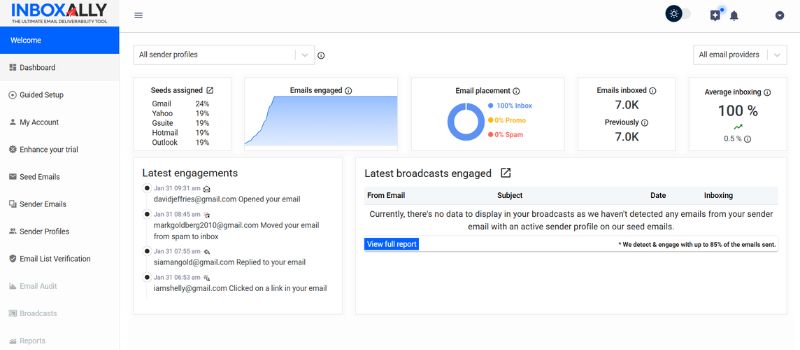
Every tool on this list reports a problem, but none of them fix it. InboxAlly sends your email to a network of seed inboxes that then act like your best subscribers by opening and scrolling, replying, clicking, marking messages important, and pulling anything misfiled out of spam and promotions. Actions like this are precisely what build the engagement record mailbox providers consider when they decide where your next campaign belongs.
It uses seed inboxes the way some other platforms on this list do, but for the opposite purpose. For example, GlockApps’ seeds only measure placement, but InboxAlly’s seeds engage and move it. It works with any ESP, requires no access to your sending platform, and tracks where your mail landed over the last 30 days so you can watch trends change.
Key features:
- Builds positive engagement signals (opens, scrolls, replies, clicks, spam and promotions rescues)
- Works with any sending service without requiring account access
- 30-day placement tracking and preset engagement profiles
Pricing: Free trial, then Starter at $149/month (100 seed emails a day, one sender profile), scaling to Plus at $645/month and Premium at $1,190/month for higher-volume senders. Enterprise pricing on request.
Best for: The all-round best tool for actively fixing inbox placement.
2. Mail Tester
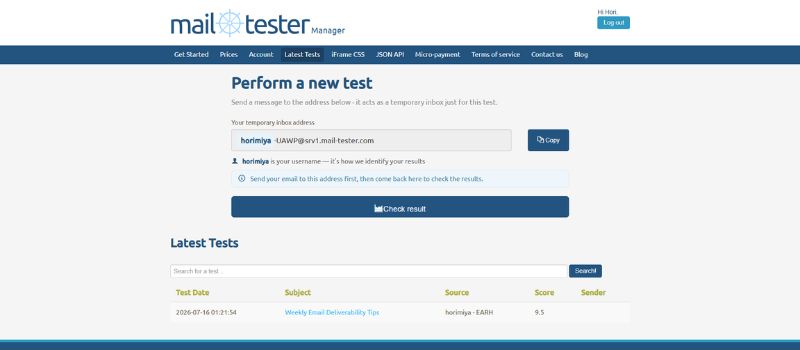
Mail Tester checks a single email before it’s sent. You send your message to an address it generates, then open the report, which gives you a score out of 10 with points deducted for authentication problems, risky phrasing, broken links, a heavy image-to-text ratio, etc. Running one test in the browser is free and takes under a minute.
However, that score can’t tell you where the email will land. It grades configuration and content, but not inbox placement. This means that you can regularly get a perfect 10 and still have your emails land in Outlook’s junk folder, which is why Mail Tester is best used as a pre-send checklist, rather than a deliverability diagnosis.
Key features:
- SPF, DKIM, and DMARC records
- SpamAssassin content and spam-word score
- Broken links and image-to-text ratio reports
What it measures: Content and authentication on one message. Not inbox placement.
3. MailGenius
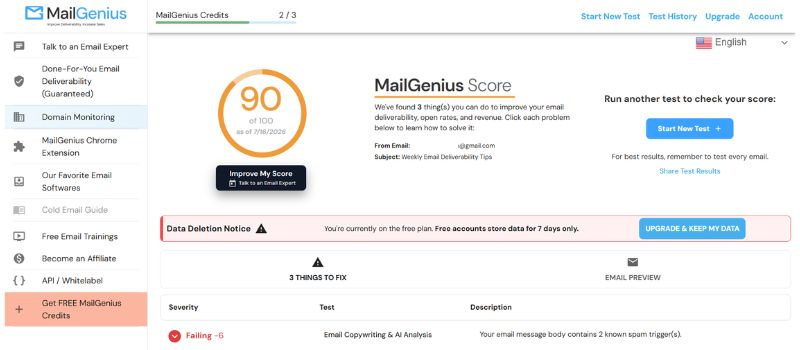
MailGenius works much the same as Mail Tester. You send a test email and get a report, with a slight difference that it puts more emphasis on telling you what to fix. It grades your message based on a couple dozen deliverability factors and provides a list of issues you can work through. Paid plans include an AI deliverability consultant and a copywriting rewrite, and the top tier tests every email you send automatically while watching your domains for blacklistings.
The free tier covers three tests, which is enough to vet a single template.
Key features:
- Content and authentication scan across major email providers
- Blacklist status and domain age
- AI-assisted fixes and rewrites on paid plans
What it measures: Content and authentication, with a list of suggested edits. Not inbox placement.
4. Mailtrap
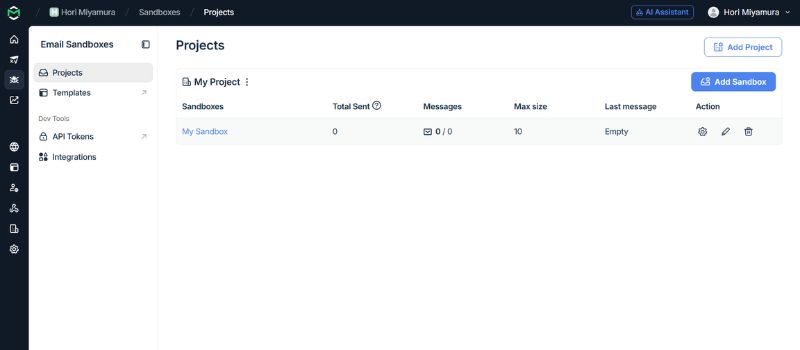
If your email is generated by code, this one might be for you. Mailtrap’s Email Sandbox captures the messages your app sends from staging or QA and stores them in a virtual inbox, so test receipts or password resets never reach a customer. Inside that sandbox, it runs a spam score and validates the HTML, and you can inspect the raw source, headers, and rendering before launching a live campaign.
That developer focus is the reason to pick it, or skip it. If your deliverability questions come up inside a codebase, Mailtrap fits the workflow pretty well, but it’s totally the wrong tool if you’re a marketer testing a broadcast.
Key features:
- Sandbox that captures test emails without delivery
- Spam scoring and HTML validation
- Simulated placement in Gmail, Outlook, Apple, and Yahoo
What it measures: Mail generated by application code, captured in a staging sandbox rather than sent.
5. Litmus
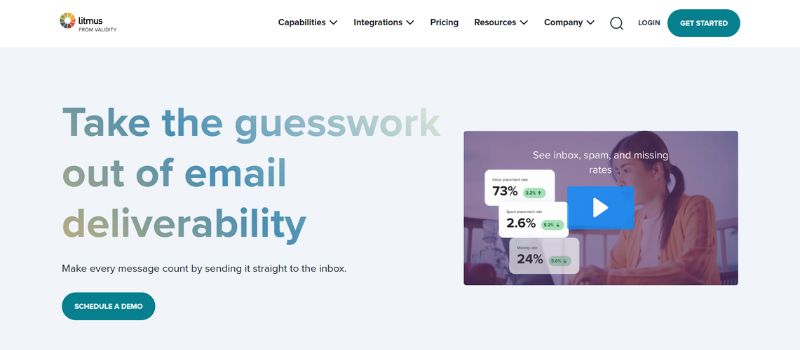
Litmus is primarily a QA platform that includes deliverability features. Its main function is to show how a message displays across more than 100 clients and devices, which is, at least indirectly, an important factor in deliverability, since broken emails often get deleted and deletions cost you reputation. It also runs a spam test, checking your content and authenticating the same way filters would.
One detail decides whether Litmus belongs on your shortlist. Its standard spam testing tool is a simulation, not a live send to seed inboxes, and real inbox-placement data is available only with a paid deliverability add-on. That makes Litmus more platform than you need if placement testing is the job.
Key features:
- Rendering previews for over 100 clients and devices
- Spam-filter simulation and authentication checks
- Collaboration, analytics, and inbox placement as a paid upgrade
What it measures: Rendering across clients and devices. Live placement data requires a paid add-on.
6. Email on Acid
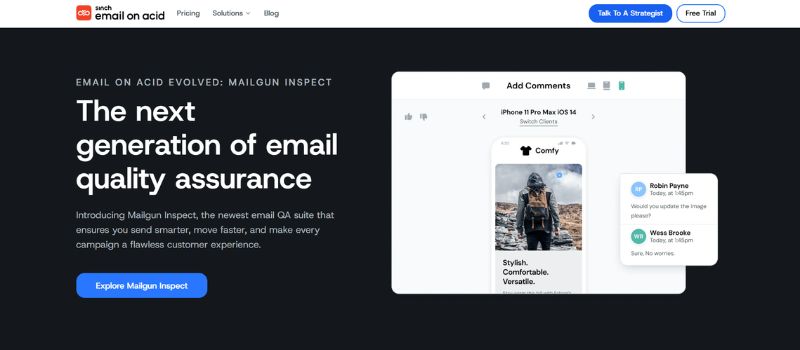
Email on Acid, now part of Sinch, covers much of the same ground as Litmus. It previews emails across 100-plus clients and devices and runs content, link, image, and accessibility checks, aimed at teams that want pre-send QA without an enterprise contract. Spam content checks are included, though only with the Premium plan.
Like Litmus, the focus is rendering and content review rather than live placement results.
Key features:
- Previews for 100+ clients and devices
- HTML, link, and image validation
- Spam content checks on Premium and above
What it measures: Rendering and content QA across clients and devices.
7. MXToolbox
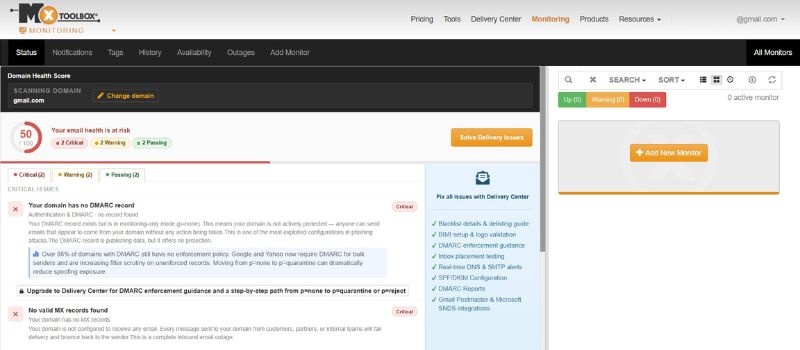
MXToolbox checks the infrastructure you’d often take for granted and assume is already working. It’s free SuperTool runs the now-famous IP blacklist check, along with DNS records, SPF and DKIM setup, and mail-server configuration.
The paid Delivery Center lets you run inbox placement tests, DMARC reporting, and monitoring for even more blacklists. When the problem is reputation or authentication rather than copy, start here.
Key features:
- DNS and authentication diagnostics
- Blacklist monitoring
- Inbox placement analysis and DMARC reporting on paid tiers
What it measures: DNS, authentication and blacklist status.
Which one to pick
The right choice here doesn’t come from stacking feature lists side by side. It involves asking yourself what your biggest problem is. Is it content, authentication, rendering, infrastructure, reputation, or something else? With that in mind, pick the tool you need instead of the one with the most features or the fanciest UI. That’s the real use of this list. Seven email deliverability tools that measure something different, so the comparison only works once you know which question you’re asking.
Once that question is answered, the work changes from testing to fixing. A clean report from any tool above tells you the email passed. It doesn’t tell you why placement still isn’t improving, and that answer is often beyond what a scanner can see.
If you’ve identified that sender reputation, rather than email content or authentication, is holding back your campaigns, InboxAlly can help improve inbox placement by building the engagement signals mailbox providers look for. Learn how it works or book a free demo to see whether it’s the right fit for your sending strategy.