
HubSpot will warm up a dedicated sending IP for you, and plenty of marketers take that as proof the whole warm-up question is covered.
On paper, it looks that way. You buy the dedicated IP add-on and connect your DNS records. After your first marketing email, HubSpot spends the next 40 days easing your traffic onto the new address. How much could be left to do?
A lot, it turns out. HubSpot automates one part of the warm-up process, but what it leaves out is what gets marketers into trouble with spam placement, bounces, poor open rates even after a 40-day warm-up, and, in the worst cases, suspension.
In this article, we’ll break down what HubSpot’s automation covers, why a shared IP doesn’t excuse a new sending domain, and how much room your account has before a bad send takes your marketing email offline.
Key takeaways
- HubSpot’s automated 40-day warm-up applies only to a dedicated IP bought through the Dedicated IP Address Add-On. Your sending domain builds its sender reputation separately, so it needs its own gradual warm-up whether you send from a dedicated or a shared IP.
- A HubSpot warm-up means starting with your most engaged contacts and raising volume over several weeks. Along the way, spam reports have to stay under 0.1%. HubSpot suspends sending at a 5% hard bounce rate, but that is where a suspension starts, not a target — anything over 1% means the list needs verifying.
What HubSpot’s 40 days cover
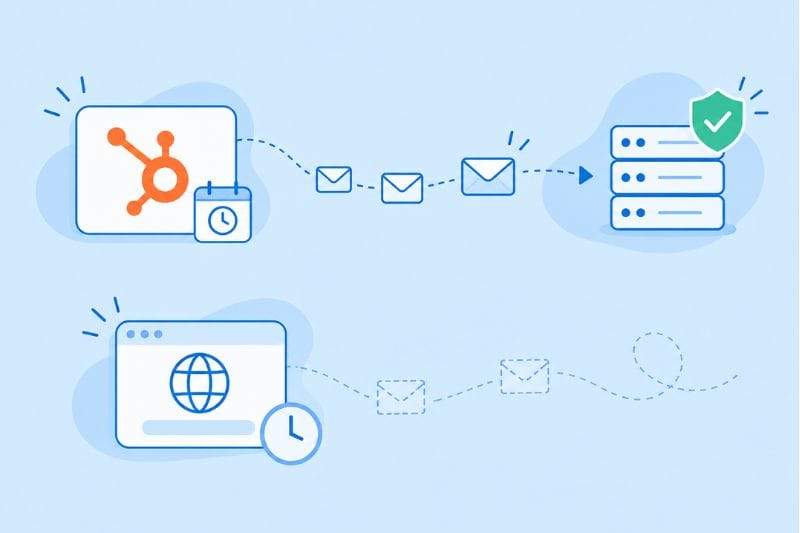
The automated warm-up comes with HubSpot’s dedicated IP, which comes with the Dedicated IP Address Add-On for Marketing Hub Professional or Enterprise. (The Transactional Email Add-On also provides a dedicated IP, but it carries transactional mail only and skips the warm-up entirely.) HubSpot recommends a dedicated IP for senders with engaged, permission-based lists who send over 100,000 messages a month. Once you buy it, the process starts after your DNS records are set up and your first marketing email goes out. From there, HubSpot moves traffic from its shared IPs to your new address in increments over 40 days. Those are 40 days of sending rather than 40 days on the calendar: HubSpot pauses the warm-up if you stop sending for longer than seven days, and picks it up again when you resume.
The warm-up is adjusted based on how contacts interact with each send (more on that in a later section). You can also opt out of the automated period and warm up the IP manually if you prefer. And if you move a brand from one of your dedicated IPs to another, HubSpot leaves out the warm-up entirely.
But have you noticed what’s absent from that entire process? Your domain.
Mailbox providers keep separate records on the IP your mail leaves from and the domain it claims to come from. The 40 days only build history for the first one. A fresh IP paired with a domain that’s been sending well for years inherits a decent head start. A seasoned IP paired with a domain registered last month starts from zero on the, arguably, more important side. HubSpot’s own documentation treats the domain as a separate job: if your sending domain has never been used before, from HubSpot or anywhere else, it recommends warming the domain separately by starting small and scaling over several weeks.
In short, HubSpot’s 40-day warm-up builds a track record for the IP. Your domain still has to earn its own.
Shared IP, all the warm-up work
Most HubSpot accounts send from shared IPs rather than buying the add-on. HubSpot says those shared IPs keep consistently high sender scores, because its deliverability team manages them. The domain half is still entirely yours.
HubSpot’s guidance for anyone moving to a new domain or a new email provider is specific. Mailbox providers won’t recognize the new domain at first, so HubSpot tells you to send an announcement from the old domain first. After that, start with a low number of emails and raise volume over 30 to 60 days.
That announcement step sounds trivial, but it does real work. Your subscribers learn to expect mail from the new name before they see it, which makes them less likely to click “report spam” on a sender they don’t recognize.
Be aware that abrupt changes in email sender identity or volume can trigger spam filtering or throttling, with Gmail recipients being the most sensitive to it. Switching domains and blasting your full list in the same week means changing both at once.
Pacing a domain warm-up inside HubSpot
There’s no built-in schedule for warming up a domain in HubSpot. Nothing stops you from sending to every contact on the first day, so pacing is a manual job. Here’s a workable version:
- Authenticate before the first send. Connect your sending domain in HubSpot and publish the DNS records it gives you. Google already requires anyone sending more than 5,000 messages a day to personal Gmail accounts to authenticate with SPF, DKIM, and DMARC.
- Build a starter segment from recent behavior. Create an active list of contacts who opened or clicked recently, using properties like “Last marketing email open date.” Recent customers and fresh form submissions belong here too.
- Widen the audience in stages. Add the next-most-active slice of contacts once each round of sends comes back healthy, and hold at a level whenever bounce or spam complaints start increasing.
- Keep the rhythm steady. Regular, predictable sends build a better record than one big campaign followed by a period of inactivity.
- Leave unengaged contacts for last (or leave them out). HubSpot’s sending options include an option to skip unengaged contacts. Keep it on during a warm-up.
Hold volume at each step until bounce and complaint rates come back clean.
HubSpot enforces its own limits on top of Gmail’s
Google asks senders to keep user-reported spam below 0.1% and never let it reach 0.3%, but HubSpot’s email deliverability protection system can suspend any account that goes over any of these in a given month:
- A 5% hard bounce rate — the point where HubSpot suspends, not a target. Our own guidance is to stay under 1%.
- A 0.1% spam report rate, meaning one report per 1,000 emails.
- A 3% unsubscribe rate — also a suspension point, not a target. Our own guidance is to stay well under 0.5%.
Warm-up volumes are small, and small denominators are unforgiving. In a month where you’ve sent 800 emails, a single spam report puts you over HubSpot’s line, so it’s important to send to people least likely to complain, which are usually the ones who opened something from you last week.
Bounces cause the other half of the trouble, and they mostly come from imported lists. Addresses collected years ago go stale. Some get recycled into spam traps, and HubSpot counts spam traps as fraudulent activity, which is its own category of suspension. Verify any list older than a few months before it goes anywhere near a warm-up.
There is some warning before the hammer drops. HubSpot usually shows an alert on the Health tab of the email tool before a suspension, with details on what the system detected. On paid plans, a suspension can be appealed. On free tools, it can’t be lifted at all — a harsh lesson to learn with your first newsletter.
What engagement does during warm-up
Remember HubSpot’s claim that its IP warm-up adjusts to how contacts interact with each send? Even the automated part of HubSpot’s process is steered by engagement, and the domain side works the same way. Every reply and click adds a positive entry to the record mailbox providers keep on you. Every ignored message and every complaint adds a negative one. At warm-up volumes, each of those entries comes with bigger consequences.
That changes what you should send during warm-up. The first few weeks are a bad time for a heavy promo with five offers and a countdown timer. They’re a good time for short, useful emails that give people a reason to click, and ideally a reason to reply. A question at the end of a newsletter or a genuine “tell us what you want more of” does more for a young email domain than any subject line trick.
HubSpot gives you the numbers to track this after every send. Use the email performance view to check how each segment responded before you widen the audience. Treat open rates with some suspicion, though. Apple Mail Privacy Protection loads emails automatically for many iPhone and Mac users, which inflates open rates without anyone reading a word. Clicks and replies give you a more honest picture.
Then act based on what the numbers show. Contacts who ignore several warm-up sends in a row aren’t helping your record, so move them out of the rotation instead of hoping the next email wins them over. They can come back later, once the email sending domain has enough history to absorb a few less excited contacts.
The warm-up HubSpot can’t do for you
HubSpot’s 40-day warm-up does one job: it moves traffic onto a new IP without you counting sends on a spreadsheet. For accounts on shared IPs, the IP side is out of their hands either way. Neither path will vouch for a domain nobody has heard of, or forgive a list full of low-quality addresses.
If you don’t want to get burned, don’t read “automatic warm-up” as a promise that your domain reputation is handled too. Reputation gets earned one engaged send at a time, and it’s what decides where your next newsletter lands.
So before the first full-list campaign goes out from a new HubSpot domain, start a free InboxAlly trial to see the placement your sends are getting across its own mailboxes, broken out by mailbox provider, and build engagement on your real campaigns. The platform-by-platform comparison sets out what each tool covers.