Getting your emails delivered is no longer the hard part; getting them into the inbox is.
With stricter spam filters, evolving sender requirements, and increased inbox competition, even well-crafted emails can go unseen. High delivery rates don’t guarantee visibility, and small issues with reputation, authentication, or engagement can push your messages straight into spam.
That’s where email deliverability tools come in.
These tools help you identify and fix the factors that affect inbox placement, from warming up new domains and monitoring sender reputation to testing campaigns before you send. Whether you’re managing marketing campaigns or scaling email as a growth channel, the right tool can make a measurable difference in open rates and overall performance.
In this guide, we’ll break down the best email deliverability tools available right now, what each one is best for, and how to choose the right setup for your needs.
Quick Picks: Best Email Deliverability Tools
If you do not have time to go through the full guide, here are the best email deliverability tools based on different use cases:
- Best overall: InboxAlly improves inbox placement and sender reputation.
- Best for automated warmup: Warmy offers a simple, hands-off setup for new domains.
- Best for deliverability optimisation: Folderly combines software with expert support.
- Best for inbox placement testing: GlockApps shows where your emails actually land.
- Best all-in-one pre-send testing: Unspam helps you test content, design, and deliverability.
- Best for advanced analytics: SendForensics provides data-driven insights to improve performance.
10 Of The Best Email Deliverability Tools in 2026
Choosing the right tool depends on what you’re trying to improve, whether that’s sender reputation, inbox placement, or ongoing monitoring.
To make this easier, we’ve broken down the best email deliverability tools based on what they actually do well. Some focus on fixing deliverability issues, others help you test campaigns before sending, and a few offer a more complete, all-in-one solution.
Each tool below is selected based on its effectiveness, unique strengths, and role in improving deliverability.
1. InboxAlly – The Ultimate Email Deliverability Tool
Best For: Email warmup; improving sender reputation and inbox placement

InboxAlly is designed to help your emails land in the inbox by improving how mailbox providers perceive your sending behavior.
It works using a network of “seed emails,” realistic test accounts that interact with your messages in ways providers like Gmail and Yahoo look for. These interactions include opening emails, clicking links, marking messages as important, and moving them into the primary inbox.
Over time, these signals help build trust in your domain and IP address, making it more likely that future emails reach the inbox rather than the spam folder. This is especially valuable if you’re using a new domain or trying to recover from deliverability issues.
Rather than relying on guesswork, InboxAlly actively shapes your sender reputation through consistent, controlled engagement.
Key Features:
- Inbox placement testing
Provides seed-based testing to show where your emails land across providers, helping identify deliverability issues before campaigns go live.
- Custom warmup scheduling and ramp-up control
You can define how quickly your sending volume increases, using built-in planning tools to create a gradual, controlled warmup strategy.
- Reputation monitoring and alerts
Tracks sender reputation and notifies you if performance drops, allowing you to adjust before deliverability is impacted.
- Spam and content testing tools
Includes tools to analyze email content and detect potential spam triggers before sending, improving campaign performance.
- List hygiene and verification tools
Includes email verification and list cleaning features to remove risky addresses and protect sender reputation.
Try InboxAlly today for free – no credit card required.
Pros
- Focuses on what actually moves the needle: improving inbox placement through real engagement signals, not just surface-level testing
- Works with any email platform, making it easy to layer into your existing setup without switching tools
- Particularly effective for warming up new domains and recovering deliverability issues, where many tools fall short
- Flexible sending controls help you scale volume safely without triggering spam filters
- A clear dashboard makes it easy to track improvements in deliverability over time
- Scales well for larger campaigns, making it suitable for both growing teams and established senders
Cons
- Pricing can be high for smaller teams or beginners
- Requires consistent use to maintain results, as sender reputation depends on ongoing engagement rather than a one-time setup
Price: (as of April 2026)
- Starter Plan: $149/month; send to 100 seed emails per day; 1 sender profile; email support.
- Plus: $645/month; send to 500 seed emails per day; 5 sender profiles; email and live chat support.
- Premium: $1,190/month; send to 1,000 seed emails per day; 10 sender profiles; email, live chat, and phone support; includes a 1-hour setup and strategy session plus weekly 30-minute progress sessions.
- Enterprise: Contact InboxAlly for pricing; send thousands of seed emails daily; unlimited sender profiles; email, live chat, and phone support.
2. Warmy
Best for: Hands-off email warmup and improving sender reputation
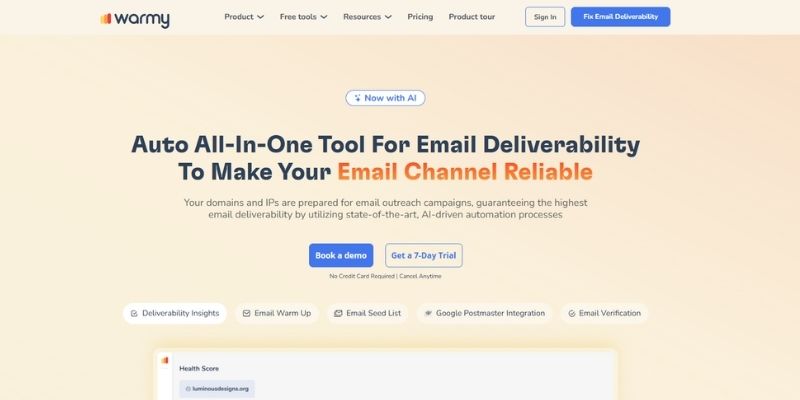
Warmy is an automated email warmup tool designed to help improve deliverability by building sender reputation over time. It works by gradually increasing sending activity and generating engagement signals such as opens, replies, and moving emails out of spam.
The platform is built for simplicity. Once connected to your inbox, it runs in the background, simulating natural email interactions without requiring ongoing manual input. This makes it a good option for teams that want to warm up new domains or maintain deliverability without adding complexity to their workflow.
While Warmy focuses primarily on warmup, it also includes basic inbox placement monitoring and deliverability insights. However, it’s best used as an entry-level or complementary tool rather than a full deliverability solution.
Key Features
- Automated email warmup
Gradually increases sending activity while simulating real user engagement. - AI-driven engagement patterns
Generates opens, replies, and interactions to help improve sender reputation. - Inbox placement monitoring
Tracks whether emails land in the inbox and not the spam folder. - Multi-language warmup network
Supports engagement across different regions and languages.
Pros
- Very easy to set up and use
- Fully automated, requiring minimal ongoing effort
- Effective for warming up new domains
- Good entry-level option for improving deliverability
Cons
- Limited control compared to more advanced tools
- Focused mainly on warm-up rather than full deliverability optimization
- Warmup services require full access to your email account. This can include your customer list, sensitive information, and even personal data. Read our guide on the risks involved to make an informed decision.
Pricing
Warmy offers subscription-based pricing, with plans typically scaling based on the number of inboxes and usage, along with a free trial for new users.
3. Folderly
Best For: Businesses that need hands-on deliverability improvement and expert support
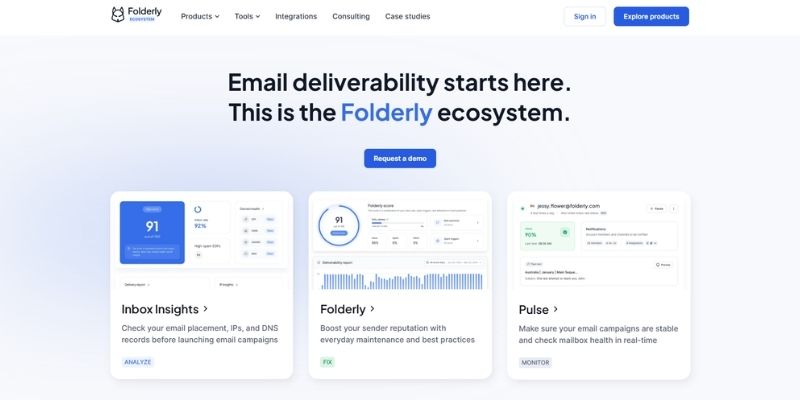
Folderly is a deliverability platform focused on actively improving inbox placement rather than just diagnosing issues. It combines automated tools with consulting support to help businesses fix deliverability problems and maintain a strong sender reputation.
The platform works by analyzing your email setup, identifying issues across infrastructure, content, and sending behavior, and then guiding you through improvements. It also uses automated processes to help build positive engagement signals and improve how mailbox providers perceive your emails.
One of Folderly’s key differentiators is its consulting element. In addition to software, it provides access to deliverability experts who help diagnose issues and recommend strategies, making it particularly useful for teams facing persistent or complex deliverability challenges.
Key Features
- Deliverability monitoring and optimization
Continuously analyzes your email performance and identifies issues affecting inbox placement. - Automated reputation improvement
Uses engagement signals and sending adjustments to improve sender reputation over time. - Dedicated deliverability consulting
Provides access to experts who help diagnose and resolve deliverability issues.
Pros
- Combines software with expert support, which is rare in this category
- Helps actively improve deliverability, not just diagnose issues
- Useful for businesses dealing with ongoing or complex problems
- Provides a more guided approach than most tools
Cons
- Higher cost compared to standalone tools
- May be more than needed for smaller teams
- Less DIY flexibility compared to purely self-service platforms
Pricing
Folderly uses custom pricing, typically based on business size, sending volume, and the level of support required.
4. GlockApps
Best For: Pre-send testing and inbox placement visibility
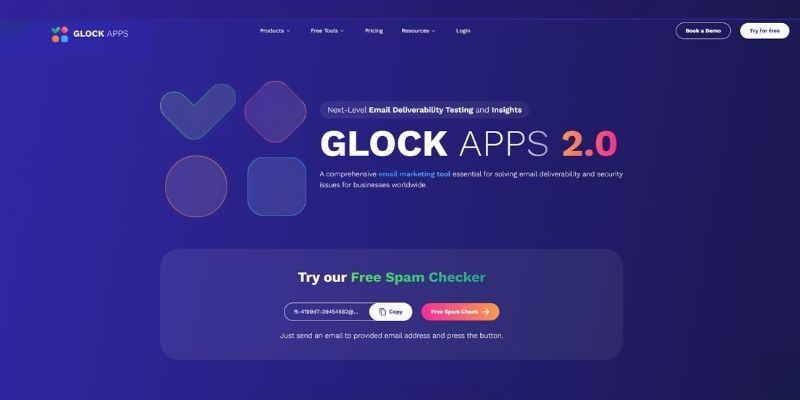
GlockApps is one of the most widely used tools for understanding where your emails actually land. Instead of relying on delivery rates alone, it shows whether your emails reach the primary inbox, promotions tab, or spam folder across different providers.
The platform works by sending your campaign to a network of seed inboxes and generating a detailed report. This helps you catch issues with content, authentication, or domain reputation before sending to your full list.
It also includes blacklist monitoring and DMARC analytics, making it a useful tool for ongoing deliverability checks rather than just one-off testing.
Key Features:
- Inbox placement testing
Shows whether your emails land in the inbox, promotions tab, or spam folder across major providers. - Spam filter analysis
Evaluates your emails against common spam filters and highlights potential issues. - Blacklist monitoring
Tracks your domain and IP against known blocklists to detect deliverability risks. - DMARC analytics and reporting
Provides insights into authentication performance and domain alignment.
Related: What is IP blacklisting?
Pros:
- Provides clear visibility into inbox vs spam placement
- Easy to use for pre-send testing
- Useful for diagnosing campaign-specific deliverability issues
Cons:
- Focused on identifying issues rather than actively improving deliverability
- Can become expensive with frequent testing
Price: (as of April 2026)
- Essential: $85/month; 30 spam test credits; 50k DMARC messages; 1 IP reputation monitor; 1 user.
- Growth: $142/month; 90 spam test credits; 100k DMARC messages; 10 IP reputation monitors; 5 users.
- Enterprise: $185/month; 150 spam test credits; 1M DMARC messages; 20 IP reputation monitors; 10 users.
5. Unspam
Best For: Pre-send testing across content, deliverability, and design
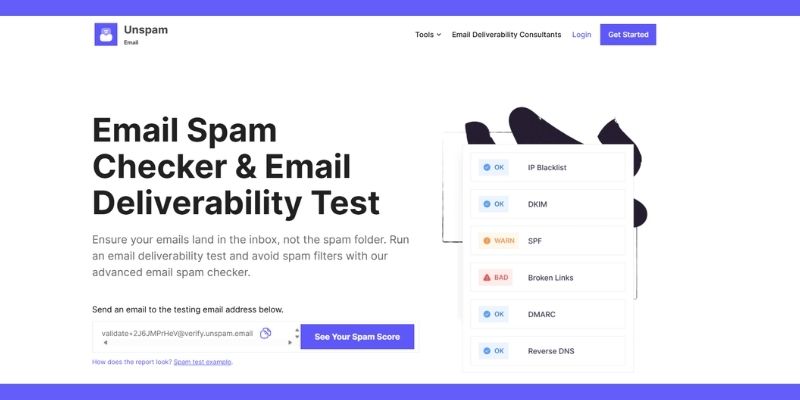
Unspam is a multi-layer email testing tool designed to catch issues before your campaign goes live. Instead of focusing on just one aspect of deliverability, it combines content analysis, technical checks, and inbox placement testing in a single workflow.
This makes it particularly useful for marketers who want to validate everything in one place, how their email looks, how it performs across providers, and whether anything might trigger spam filters.
One of its standout features is the AI-based heatmap, which predicts how recipients are likely to interact with your email. Combined with preview testing and technical validation, Unspam helps you optimize both deliverability and engagement before hitting send.
Key Features:
- Inbox placement testing
Simulates how your emails perform across providers and shows inbox vs spam placement. - Spam and content analysis
Evaluates your email for spam triggers and provides actionable recommendations. - Email preview across devices and clients
Shows how your email renders across different devices, platforms, and screen sizes. - AI heatmap for engagement prediction
Predicts where recipients are likely to focus, helping optimize layout and calls to action. - Blacklist checks
Scans your domain, IP, and email address against common blocklists.
Pros:
- Helps identify both deliverability risks and performance issues before sending
- Helpful visual insights (heatmaps)
- Easy to use for marketers
Cons:
- Less focus on infrastructure or reputation
- Limited monitoring capabilities
Price: (as of April 2026)
- Free Plan: 10 spam tests; 10 email tests; 3 inbox tests.
- Basic: $9/month; 50 spam tests; 50 email previews; 10 email heatmaps; 10 inbox tests; includes historical results.
- Agency: $29/month; 500 spam tests; 250 inbox tests; 250 email heatmaps.
6. MailTrap
Best for: Developers and teams testing emails before sending
Mailtrap is a testing-focused email platform that allows you to safely inspect and debug emails in a controlled environment before sending them to real users. Instead of risking deliverability issues with live campaigns, it captures emails in a sandbox inbox where you can analyze them without affecting sender reputation.
This makes Mailtrap especially useful during development, where teams need to test email functionality, formatting, and authentication without triggering spam filters or damaging domain reputation.
In addition to testing, Mailtrap also offers tools for email sending and deliverability monitoring, making it a flexible option for teams that want both a safe testing environment and scalable infrastructure.
Key Features
- Email sandbox for safe testing
Captures emails in a secure environment without sending them to real recipients. - Spam and content analysis
Evaluates emails for spam triggers and formatting issues before sending.>/span> - Email preview and debugging tools
Allows you to inspect HTML, headers, and rendering across clients. - API and SMTP integration
Supports sending emails programmatically for development workflows. - Deliverability monitoring (sending product)
Provides actionable insights into performance when sending emails at scale.
Pros
- Excellent for debugging and testing email functionality
- Useful for both developers and technical teams
- Combines testing and sending capabilities in one platform
Cons
- Primarily focused on development, not marketing workflows
- Limited impact on improving sender reputation directly
- Requires some technical knowledge to use effectively
Pricing
Mailtrap offers a free plan for testing, with paid plans available for higher usage and email sending.
7. SendForensics
Best For: Advanced analytics and data-driven deliverability optimization
SendForensics is designed for teams that want deeper insight into why their emails perform the way they do. Instead of just testing where emails land, it analyzes multiple factors such as content, authentication, and engagement signals to predict deliverability outcomes before you send.
It also includes reputation monitoring, DMARC tracking, and integrations with multiple ESPs, making it particularly useful for agencies and teams managing campaigns at scale. The platform’s reporting tools help you identify patterns and optimize campaigns based on real data rather than guesswork.
Key Features:
- Pre-send deliverability analysis
Evaluates your email content and setup to predict performance before sending. - Advanced analytics and reporting
Provides insights into factors affecting deliverability, including reputation and infrastructure. - DMARC monitoring
Tracks authentication performance and domain alignment. - Inbox placement testing
Shows where your emails land across different providers.
Pros
- Strong focus on data-driven insights, not just surface-level testing
- Helps identify root causes of deliverability issues, not just symptoms
- Integrates with multiple ESPs for broader visibility
- Well-suited for agencies and teams managing multiple campaigns
Cons
- More complex than beginner-friendly tools
- May be unnecessary for smaller senders or simple campaigns
- Interface and insights can take time to fully understand
Price: (as of April 2026)
- Brand: $49/month; 2 domains; 100k DMARC reports; includes standard features such as unlimited email spam testing, client previews, inbox placement tests, and integrations.
- Company: Starts at $79/month; 5 domains; 1M DMARC reports; includes standard features.
- Agency: Starts at $199/month; 15 domains; 10M DMARC reports; includes standard features.
8. MX Toolbox
Best For: Email verification of protocols like SPF, DMARC & DKIM.
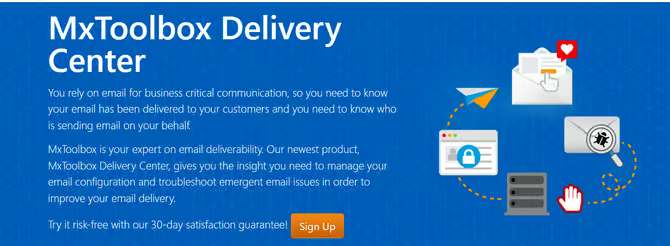
MXToolbox is a diagnostic-focused tool designed to help identify technical issues that can impact email deliverability. Rather than improving deliverability directly, it helps you understand what might be going wrong behind the scenes.
It’s widely used for checking DNS records, authentication setup, and blacklist status. This makes it particularly useful when troubleshooting sudden drops in deliverability or verifying that your email infrastructure is configured correctly.
Key Features:
- Blacklist monitoring
Tracks your domain and IP against major blocklists and alerts you if you are flagged. - Email authentication checks
Verifies SPF, DKIM, and DMARC records to ensure proper configuration. - DNS and server diagnostics
Identifies issues with your domain, mail servers, and email infrastructure. - Email header analysis
Breaks down email headers to help diagnose delivery and routing issues.
Pros
- Strong focus on technical diagnostics and troubleshooting
- Widely trusted and commonly used across the industry
- Helpful for identifying root causes of deliverability issues
- Useful alongside other deliverability tools
Cons
- Does not directly improve deliverability or inbox placement
- Interface and data can feel technical for non-technical users
- Limited guidance on how to fix issues once identified
Price: (as of April 2026)
MXToolbox offers a 30-day free trial, with paid plans available after signup. Pricing is not publicly listed and varies based on usage and features.
9. Google Postmaster Tools
Best for: Monitoring Gmail-specific sender reputation and performance

Google Postmaster Tools provides direct insight into how Gmail views your domain and sending behavior. Since Gmail is one of the largest mailbox providers, this data is extremely valuable for understanding deliverability performance at scale.
The platform provides access to key metrics, including spam complaint rates, domain and IP reputations, and authentication status. These signals help you identify issues that may affect inbox placement, particularly within Gmail’s ecosystem.
One of its biggest advantages is that the data comes directly from Google, making it more reliable than third-party estimates. However, it’s important to note that Postmaster Tools is purely a monitoring tool; it doesn’t fix issues for you, but it helps you understand where problems exist.
Key Features
- Domain and IP reputation tracking
Shows how Gmail rates your sending reputation over time. - Spam rate monitoring
Tracks how often your emails are marked as spam by recipients. - Authentication insights
Provides visibility into SPF, DKIM, and DMARC performance. - Delivery error reporting
Highlights issues affecting message delivery and acceptance.
Pros
- Direct data from Gmail (highly reliable)
- Essential for monitoring sender reputation at scale
- Completely free to use
- Helps identify issues early before they impact campaigns
Cons
- Limited to Gmail (no cross-provider visibility)
- Requires sufficient sending volume to generate data
- Does not provide actionable fixes or recommendations
Pricing
Google Postmaster Tools is free to use.
10. ZeroBounce
Best for: Cleaning email lists and building a positive sender reputation
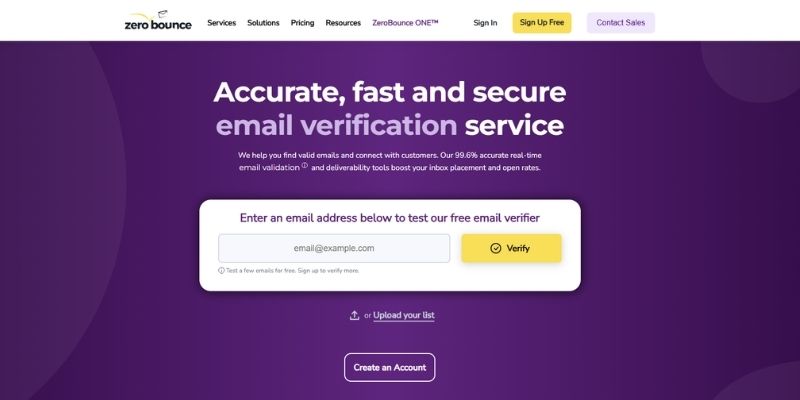
ZeroBounce is primarily known as an email validation and list hygiene tool, helping you remove invalid, risky, or low-quality email addresses before sending campaigns.
Since poor list quality is one of the most common causes of deliverability issues, ZeroBounce plays a critical role in improving inbox placement. Filtering out hard bounces, spam traps, and abusive addresses, it helps protect your sender reputation and reduces the risk of being flagged by mailbox providers.
In addition to validation, ZeroBounce includes deliverability tools such as inbox placement testing, blacklist monitoring, and email scoring. This makes it more than just a list-cleaning tool; it’s a useful addition to a broader deliverability workflow.
Key Features
- Email validation and list cleaning
Identifies and removes invalid, inactive, or risky email addresses. - Spam trap and abuse detection
Flags addresses that could harm your sender reputation. - Email scoring and activity data
Provides insights into email quality and likelihood of engagement. - Inbox placement testing
Shows where your emails land across different providers.
Pros
- Helps improve deliverability by cleaning your email lists before sending
- Reduces bounce rates and protects sender reputation
- Easy to use with fast processing times
- Useful for both one-time list cleaning and ongoing maintenance
- Complements other deliverability tools well
Cons
- Primarily focused on list hygiene rather than full deliverability optimization
- Costs can add up for very large lists
- Some features may overlap with other tools in your stack
Pricing
ZeroBounce uses pay-as-you-go pricing for email validation, along with additional subscription plans for deliverability tools and monitoring features.
What Features Do the Best Email Deliverability Tools Offer?
Here are the key features to look for:
| Email Warmup | Gradually increases sending volume while simulating real engagement (opens, replies, clicks) to build trust with mailbox providers and improve sender reputation. |
Spam & Content Testing | An email spam checker that analyzes your email content, subject lines, and headers to identify spam triggers before sending, helping you avoid common filtering issues. |
| Inbox Placement Testing | Shows where your emails actually land (inbox, promotions, spam) across different providers, giving you visibility beyond basic delivery rates. |
| Blacklist Monitoring | Checks whether your domain or IP is listed on spam blocklists and alerts you to issues that could harm deliverability. |
| Email Authentication (SPF, DKIM, DMARC) | Validates and monitors authentication protocols to ensure your emails are properly verified and trusted by mailbox providers. |
| Sender Reputation Monitoring | Tracks your domain or IP reputation over time, helping you detect and fix issues before they impact inbox placement. |
| Analytics & Reporting | Provides insights into deliverability performance, engagement metrics, and campaign trends to support ongoing optimization. |
Types of Email Deliverability Tools
Not all email deliverability tools are built the same, and that’s a good thing.
Some tools help you build your sender reputation from scratch, others help you test where your emails land, and some give you deep visibility into how mailbox providers see your domain. Understanding these categories will help you choose the right combination of tools instead of relying on just one.
Here’s a breakdown of the main types of email deliverability tools and what they actually do:
Email Warmup Tools
If you’re sending from a new domain or trying to recover from poor deliverability, warmup tools are usually the first step. If you’re new to this process, it helps to understand how email warmup works before getting started.
They work by gradually increasing your sending volume while mimicking real user behavior. That includes things like opens, replies, marking emails as important, and moving messages out of spam. Over time, this helps establish trust with mailbox providers.
Tools like InboxAlly go a bit further by using seed accounts to actively “train” inbox providers. Instead of just warming up volume, they simulate engagement patterns that signal your emails are worth delivering.
Best for:
- New domains or IPs
- Cold outreach
- Fixing spam folder issues
Inbox Placement & Testing Tools
One of the biggest misconceptions in email marketing is assuming that “delivered” means “seen.” Inbox placement tools exist to answer a simple question: where did your email actually go?
They send your campaign to a network of test inboxes across different providers and then show you whether it landed in the primary inbox, promotions tab, spam folder or didn’t show up at all.
Many tools also highlight issues with your content, headers, or authentication setup before you send. If you’re unsure what to look for, it’s worth understanding how to avoid common spam filters.
Best for:
- Testing campaigns before sending
- Troubleshooting deliverability issues
- Optimizing subject lines and content
Deliverability Monitoring Tools
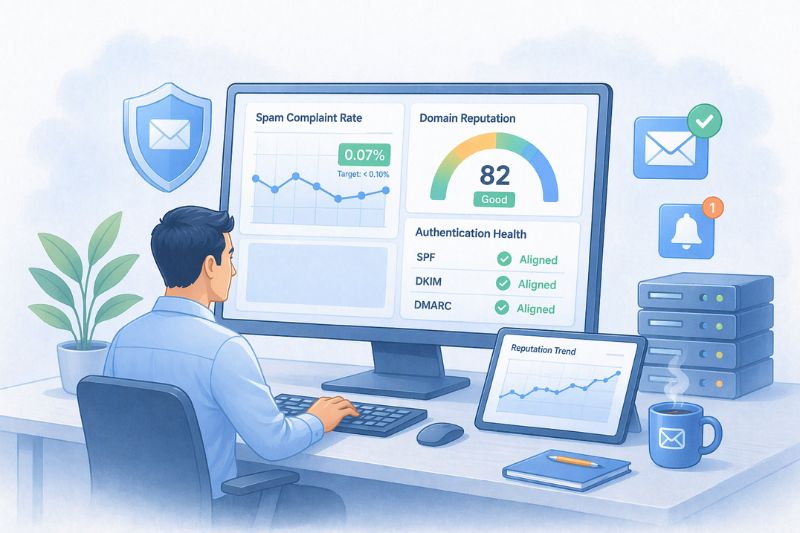
Once your emails are being sent regularly, you need visibility into how mailbox providers perceive you over time.
That’s where monitoring tools come in. They give you ongoing visibility into metrics such as spam complaint rates, domain reputation, and authentication health.
Some of the most useful tools here actually come straight from mailbox providers like Google Postmaster Tools or Microsoft SNDS. They won’t fix anything for you, but they tell you exactly when something is going wrong so you can act quickly.
Best for:
- Ongoing campaigns
- High-volume sending
- Keeping an eye on reputation over time
Reputation & Blacklist Tools
Your sender reputation is one of the biggest factors in whether your emails reach the inbox.
Reputation tools track your domain and IP health, while blacklist monitoring tools alert you if you’ve been flagged as a potential spammer. Landing on a blacklist can severely impact deliverability, sometimes overnight.
Tools like MXToolbox and SenderScore help you monitor your standing, while services like Spamhaus maintain blocklists used by mailbox providers worldwide.
Best for:
- Diagnosing sudden deliverability drops
- Monitoring the domain/ and IP health
- Avoiding long-term reputation damage
Full Deliverability Platforms
Some tools combine multiple features into a single platform: testing, monitoring, analytics, and even email-sending infrastructure.
Platforms like SendForensics provide a more comprehensive view of your email performance. They often include advanced analytics, predictive scoring, and integrations with your email service provider.
These are typically used by teams that send emails at scale and need deeper insights into performance across different providers and campaigns.
Best for:
- Agencies and SaaS companies
- High-volume senders
- Teams that need advanced analytics
So, Which Type Do You Actually Need?
In most cases, you won’t rely on just one type of tool.
A typical setup might include:
- A warm-up tool to build reputation
- A testing tool to validate campaigns before sending
- A monitoring tool to track performance over time
By combining these, you create a system that not only gets your emails into the inbox but keeps them there consistently.
Conclusion
Email deliverability isn’t just about sending more emails; it’s about building trust with inbox providers, so your messages actually get seen.
While different tools solve different parts of the problem, improving sender reputation is often the biggest lever. If your emails aren’t consistently reaching the inbox, it’s usually a signal issue, not just a content issue.
That’s where tools like InboxAlly stand out. Instead of only identifying problems, it actively helps improve how mailbox providers perceive your emails, making it easier to reach the inbox and stay there over time.
If deliverability is limiting your results, starting with a tool that directly improves inbox placement is often the fastest way to see meaningful impact.
FAQs on Best Email Deliverability Tools
If you’re new to deliverability software or trying to decide which platform fits your business, the questions below cover the essentials. From understanding inbox placement to knowing which tools are free, these quick answers will help you choose the right solution and improve your email performance.
Darren Blumenfeld is the CEO and Founder of InboxAlly, an email deliverability platform trusted by growth-focused marketers. He’s previously founded HonestMail, worked at NASA, and holds degrees from Tufts and Columbia. His passion for tech, education, and creativity continues to inspire innovation in email outreach.