
Inbox Monster earned its place with large email teams by answering a question those teams cannot afford to guess at: where did the campaign actually land, provider by provider, and what is the reputation behind that result? It reports weighted inbox placement, tracks spam traps and blocklists, monitors DMARC, and packages all of it into reporting a team can put in front of leadership. For a program sending at real scale, that visibility is the job, and it is also where the product stops.
The search for an alternative usually starts in one of two places. Either the team has the visibility and still has the problem, because a report describes where mail landed without changing where the next one lands. Or the team is smaller than the product is built for, and an annual, quote-based enterprise contract is the wrong shape for a program that needs to start this week.
Below are seven Inbox Monster alternatives worth knowing in 2026, what each one actually does, and which of them can change inbox placement rather than only measure it.
Key takeaways
- Inbox Monster is an enterprise deliverability monitoring platform. It measures placement, reputation, spam traps, blocklists and DMARC across a wide provider panel, and it is sold on annual contracts through a sales process. It does not act on what it finds.
- Most Inbox Monster alternatives monitor too, at different scales: enterprise suites (Validity Engage), self-serve placement testers (GlockApps, Mailgun Optimize), tooling paired with hands-on services (MailMonitor), infrastructure and DMARC monitors (MXToolbox) and the free first-party baseline (Google Postmaster Tools).
- If you already know where your mail lands and the number is not moving, the gap is not visibility, it is sender reputation. InboxAlly acts on reputation directly and includes inbox placement testing and blocklist monitoring, so you can watch the number you are trying to move.
Where Inbox Monster fits, and where senders look elsewhere

Inbox Monster describes itself as an email testing and deliverability platform, and its deliverability suite covers a lot of ground, all of it measurement. According to its own pricing page, the suite includes weighted inbox placement, reputation analysis, spam trap testing, blocklist monitoring, DMARC monitoring, real-time alerts, ESP integrations and shareable custom reporting, with white-glove setup and optional professional services on top. Alongside it sit a creative rendering suite and an SMS deliverability product. For a large sending program with a team to run it, that is a complete view of the channel, and a view is where it stops.
Three things send senders looking for something else.
A placement report is not a placement change. Every number in the suite describes what happened to mail that already went out. Weighted placement, trap hits and reputation analysis tell you where you stand with each provider. They do not alter how the next campaign is treated, because the thing that decides that, your sending domain’s engagement history with each mailbox provider, is not something a dashboard can write to. Teams that have the visibility and still have the problem discover this quickly.
It is built and sold for the enterprise. Inbox Monster’s pricing FAQ is direct about how you get started: a discovery call with a representative, a custom proposal, a customer agreement and a set of IT and information security requirements, on an annual subscription. That is the right process for a large program buying a platform its whole team will live in. It is the wrong shape for a smaller team that wants to run a placement test this afternoon, and it is why so many of the searches for an alternative come from senders who were never the intended customer.
Diagnosis stops at the report. When the monitoring finds a listing, a trap hit or a slide in placement at one provider, the work of fixing it happens somewhere else. Some findings are a quick DNS edit. The most common one, a domain that one provider has simply stopped trusting, is not.
None of that is a criticism of the platform. Inbox Monster does the monitoring it describes, for the audience it was built for, and monitoring is the whole of what it does. The right alternative depends on which of those three gaps is actually yours.
The 7 best Inbox Monster alternatives
1. InboxAlly
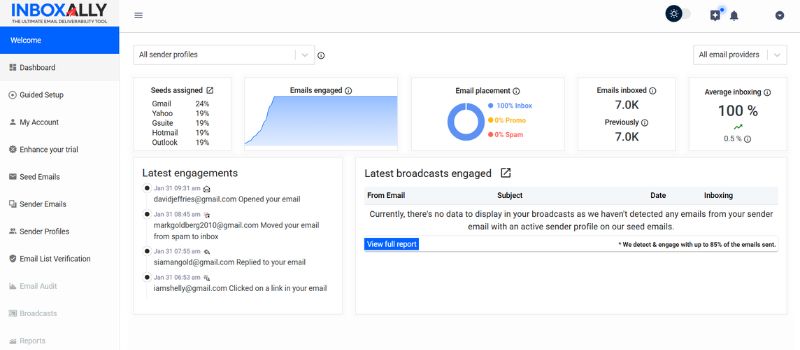
Every other tool on this list reports on your sender reputation. InboxAlly is the one that changes it. It delivers your mail to a network of real mailboxes operated through actual browser interfaces, which open it, scroll it, reply, click, mark it important, and rescue anything that lands in spam or promotions. Because the seed addresses are added to your actual campaigns, that engagement is earned on your real content, from your real sending setup, at each mailbox provider. Those are the behavioral signals providers weigh when they decide where your next campaign belongs.
That is the exact case a monitoring platform cannot help with: you know where the mail is landing, and it keeps landing there. InboxAlly also includes inbox placement testing, blocklist monitoring on every sender profile, authentication checks, DMARC reporting and email list verification, so the visibility side is covered in the same subscription. It works with any ESP and needs no access to your sending account, and you can start without a sales cycle.
Key features:
- Builds genuine engagement history on your sending domain (opens, scrolls, replies, clicks, spam and promotions rescues), on your real campaigns
- Inbox placement testing across Gmail, Google Workspace, Outlook and Yahoo, included
- Blocklist monitoring, DMARC reporting and authentication checks on every sender profile
- Works with any sending platform without requiring account access
- Runs across multiple sending domains at once, with a free blocklist check and spam checker that need no account
Best for: Senders who already have visibility, or do not need an enterprise suite to get it, and whose placement needs to change. Plenty of large programs keep their monitoring platform and add InboxAlly for the remediation half. See the full comparison.
Pricing: Plans start at $149 a month for one sender profile, with a free 10-day trial and no card required. See plans and pricing.
2. Validity Engage
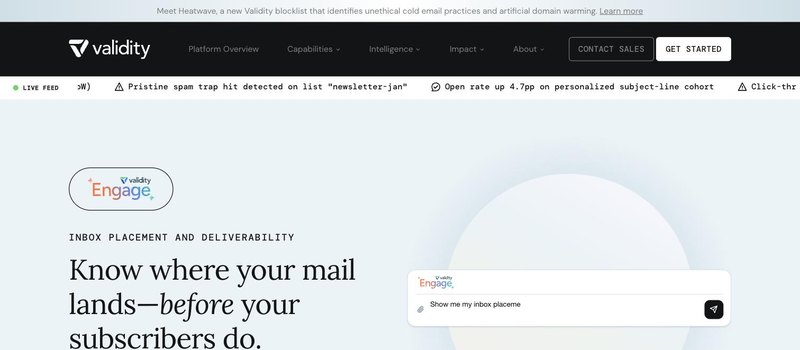
Validity Engage is the closest like-for-like alternative at enterprise scale. It is the current name for the platform that was previously sold as Everest, and as of 2026 it also absorbs Litmus, so rendering and pre-send QA now sit in the same product. On the deliverability side it offers real-time placement testing across a panel it describes as more than 90 providers, Sender Score reputation monitoring across IPs and domains, authentication and blocklist monitoring, provider-specific placement and throttling insights, and a pre-send deliverability check. Its Sender Certification program is a separate route that some mailbox providers recognize.
Like Inbox Monster, it is sold through a sales team and aimed at brands sending at scale. If the reason you are looking is fit rather than price or process, this is the peer to evaluate.
Key features:
- Real-time inbox placement testing across a 90+ provider panel
- Sender Score, authentication and blocklist monitoring with provider-level breakdowns
- Rendering previews and pre-send QA, following the Litmus integration
What it measures: Placement, reputation, authentication and rendering, at enterprise scale. Not the engagement that decides placement.
3. GlockApps

GlockApps is the self-serve answer to the enterprise-contract problem. You can run a free spam check from its homepage without an account, and a full inbox placement test sends to what it describes as 115 seed addresses across five spam filters, reporting inbox, promotions and spam placement alongside authentication, blocklist and content checks. Paid plans add automated tests with alerts, DMARC monitoring, uptime monitoring and an API with white-label reporting, and there is a managed services option for teams that want help reading the results.
It is a measurement product and does not set out to change the result. Its own homepage describes alerts that switch mailboxes and route inactive ones to external warm-up services when reputation needs work, which is a fair description of the split: it tells you where you stand, and something else has to move the number. See the full comparison.
Key features:
- Inbox placement reporting across a wide, customizable provider panel
- Spam-filter analysis, authentication checks and blocklist scanning across 50+ lists
- Automated testing, DMARC monitoring and an API, on self-serve plans with free tests to start
What it measures: Where your campaign lands, provider by provider, without a sales cycle. Not the reputation that decides it.
4. Mailgun Optimize
Mailgun Optimize is Sinch’s deliverability suite, sold alongside the Mailgun sending platform. It bundles inbox placement testing, reputation monitoring, email validation and email previews, with deliverability services available on top, and it is positioned as covering both pre-send testing and in-production monitoring. There is a free tier to start and a sales route for larger programs.
The natural fit is a team already sending through Mailgun or another Sinch product, where the monitoring sits next to the sending logs it is describing. If your mail goes out through a different ESP, the suite still works but the integration advantage is smaller.
Key features:
- Inbox placement testing and reputation monitoring
- Email validation and rendering previews in the same suite
- Deliverability services for teams that want guidance
What it measures: Placement, reputation and list quality, closest to home if you already send through Mailgun.
5. MailMonitor

MailMonitor pairs monitoring tools with hands-on services, and describes its approach as audit, remediation and optimization. Rather than a self-serve signup, the entry point is a consultation, after which the team works through a program’s sending setup with the tooling behind it. That makes it a different shape from the other entries: less a dashboard you run yourself, more a monitored engagement with people attached.
That is the reason to pick it or skip it. If what you want alongside the numbers is someone to interpret them and work the fixes with you, this is built for that. If you want to run tests on your own schedule, the consultation-led model is the wrong fit.
Key features:
- Deliverability audit, remediation and ongoing optimization as a structured program
- Monitoring tooling behind the service
- Consultation-led onboarding rather than self-serve
What it measures: Your program’s placement and setup, with services to act on the findings.
6. MXToolbox
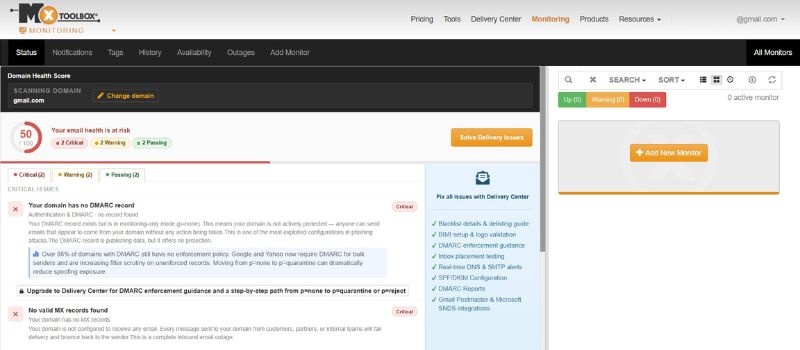
MXToolbox covers the infrastructure slice of what Inbox Monster monitors, and its free SuperTool blacklist and DNS check is where many senders first confirm a listing. Its paid Delivery Center is centered on DMARC: deployment, analytics, verified sending sources, SPF and DKIM configuration monitoring, domain impersonation protection and BIMI readiness, with adaptive blocklist monitoring and deliverability diagnostics alongside. It is self-serve with a satisfaction guarantee rather than a sales cycle.
When the finding is a listing, an authentication failure or an unauthorized source sending as your domain, this is where the trail continues. It does not run seed-based placement tests across a provider panel, so it is a companion to placement testing rather than a replacement for it.
Key features:
- DMARC deployment, analytics and domain impersonation protection
- SPF and DKIM configuration monitoring with verified source detection
- Adaptive blocklist monitoring, plus the free SuperTool for one-off checks
What it measures: DNS, authentication, DMARC and blocklist status. Not inbox placement.
7. Google Postmaster Tools
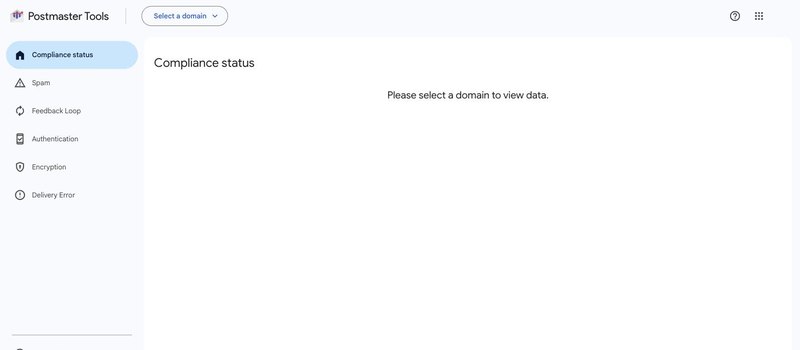
Postmaster Tools is free, first-party and Gmail-only, and it is the baseline most Inbox Monster customers were already running. Version 2 reports compliance status against Gmail’s sender requirements, spam rate, feedback loop data, authentication and encryption rates, and delivery errors, per verified domain. It answers one question with authority: what Gmail thinks of your domain right now.
Two limits decide its place on this list. It sees only Gmail, so Outlook, Yahoo and everything else stay dark. And the domain and IP reputation indicators that made V1 useful are gone: V1 is being retired account by account and V2 does not carry them, which is exactly the trend line third-party monitors exist to replace.
Key features:
- Gmail spam rate, compliance status and feedback loop data, free
- Authentication and encryption rates per domain
- First-party data, so there is no sampling or seed panel involved
What it measures: Gmail’s view of your domain. Not other providers, and no longer a reputation score.
Which one to pick
The right Inbox Monster alternative follows from which of its three gaps is actually yours, so start by naming the gap rather than comparing feature lists.
If you need enterprise-scale monitoring and the question is fit, Validity Engage is the peer to evaluate. If you need placement testing without a sales cycle, GlockApps runs one this afternoon. If you already send through Mailgun, Mailgun Optimize sits next to your logs. If you want people working the fixes with you, MailMonitor is built around that. If the trail leads to DMARC, authentication or a listing, MXToolbox. If you want Gmail’s own view for free, Postmaster Tools, with the caveat that it no longer scores reputation.
There is a fourth case, and it is the most common reason people go looking in the first place. The monitoring is in place. The reports are accurate. And the number is not moving, because a report describes reputation without changing it, and every tool above stops at the report.
That is the job InboxAlly does: building the engagement record mailbox providers use to decide where your next campaign belongs, on your real campaigns, with placement testing and blocklist monitoring included so you can watch the number you are trying to move. Many enterprise programs keep their monitoring suite and add InboxAlly for that half. If you want to see where you stand first, the placement test is free and needs no account.