All the features you need to super-charge your email marketing efforts.
Finally Send Mass Emails and Increase Open Rates without the Fear of Landing in Spam.
InboxAlly teaches email providers to put your messages in the Inbox.
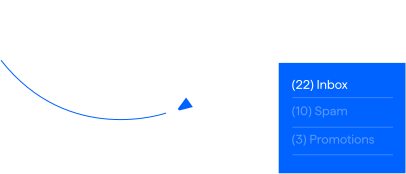
Go to the primary inbox from the very start
As an expert on email deliverability, you know how important it is to have engaged contacts to send to. If your client comes up short in this regard, add another tool to your toolbox to address this. Also, add a new revenue stream by becoming an affiliate.
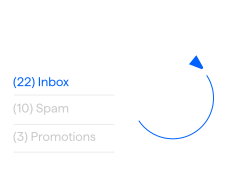

Get out of the spam and promotions folder
Your clients spend a lot for your services and are counting on you to get everything right. They may not have to worry about inboxing, but you do. We can help take away these worries.
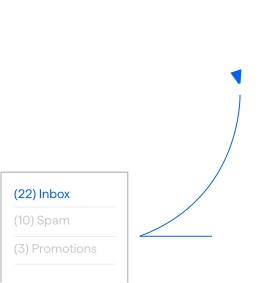

Keep out of the spam and promotions folder
With hundreds of competitors, many offering free migration, maintaining customers is always a concern. One of the easiest ways to lose customers, is for their open rate to drop. Use our service to prevent/fix this.
Here’s how we do it
-


Scroll down
Highly engaged recipients not only open emails but scroll down as they read. So long as the content is longer than the page, this should be done for nearly all opened emails.
-

Remove from Spam
When a recipient goes out of their way to take an email out of spam, they tell the inbox provider, hey, you made a mistake. Next time, please don't do this again.
-

Remove from Promotions
Moving an email from the promotions folder to the primary inbox tells inbox providers that you disagree with their sorting criteria and that similar emails should go to the primary inbox.
-


Reply
Demonstrates that the recipient is interested in the content of your email. We have a set of random generic replies we use for this.
-

Mark as Important
Marking an email as important can essentially be interpreted by the inbox provider as "This email is extremely valuable; never send it to spam."
-


Click link
Demonstrates not only interest in the content, but trust, as many recipients won't click on links from sources they deem untrustworthy.
Our Platform Makes it Easy
-


Track progress out of the spam folder
Avoid analysis paralysis. InboxAlly tracks where your emails have been landing in the last 30 days. This helps you know what’s working and what’s not.
-
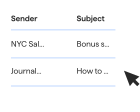

See all of the broadcasts you sent
The tool allows you to see all the broadcasts you sent. It’s a great way to find the right growth opportunities at the right time.
-
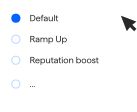

Select a preset engagement profile
Get your email deliverability right from the start. With InboxAlly, you can select a preset engagement profile from default to reputation protection or even dial in your own settings to get the maximum engagement out of your emails.
Detailed feature list
- Repair/Increase deliverability on any IP/domain on any platform
- Works with any email-sending service
- Use your own content in emails you send
- Track your progress on your dashboard
- Control the opening time window
- Broadcast Auto detect automatically senses your sending
- Can be used with large list sizes
- Your emails are opened from different machines with different IPs in different US locations
- Create multiple sender profiles to accommodate all of your domains/IPs
- No need to give us access to your email accounts or sending software
- Set your own sending schedule
- Set your reporting timezone
- "Prime the pump" for specific email campaigns
- Utilize our proprietary use case-specific engagement profiles or create your own
- Enterprise-level, customizable plans are available