
Mail-Tester became the default first stop for a simple reason: you send one email to a generated address, open a link, and get a score out of 10 with every deduction spelled out. No account, no card, under a minute. For checking whether a template is obviously broken, that is hard to beat.
The trouble starts when the score becomes the goal. A 10/10 grades your authentication, your HTML and your wording. It does not tell you where the message actually landed, because it never sent your campaign to a real mailbox at Gmail, Outlook or Yahoo. Plenty of senders sit on a perfect score while a growing share of their list never sees a subject line.
That gap is what sends people looking. Below are seven Mail-Tester alternatives worth knowing in 2026, what each one actually measures, and which of them can change inbox placement rather than only report on it.
Key takeaways
- Mail-Tester grades content and authentication on a single message. It is a pre-send checklist, not an inbox placement test, and a perfect score is not evidence that your mail reaches the inbox.
- Most Mail-Tester alternatives diagnose too: content scanners (MailGenius), placement reporters (GlockApps), rendering and QA suites (Mailtrap, Litmus, Email on Acid) and infrastructure monitors (MXToolbox).
- If your score is already good and your mail still lands in spam, the problem is sender reputation, and no scanner will fix it. InboxAlly acts on reputation and includes inbox placement testing, blocklist monitoring and list verification alongside it.
Where Mail-Tester fits, and where senders outgrow it

Mail-Tester does one job and does it quickly. You send a message to the address it generates, and it returns a score out of 10 with points deducted for authentication problems, risky phrasing, broken links and a heavy image-to-text ratio. For a new domain, or a template nobody has sent before, that is a genuinely useful first pass and it costs nothing.
Three things send senders looking for something else.
A spam score is not a placement result. The test grades your configuration and your copy against filter rules. It does not send your campaign to real mailboxes and report which folder it reached, so it cannot distinguish “this email is well built” from “this email will be seen”. Those are different questions, and only one of them shows up in your open rate.
One message is not a campaign. The report describes a single send in isolation. It has no view of your sending history, your domain’s reputation with each provider, or whether last month’s volume increase is still being held against you.
Diagnosis stops at the report. Once you know something is wrong, the work of fixing it happens somewhere else. If the finding is a malformed SPF record, that is a quick edit. If the finding is that your domain has a poor reputation at Gmail, no rescan changes it.
None of that is a criticism of the tool. Mail-Tester is free, fast and honest about being a content and configuration check. It is a question of fit, and the right alternative depends on which of those three gaps is actually yours.
The 7 best Mail-Tester alternatives
1. InboxAlly
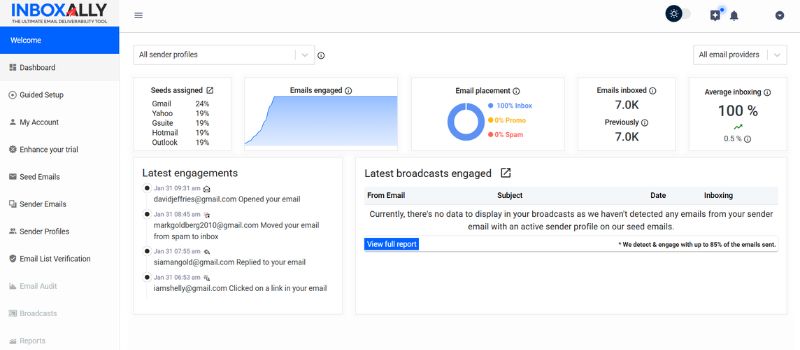
Every other tool on this list reports a problem. InboxAlly is the one that acts on it. It delivers your mail to a network of real mailboxes operated through actual browser interfaces, which open it, scroll it, reply, click, mark it important, and rescue anything that lands in spam or promotions. Those are the behavioral signals mailbox providers weigh when they decide where your next campaign belongs.
That matters most in the exact situation Mail-Tester cannot help with: your score is fine, your authentication passes, and your mail still goes to spam. InboxAlly also includes inbox placement testing, blocklist monitoring on every sender profile, authentication checking and email list verification, so the diagnostic side is covered in the same subscription. It works with any ESP and needs no access to your sending account.
Key features:
- Builds genuine engagement history on your sending domain (opens, scrolls, replies, clicks, spam and promotions rescues)
- Inbox placement testing across Gmail, Google Workspace, Outlook and Yahoo, included
- Blocklist monitoring, DMARC reporting and authentication checks on every sender profile
- Works with any sending platform without requiring account access
- A free spam checker and spam word checker that cover the Mail-Tester use case at no cost
Best for: Senders whose content already passes and whose placement still needs to change.
2. GlockApps
GlockApps answers the question Mail-Tester cannot — where each copy actually landed — though it stops at the answer rather than changing it. You send a campaign to its panel of test mailboxes and it reports placement across inbox, promotions and spam, alongside spam-filter results, authentication checks, blocklist scanning and DMARC reporting. The provider panel is wide and you can narrow it per test to the providers your list actually uses.
It is a measurement product and does not set out to change the result. Its own homepage points users toward external warm-up services when a mailbox needs reputation work, which is a fair description of the split: it tells you where you stand, and something else has to move the number. Its documentation also notes that unused test credits do not roll over between billing cycles.
Key features:
- Inbox placement reporting across a wide, customizable provider panel
- Spam-filter analysis and authentication checks
- Blocklist scanning and DMARC reporting
What it measures: Where your campaign lands, provider by provider. Not the reputation that decides it. See the full comparison.
3. MailGenius
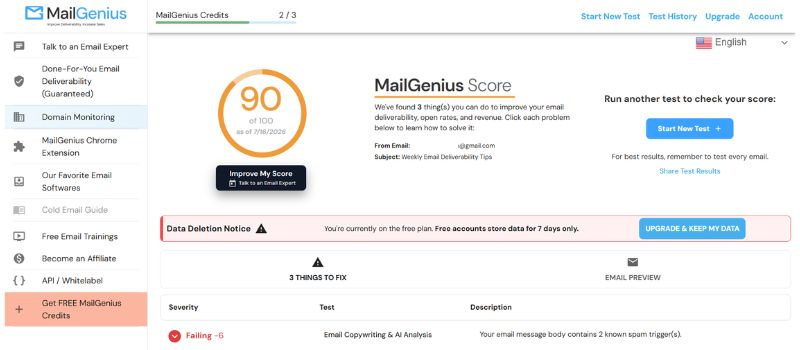
MailGenius works much the way Mail-Tester does: you send a test email and get a report back. The difference is emphasis. It grades a message across a couple of dozen deliverability factors and leans harder on telling you what to change, returning a worked list of issues rather than a single number. Paid tiers add automated testing of every send and domain monitoring for blocklistings.
If your frustration with Mail-Tester is that the score tells you something is wrong without telling you what to do, this is the closest like-for-like swap.
Key features:
- Content and authentication scan across major providers
- Blacklist status and domain age checks
- A prioritized list of fixes rather than a bare score
What it measures: Content and authentication, with suggested edits. Not inbox placement.
4. Mailtrap
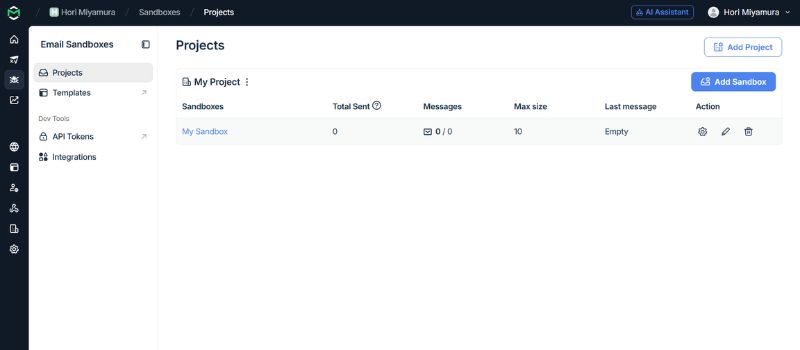
If your email is generated by code, this one fits a different workflow entirely. Mailtrap’s Email Sandbox captures the messages your application sends from staging or QA and holds them in a virtual inbox, so password resets and test receipts never reach a real customer. Inside that sandbox it runs a spam score, validates the HTML, and lets you inspect raw source and headers.
That developer focus is the reason to pick it or skip it. If your deliverability questions arise inside a codebase, it fits neatly. If you are a marketer checking a broadcast before it goes out, it is the wrong shape.
Key features:
- Sandbox that captures test email without delivering it
- Spam scoring and HTML validation
- Raw source and header inspection
What it measures: Mail generated by application code, captured in staging rather than sent.
5. Litmus
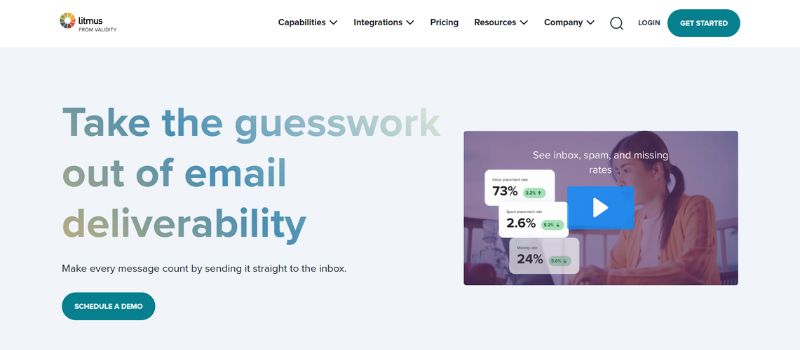
Litmus is primarily a QA platform that includes deliverability features. Its main job is showing how a message displays across more than 100 clients and devices, which matters to deliverability indirectly, since broken emails get deleted and deletions cost you reputation. It also runs a spam test against content and authentication.
One detail decides whether it belongs on your shortlist: its standard spam testing is a simulation rather than a live send to real mailboxes, and true placement data sits behind a paid deliverability add-on. That makes Litmus more platform than you need if placement testing is the job.
Key features:
- Rendering previews across 100+ clients and devices
- Spam-filter simulation and authentication checks
- Collaboration and review workflows for larger teams
What it measures: Rendering across clients and devices. Live placement data requires a paid add-on.
6. Email on Acid
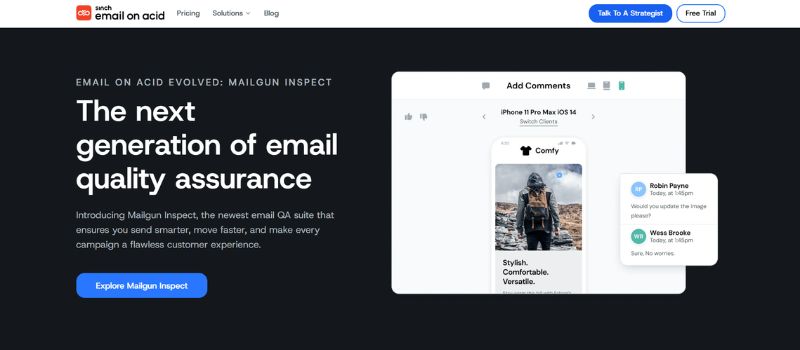
Email on Acid, now part of Sinch, covers much of the same ground as Litmus. It previews emails across 100-plus clients and devices and runs content, link, image and accessibility checks, aimed at teams that want pre-send QA without an enterprise contract. Spam content checks are included on higher tiers.
Like Litmus, the focus is rendering and content review rather than live placement results.
Key features:
- Previews across 100+ clients and devices
- HTML, link, image and accessibility validation
- Spam content checks on higher tiers
What it measures: Rendering and content QA across clients and devices.
7. MXToolbox
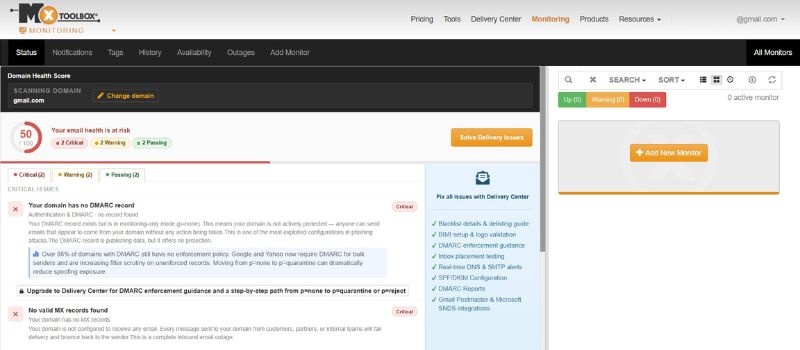
MXToolbox checks the infrastructure most senders assume is already working. Its free SuperTool runs the well-known blacklist check along with DNS records, SPF and DKIM setup, and mail-server configuration. The paid Delivery Center adds inbox placement tests, DMARC reporting and monitoring across a wider set of blocklists.
When the Mail-Tester report points at authentication or a listing rather than your copy, this is where the trail continues.
Key features:
- DNS and authentication diagnostics
- Blacklist monitoring
- Inbox placement analysis and DMARC reporting on paid tiers
What it measures: DNS, authentication and blocklist status.
Which one to pick
The right Mail-Tester alternative follows from which of its three gaps is actually yours, so start by naming the gap rather than comparing feature lists.
If the report is useful but you want more direction, MailGenius is the closest like-for-like swap. If you need to know where mail is landing provider by provider, GlockApps answers that question directly. If your email comes out of a codebase, Mailtrap fits the workflow. If rendering across clients is the real risk, Litmus or Email on Acid. If the trail leads to DNS or a blocklist, MXToolbox.
There is a fourth case, and it is the most common reason people go looking in the first place. The score is fine. Authentication passes. The copy is clean. And the mail still lands in spam. Every tool above will keep telling you the email is well built, because it is. What has gone wrong is sender reputation, and a scanner cannot repair it.
That is the job InboxAlly does: building the engagement record mailbox providers use to decide where your next campaign belongs, with placement testing and blocklist monitoring included so you can watch the number you are trying to move. If you want the free Mail-Tester equivalent first, our email spam checker and spam word checker cost nothing and need no account.