
Email automation pays. The average return is $36 to $42 for every dollar spent, as automated emails drive close to a third of email revenue from about 2% of total sends. Good numbers, but they come with a condition: the email has to reach the inbox first.
That’s why choosing an email marketing automation platform really requires an answer to two questions:
- Which platform fits the job you’re doing?
- How do you keep what it sends out of spam?
Below are three unique email automation tools made to do three slightly different jobs, from cold outbound to product-led lifecycle email, and one that you should consider regardless of what kind of outbound you do. Let’s begin!
Key takeaways
- Email automation tools cover a range of different needs. HubSpot for an all-in-one marketing system, ActiveCampaign for advanced marketing automation on a smaller budget, and Customer.io for product-triggered lifecycle email.
- No automation tool controls where your emails land. Always use a dedicated deliverability tool like InboxAlly to improve inbox placement.
1. InboxAlly: fixing where your email lands

Automation decides what gets sent and when. It has no say in whether any of it reaches an inbox, which is the part this list otherwise leaves out, and what a deliverability tool is for. InboxAlly doesn’t build sequences or send campaigns, but it does one thing the other three don’t: it gets mailbox providers to put your email in the inbox predictably every time.
Here’s how: Gmail, Outlook, and Yahoo rank your mail partly on what recipients do with it, and InboxAlly produces that behaviour. Its seed network opens your emails, scrolls through them, replies, clicks links, marks them important, and moves them out of spam and Promotions when they land there by mistake. If you repeat that for a few weeks, inbox providers start reading your emails as genuinely good and wanted. Nothing changes on your end: you keep your platform, your DNS stays the same, and your sending credentials stay with you.
InboxAlly’s pricing is per sender profile, and the step from one profile to five can be quite a jump if you’re on a budget. As good as it is, make sure to keep expectations at bay. It’s not magic. No matter how good the tool is, a dirty list will easily sink the whole effort. So if your email already reaches the inbox, then great! If it doesn’t, remember that no sequencing tool will save an email campaign that ends up in spam.
What it does well:
- Produces engagement signals that retrain mailbox providers
- Moves misfiled mail out of spam and Promotions to correct how providers sort your mail.
- Shows where your mail landed over the last 30 days, with placement tests on Gmail, Outlook, and Yahoo
- Runs on any IP or domain through your existing platform without needing DNS access
Who it’s best for: Senders fixing a damaged reputation, warming a new domain, or proactively protecting inbox placement.
Pricing: Starter at $149/month for one sender profile and 100 daily seed emails, Plus at $645/month for five profiles, Premium at $1,190/month for ten, Enterprise custom. The 10-day trial needs no credit card.
2. HubSpot: all-in-one, and priced like it
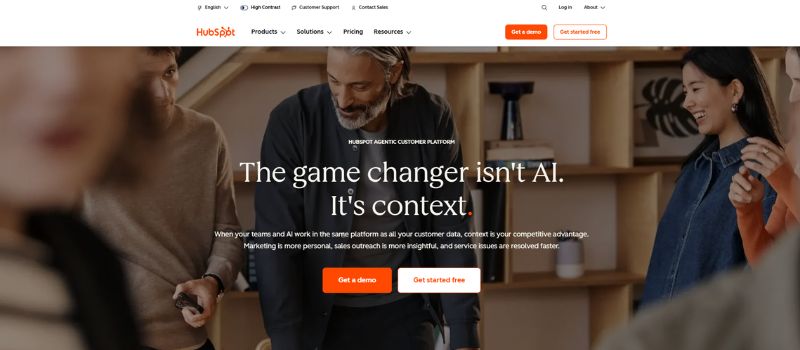
HubSpot’s Free and Starter plans are basically email and forms. Everything that made you consider HubSpot in the first place, the workflows, A/B testing, lead scoring, and smart content, is locked behind Professional at $890 a month. On top of that, there’s a mandatory $3,000 onboarding fee in the first year, so the jump from the $20 Starter price is quite a big one. That’s usually fine for companies that will use the CRM and run multichannel campaigns, but for anyone who just wants to send sequences, it can be a stretch.
HubSpot sends marketing emails from shared IP addresses pooled with other customers, by default, which means part of your placement depends on how those other senders behave. It’s not a dealbreaker at all, if you don’t send (or expect) too much. After roughly 100,000 emails a month, your placement starts depending on the whole pool, and that’s when a dedicated IP makes sense. But, yet again, the dedicated IP is a paid add-on limited to Professional and Enterprise, so at the end, the cheaper your plan is, the more deliverability becomes your problem to solve, not theirs.
What it does well:
- Customer relationship management, marketing, and email marketing automation unified on one record system
- Multichannel workflows with email, ads, social, and chat
- Reporting and attribution at the higher tiers
- A large integration ecosystem
Who it’s best for: Anyone who uses CRM and runs multichannel marketing.
Pricing: Free tier available, Starter from $20/seat/month, Professional from $890/month with a one-time $3,000 onboarding fee, Enterprise from $3,600/month.
3. ActiveCampaign: deep automation, thinner starter plan
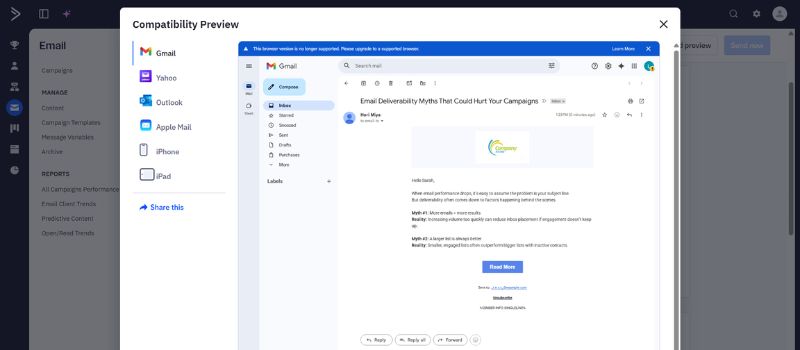
Start with a warning, because it saves money. ActiveCampaign’s $15 Starter plan looks like the deal of the list, but caps you at five actions per automation, which is useless for anything past a basic welcome email. The thing ActiveCampaign is actually known for, its automation, barely exists on that tier.
It comes with Plus, where actions are unlimited, and you get the CRM, lead scoring, and proper segmentation. Plus is the version people mean when they praise ActiveCampaign: the visual builder handles branching paths and behavioral triggers with more depth than HubSpot’s, at a fraction of the price. You give up the tightly unified record system HubSpot offers, but that’s an easy trade if automation logic is the reason you’re looking for these tools.
Same as with HubSpot, ActiveCampaign’s pricing depends on contact count, and the headline rate is for 1,000 contacts. With more subscribers, the bill roughly doubles at each tier, so a 10,000-contact list on Starter already costs $189 a month.
What it does well:
- One of the better visual automation builders for mid-market marketers
- Built-in CRM, lead scoring, and segmentation from Plus up
- 900-plus integrations and a drag-and-drop editor
Who it’s best for: SMB and mid-market marketers working with complex opt-in nurture flows who want automation depth without enterprise pricing.
Pricing: Starter from $15/month, Plus from $49/month, Pro from $79/month, Enterprise from around $159/month (annual billing, 1,000 contacts). No free plan.
4. Customer.io: built for product data
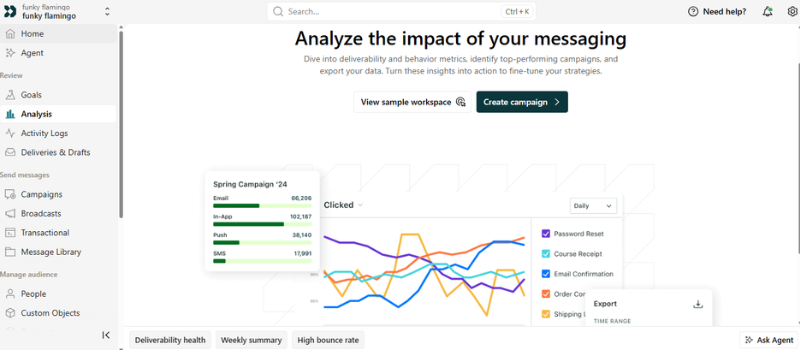
Every other tool here segments people by a tag, a list, or a signup date. Customer.io segments by what they do inside your product. A trigger can fire on real-time product events, like a drop in usage or an account that stops logging in, which can often be the difference between generic broadcasts and curated emails triggered by behavior.
There’s a prerequisite, and it isn’t optional: a developer. The platform runs on product event data, which means someone has to pass that data in from your back end before any of the clever stuff works. For example, a JavaScript snippet gets you pageviews and clicks, but feature usage and account health need a server-side integration. If you or your team can’t do that, the main advantage is dead on arrival, and you’d get more out of ActiveCampaign.
When it comes to pricing, it’s wise to do the math early. Essentials starts at $100 a month for 5,000 profiles and a million emails, which is reasonable, but it bills per profile and charges overages once you pass the limit. The next tier, Premium, is $1,000 a month. There’s no gentle middle. If you have a list that grows faster than expected, it can blow past Essentials and leave you with nothing affordable between it and the four-figure plan.
What it does well:
- Triggers built on product event data.
- Visual workflow builder with deep data and webhook access
- Good for onboarding, activation, and churn-prevention flows
- Handles high messaging volume for product-led companies
Who it’s best for: B2B and product-led SaaS teams whose best emails depend on what users do.
Pricing: Essentials at $100/month (5,000 profiles, one million emails), Premium at $1,000/month, Enterprise custom. Per-profile overages apply above plan limits.
So what’s the best email automation software?
This list should help you narrow the decision down, but don’t overthink it. Even if you pick wrong, it’s not a disaster. It’s a month of learning what you need, and that time is part of the process. What is a disaster is spending six months on the perfect setup while your emails land in spam.
So if your sequences are good on paper but your open rates say otherwise, the problem isn’t the copy. InboxAlly trains mailbox providers with engagement actions like opens, scrolls, replies, and rescues from spam, until your emails stop being sorted away from where people actually look.
Book a free InboxAlly demo and see the difference once you have a dedicated tool handling your inbox placement.