
If you have used AWeber for a while, it may still feel dependable and familiar. But its automation, design options, or pricing may no longer suit the way your business has grown.
The good news is that you can usually bring your contacts and subscriber data with you, although some automations, templates, and forms may need to be rebuilt. The best AWeber alternatives offer stronger automation, modern templates, better segmentation, or more flexible pricing. This guide compares five leading options to help you find the right fit.
Quick Comparison: What Each Tool Is Best At
All of these AWeber alternatives bring something different. So instead of asking which one’s “the best,” the better question is: which one fits the way you work? Here’s a quick look at each one to help you decide:
- Best for creators: Kit (formerly ConvertKit) – Great for solo businesses that need clean automations, tagging, and a simple way to sell digital products.
- Best for smart automation: ActiveCampaign – If you’re into deep workflows, behavioral triggers, and built-in CRM features, this one’s for you.
- Best for ease of use: MailerLite – Its clean email builder, straightforward automation, and intuitive interface make it a practical choice for beginners and small businesses.
- Best for multichannel marketing: Brevo – Want email, SMS, and chat in one place? Brevo keeps it all under one roof.
- Best all-rounder: Mailchimp – Familiar, balanced, and flexible enough to work for most businesses without a steep learning curve.
So, pick the one that fits how you run your marketing, not just the one with the most advanced features.
Why Consider an AWeber Alternative?
When AWeber first took off, email marketing was fairly simple: build a list, send a newsletter, and hope for decent open rates. Today, businesses expect much more from their email marketing software.
Automation is often the deciding factor. AWeber supports behavioral automation and conditional workflows, but you may need greater depth if your campaigns rely heavily on purchase behavior, lead scores, deal stages, or ecommerce data. Platforms such as ActiveCampaign offer more control when building and managing complex customer journeys.
Pricing deserves a closer look, too. AWeber plans use subscriber limits and monthly sending allowances, while alternatives such as Brevo place more emphasis on email volume, although contact-storage limits also apply. The best pricing model depends on the size of your list, how frequently you send, and which features you need.
Your wider marketing setup matters as well. Many email tools now connect with ecommerce platforms, CRMs, analytics, SMS, and other marketing channels. These integrations can help you use what subscribers click, buy, and engage with to create more relevant campaigns, although setup and data access vary by platform and plan.
Your audience has changed, too. Inboxes are crowded, attention is short, and businesses increasingly need mobile-friendly templates, intuitive editors, useful segmentation, and behavior-based automation. If AWeber no longer provides the automation depth, integrations, or multichannel tools your strategy requires, exploring an alternative may make sense.
Before switching, identify the exact problem you want to solve. That will help you avoid trading a familiar platform for a different set of limitations.
Not sure whether low open rates are caused by your content or deliverability? Use InboxAlly’s free Email Spam Checker to check your authentication, content, and links before your next campaign.
Not Just Cheaper: What to Look For Instead
If you’ve used enough email tools, you start to notice what makes a good one stand out. The best platforms strike a sweet spot—they’re easy to use right away but still powerful enough to grow with you.
First off, usability. You shouldn’t be elbow-deep in documentation just to build a basic automation. The best tools give you drag-and-drop editors that make sense. Complex triggers, branching logic, dynamic content—you should be able to do all of it without writing a line of code or cursing your way through a clunky interface.
Next, pay attention to how it scales. You grow, your list grows, that’s fine. But if the pricing jumps feel like penalties instead of progress, that’s a problem. Look for plans that expand with you logically, not ones that box you in with rigid subscriber caps or “gotcha” fees.
Automation is another big one. Can you send emails based on what people do—like clicking a link or abandoning a cart—without jumping through hoops? If yes, you’re on the right track.
And then there are the extras that shouldn’t really be “extras” anymore. You need landing pages, CRM integration, and analytics that don’t require a ton of technical expertise to understand. These are a baseline now.
Keep these in mind as you explore alternatives. The goal isn’t just to spend less but to get more of what works.
1. MailerLite – Clean, Simple, Surprisingly Powerful
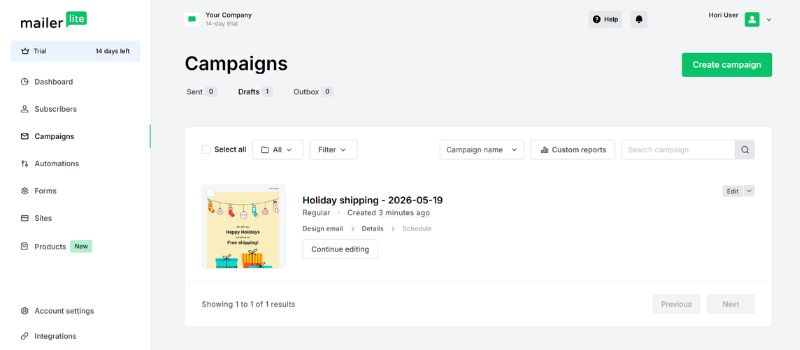
MailerLite is the tool you use when you want your email marketing to work without feeling like you need a user manual just to get started.
It’s great for creators, bloggers, and small businesses who care about clean design, ease of use, and still want room to grow.
If you’ve ever wrestled with clunky templates or confusing interfaces, MailerLite will feel like a breath of fresh air. With its modern drag-and-drop editor, you can build a polished, mobile-friendly email in minutes, without any design background.
The automation is super intuitive, too! Sending a follow-up after someone grabs your freebie or setting up a welcome series for new subscribers takes just a few clicks.
Pros
- Clean, intuitive interface with a short learning curve
- Affordable entry point for small businesses and creators
- Includes automation, forms, landing pages, and website-building tools
- Strong email design features without unnecessary complexity
Cons
- The free plan is limited to 250 active subscribers and 2,500 monthly emails
- Automation is less suitable for complex workflows and detailed customer journeys
- CRM and sales features are limited compared with more advanced automation platforms.
MailerLite shows you don’t need a complex tool to run great email marketing campaigns. If you’re after something simple, powerful, and refreshingly user-friendly, it’s easily one of the best AWeber alternatives out there.
2. ActiveCampaign – For the Automation Nerds (Respectfully)
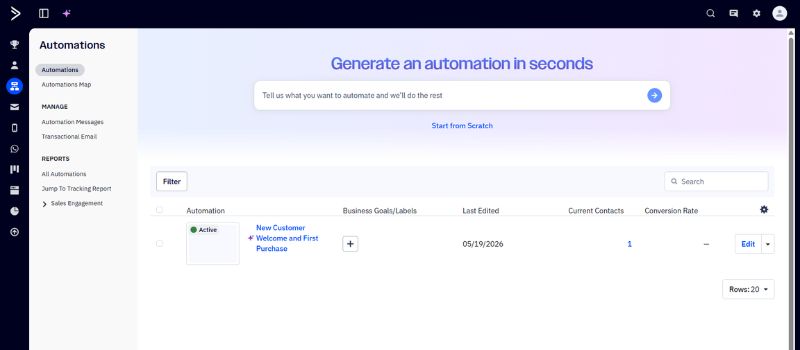
If you’re someone who lives for pre-built automation workflows and super-targeted emails, ActiveCampaign is built exactly for you.
Its visual automation builder lets you set up emails that trigger based on exactly what a person does (or doesn’t) do. It’s all “if this, then that,” and it makes complex logic feel approachable.
ActiveCampaign isn’t just about email—it comes with a built-in CRM that helps you keep track of every interaction, so you can tag people, personalize messages, and build journeys that feel seamless.
Pros
- Advanced automation capabilities with conditional paths and behavioral triggers
- Built-in CRM tools for connecting marketing activity with the sales process
- Advanced segmentation based on engagement, customer behavior, and purchase data from supported ecommerce integrations
- Extensive ecommerce and third-party integrations
Cons
- Takes longer to learn than simpler email marketing tools
- Costs can increase as the subscriber count grows or advanced features are added
- May be more powerful than a small business with basic newsletter needs requires
If you want more control, more effective campaigns, and a tool that scales with your ideas, ActiveCampaign is the one to try.
3. Mailchimp – The Familiar Face, Revisited
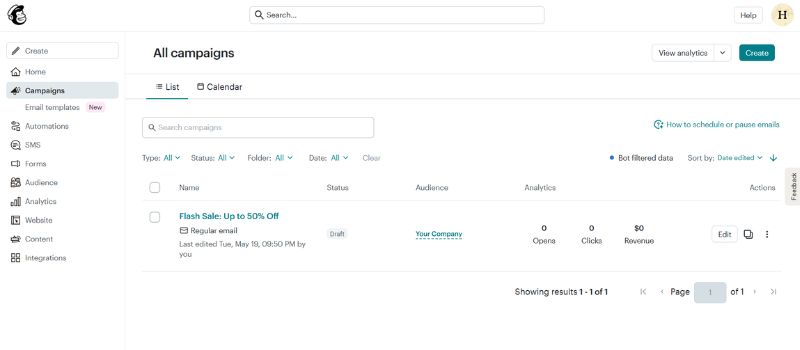
You’ve probably heard of Mailchimp—it’s one of the best-known names in email marketing.
And if you’re used to AWeber, switching to Mailchimp won’t feel like a huge leap. The layout is similar, but the platform itself has come a long way.
In recent years, Mailchimp’s had a major refresh: a cleaner interface, modernized templates, and better integrations with the tools you already use. It’s easy to get started, but there’s plenty under the hood once you’re ready to dig deeper.
If you’re connecting with platforms like Shopify or WooCommerce, Mailchimp handles that seamlessly.
It lets you build automated, personalized campaigns based on your customers’ interactions. Plus, their free plan is good enough to test the waters without an upfront commitment.
Pros
- Familiar interface with pre-designed templates and a flexible email builder
- Broad selection of ecommerce and third-party integrations
- Useful reporting, audience segmentation, and automated customer journeys
- Suitable for businesses that want email, landing pages, and other marketing tools together
Cons
- The free plan is limited to 250 contacts and 500 monthly sends
- Advanced automation and segmentation require higher paid plans
- Pricing can become expensive as the contact list and feature requirements grow
If you’re after something that feels familiar but offers more room to grow, Mailchimp is well worth another look.
4.Kit (Formerly ConvertKit) – Made for Creators
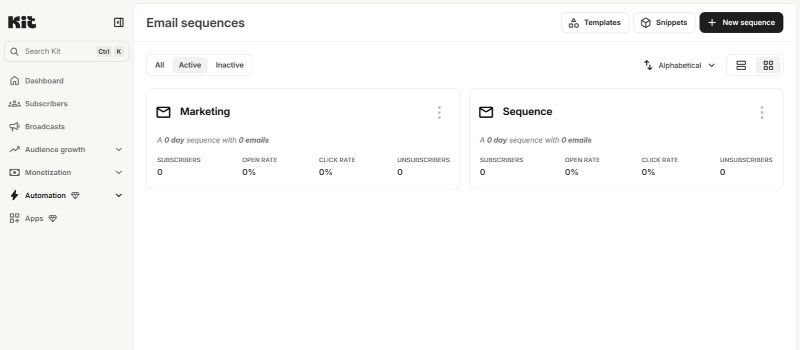
For newsletters, digital products, or monetizing creative content, Kit (formerly ConvertKit), is designed specifically for creators rather than a broad business audience. It offers a clean interface, intuitive visual automations, and subscriber tagging, making it easier to manage different audience segments.
It gives you a clean design, powerful (but intuitive) visual automations, and subscriber tagging, which makes it perfect for managing multiple segments at once.
You can tag subscribers based on what they clicked, bought, or signed up for, so you’re always sending the right message to the right people.
One of the coolest parts is that it lets you sell things like courses, paid newsletters, and digital products right from the platform. No need to stitch together a bunch of tools to run your business.
Pros
- Designed specifically for creators, bloggers, and newsletter businesses
- Flexible tag-based subscriber management and segmentation
- Built-in tools for selling digital products, subscriptions, and paid newsletters
- The free plan supports up to 1,000 subscribers and unlimited email broadcasts
Cons
- The free plan includes only one basic visual automation
- Less suitable for sales teams that require a full CRM and detailed pipeline management
- Email design options may feel limited for brands wanting highly visual campaigns
If you’re a creator, Kit doesn’t feel like a platform you have to figure out, but like one that’s designed to work the way you already do.
5. Brevo (Sendinblue) – Email + SMS + Chat in One
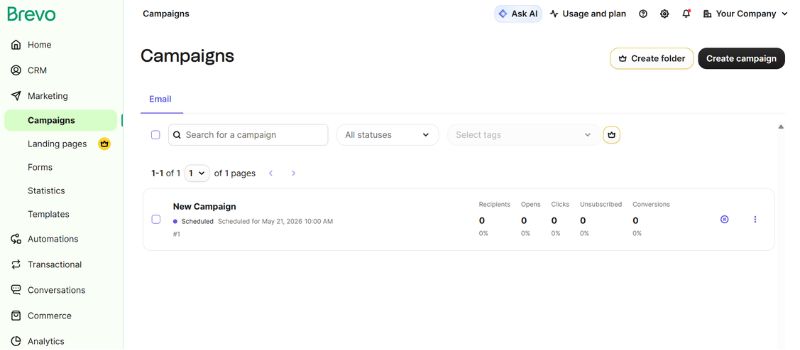
Brevo is the answer to a simple question: “What if you didn’t need five different platforms to talk to your audience?”
If you’re dealing with SMS, email, and live chat and wondering why nothing syncs, Brevo hands it all to you in one surprisingly intuitive dashboard.
You can automate email campaigns based on subscriber behavior, follow up by SMS with contacts who have provided the required consent, and answer questions through Brevo’s chat tools. SMS credits, sender registration, and other requirements vary by country.
The tools are powerful, but the interface doesn’t feel like you need a certification to use it. It’s made for people who want to move quickly and keep everything connected without cutting corners.
Brevo’s pricing can work well for different sending needs. Its plans are based on both monthly email volume and contact storage, with allowances increasing across the paid tiers. Check both limits against your list size and sending frequency before choosing a plan.
Pros
- Pricing is based mainly on email volume rather than only subscriber count
- Combines email, SMS messaging, chat, CRM, and transactional email
- Supports up to 100,000 stored contacts on the free plan
- Useful ecommerce integrations and multichannel automation features
Cons
- The free plan limits sending to 300 emails per day
- Advanced reporting, automation, and multi-user features may require a higher paid plan
- Its wider range of tools can make the platform feel less focused than a dedicated email-only service
For an outreach that’s already spread across different channels, Brevo brings it together without forcing you to sacrifice control or simplicity.
But if your list is growing and your results are not, deliverability could be part of the problem. InboxAlly helps high-volume senders strengthen sender reputation and work toward better inbox placement.
Will Switching from AWeber Fix Deliverability Problems?
It can, but only when the platform is part of the problem. A new email marketing provider may offer better sending infrastructure, throttling, complaint handling, or visibility into placement. However, switching will not reset your domain reputation or automatically fix invalid contacts, low engagement, or spam complaints. Authentication problems must be corrected when configuring the new provider.
Before migrating, test where your emails currently land across Gmail, Outlook, and Yahoo. Preserve your unsubscribe and suppression data, configure SPF, DKIM, and DMARC for the new provider, then move your most engaged subscribers first and increase volume gradually.
Measure inbox placement and complaint rates before and after the switch, rather than relying on open rates alone. This can help you assess whether inbox placement has improved after the migration or whether the underlying problem still needs attention.
Ready to Choose an AWeber Alternative?
The best AWeber alternative is the one that solves the problem you actually have. Shortlist two options, compare the real cost at your subscriber count, and rebuild one important automation during each free trial before moving your entire list.
Whichever platform you choose, deliverability still needs attention. Start an InboxAlly free trial to strengthen sender reputation and support inbox placement while you settle into your new email marketing setup.