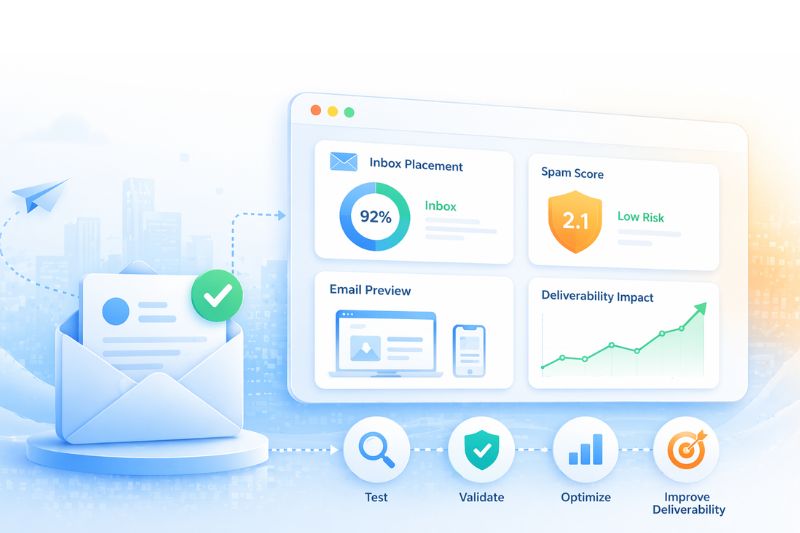
Did you know that unsubscribes don’t hurt your sender reputation? Or that a dedicated IP can actually make your deliverability worse?
These are just some of the things email marketers are getting wrong right now, while blaming the algorithm for their ever-deteriorating email performance. The deliverability world is evolving faster than the advice most are still following, and a lot of what you “know” about inbox placement is actively misleading you in 2026.
This article busts seven of the most stubborn myths that even deliverability-aware senders keep acting on out of habit. By the end, you’ll know what’s actually moving the needle this year, what to stop worrying about, and where the hidden damage is probably happening in your email marketing program right now. Let’s get into it!
Key takeaways
- Most deliverability advice still circulating was written for an older version of the inbox.
- Fixing deliverability issues in 2026 means unlearning a few specific things: what reputation follows, what engagement signals count, and what “fixing” a problem means mechanically.
Myth 1: Unsubscribes hurt your sender reputation
This one’s wrong in the most useful way because the opposite is true.
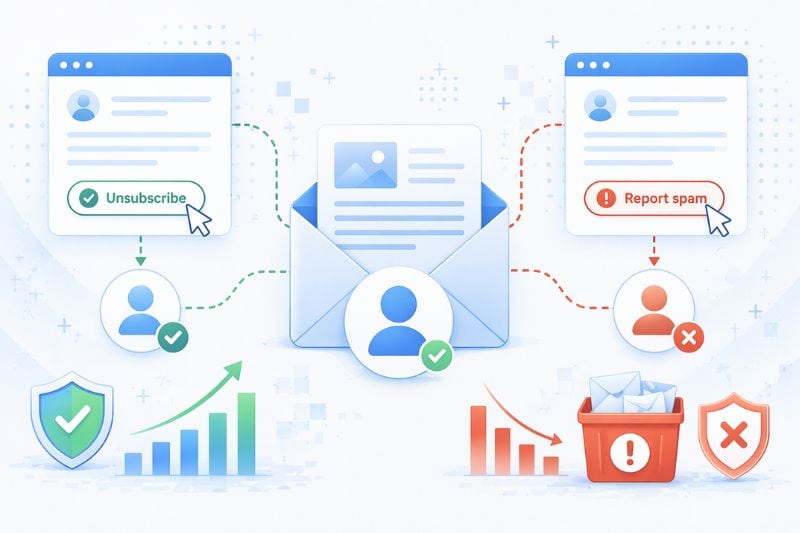
Unsubscribes via the standard unsubscribe link have no known negative effect on sender reputation or deliverability. Deliverability pros and pretty much every major ESP say the same thing: an unsubscribe is a clean exit. Spam complaints are what you should fear. A spam complaint tells Gmail your mail is unwanted, while an unsubscribe tells Gmail your recipient is making a graceful exit from a list they no longer want.
The trap is hiding or burying unsubscribe links to protect “retention.” When you make unsubscribing hard, people don’t stay on your list; they go for the spam button instead, and at 0.3% complaint rate, Gmail and Yahoo will start rejecting your mail, plain and simple.
Make unsubscribing easy, make it one click, and let people leave. Your reputation gets better, not worse. The goal isn’t to keep everyone, but to keep the people who actually want to hear from you.
If you’re seeing spam complaints or engagement drops, book a quick InboxAlly demo and see how generating real engagement signals- like replies, clicks, and moving messages out of spam- can help rebuild your sender reputation with inbox providers, without forcing you to cut back your sending volume.
Myth 2: A dedicated IP is always an upgrade

For senders under a certain volume, a dedicated IP can be actively harmful.
Mailbox providers score IP reputation statistically. They need enough sending activity to build a profile, so if you send fifteen transactional messages a day from a dedicated IP, the ISP’s model has almost nothing to work with. Your IP remains in a kind of statistical blind spot, where primary inbox placement is unreliable because the system can’t tell what kind of sender you are yet.
The rule of thumb most deliverability pros use is that you want roughly 100,000 emails per month before a dedicated IP starts making sense. Below that, you’re often better off on a well-managed shared pool, where your mail rides on the collective reputation of other legitimate senders.
The reflex to “go dedicated” usually comes from wanting control. But control without a good sending volume creates an isolating environment with no protection. You get all of the responsibility for your reputation and none of the data density you need to build one.
Myth 3: You can fix a bad reputation by switching IPs or domains
There’s a very persistent belief that if your deliverability drops, you can start over on a new IP or a fresh domain and leave the damage behind. It doesn’t work quite like that.
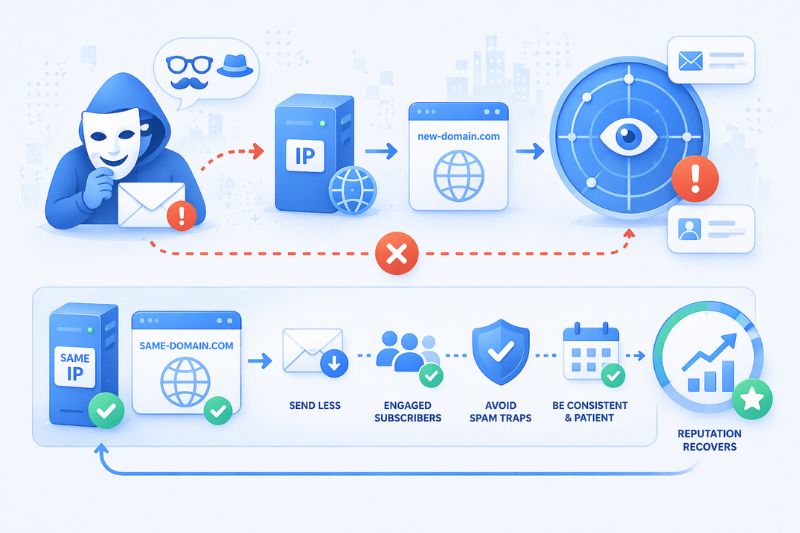
Trying to fix reputation by changing IP or domain is like a person putting on a disguise after robbing a bank. In this case, the email providers still recognize the underlying sender since they can track sending patterns between IPs and domain history. Modern filtering is based on domain reputation specifically because IP-hopping was the old escape hatch, and it got closed years ago.
A new IP needs to be warmed up from scratch, which takes weeks of consistent good behavior. A new domain starts at neutral, and your parent-domain history can still cast a shadow on any subdomain you spin up.
The only real fix for a damaged reputation is behavioral repair on the same infrastructure. That means sending less, sending to engaged subscribers for genuine engagement, avoiding spam traps, and waiting. Reputation is scored continuously, which sounds brutal but also means it recovers continuously when the inputs change.
New domain, same habits, same outcome. For a faster fix, rebuild trust where you are. Book an InboxAlly demo to see how real engagement signals restore your placement without switching domains or IPs.
Myth 4: Spam trigger words still control email filtering
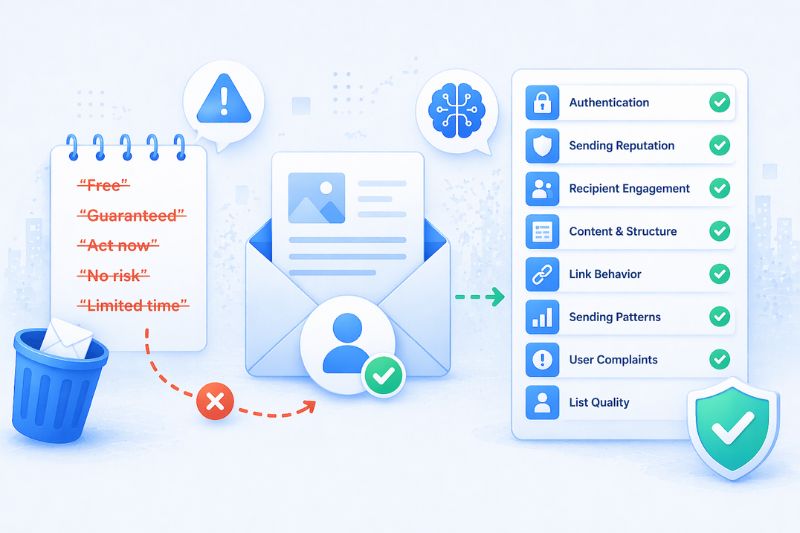
“Free.” “Guaranteed.” “Act now.” Every marketer has seen a list of “spam trigger words” to avoid, but most of those lists are from 2008.
Modern spam filters evaluate hundreds of factors like proper authentication, sending patterns, recipient engagement, domain reputation, content structure, and link behavior. One word in a subject line is just a small piece inside that model, so worrying about the word “free” while you haven’t implemented DMARC is getting your priorities backwards.
That doesn’t mean content is meaningless. Obviously, spammy copy that consists of aggressive claims or deceptive subject lines can still cause deliverability problems, mostly because it correlates with other bad behavior. But the idea that you can’t write a subject line with “free” in it, or that a discount offer needs to be laundered through thesaurus-speak, is a hangover from an earlier era.
A much bigger problem now is unmatching sender identity and content, sudden changes in sending patterns, content that historically correlates with complaints, and above all, unwanted mail sent to recipients who didn’t sign up for it in the first place. Word-level paranoia is wasted energy.
Myth 5: Open rates are still a good measure of engagement
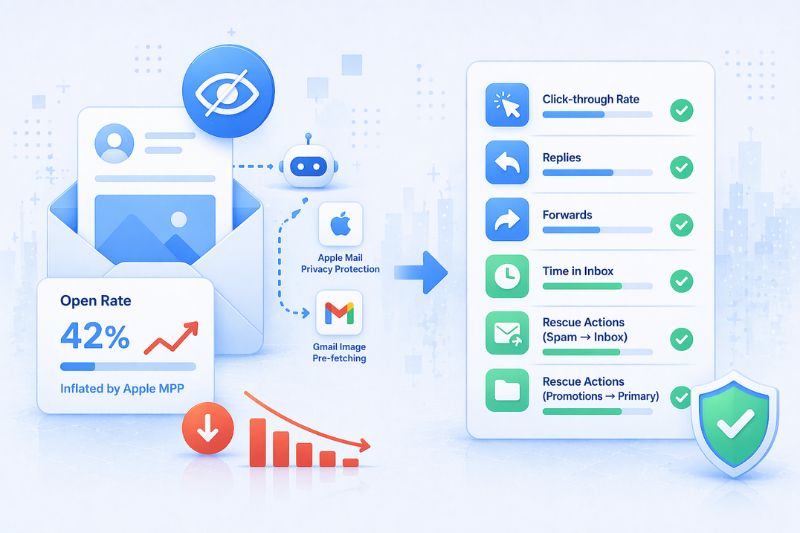
Apple Mail Privacy Protection broke open rates in September 2021, and nothing has unbroken them since. In fact, it’s gotten worse.
Apple Mail pre-fetches emails to pre-load images, which counts as an “open” whether the user ever actually saw the email or not. Gmail has been doing variations of this for longer. The result: your open rates are inflated, sometimes massively, and the inflation isn’t evenly distributed. It’s the biggest among Apple users, which skews toward iPhone-owning demographics.
Validity’s 2025 benchmark reported inbox placement rates dropped to 83.5% over the past year, with a meaningful chunk attributed to Apple Mail’s filtering changes. The number you see in your dashboard and the number that actually reflects human attention are not the same anymore.
Which is why smart marketers have stopped optimizing primarily for opens. Engagement metrics that still mean something are click-through rates, replies, forwards, time-in-inbox before deletion, and the rescue actions (moving mail from the spam folder back to inbox, from Promotions to Primary), because they require intent that a bot isn’t going to fake.
Myth 6: Reaching the inbox is the ultimate goal
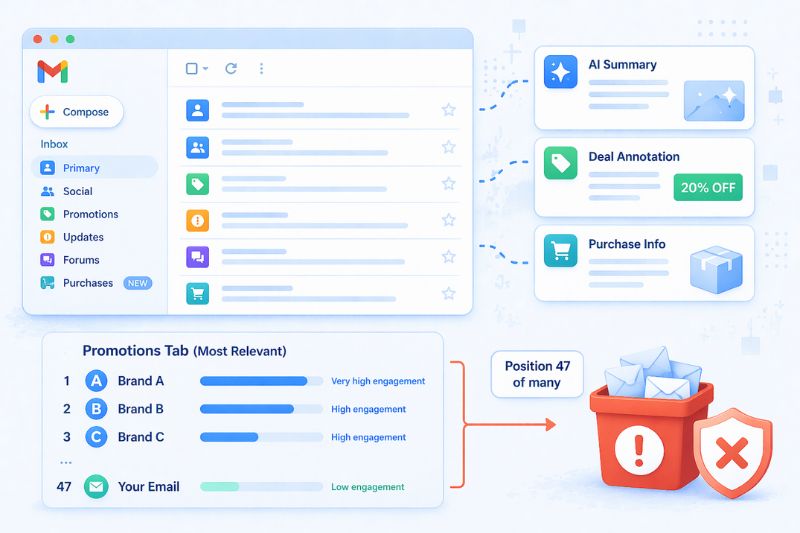
Gmail sorts incoming mail into five tabs before a user sees it: Primary, Social, Promotions, Updates, and Forums. But as of 2025, Gmail added the Purchases tab, AI-generated summaries that can show the content of your email without the user ever opening it, and deal annotations that render your offer inline in the preview.
The inbox used to mean landing in view, but not anymore.
Since September 2025, Gmail’s Promotions tab sorts by “Most Relevant” by default, ranked by how much the individual recipient engages with each sender. Two people subscribed to the same brand will see different stacks at the same moment. You can technically “reach the inbox” and sort to position 47 inside Promotions, below 46 brands the user interacts with more regularly. That’s functionally almost the same as spam.
Myth 7: If your emails are “working,” your reputation must be fine
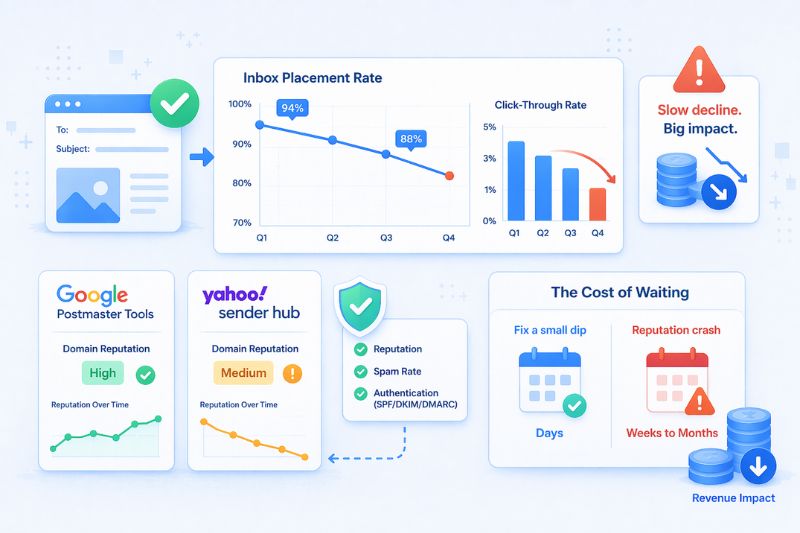
Reputation damage isn’t always a single alarming number. Sometimes it can be a slow burn that happens over months. Inbox placement drops from 94% to 88% over two quarters, and with it, the click-through follows. Over time, the best campaigns earn a little less than they used to, but by the time the damage is obvious, you’re already looking at weeks or months of recovery work.
The good news is that Google Postmaster Tools and Yahoo Sender Hub are free, and they tell you what your dashboard won’t, so make sure to check them at least weekly for any reputation, spam rate, or authentication issues. If you see your Gmail domain reputation go from High to Medium, that’s your signal to reevaluate your sending practices. Fixing a small dip takes a few days. A real reputation crash can burn a quarter of revenue growth.
Email deliverability myths debunked
Myths stick around because they sound like wisdom. They’ve been repeated enough to feel settled, and they give you something to point at when things go wrong. The problem is that most of them were settled in a version of the inbox that doesn’t exist anymore. Inbox providers rewrote the rules, but the word of mouth didn’t follow.
So if you are willing to question what you think you already know, watch the numbers that matter, and stay close to how email service providers are really making decisions today, you’ll already be ahead of most senders out there.
The best advantage in 2026 is catching problems early and correcting them quickly. InboxAlly helps you keep your reputation intact while you keep shipping campaigns to your most active subscribers. Start a free trial and see how better deliverability improves the trend line.