
Sending an important email without proper email tracking tools is like throwing a bottle message into the ocean and expecting a flare in return. You sit in the sent folder, refreshing the page, hoping that your sales pitch landed in the inbox of the decision-maker or in the unread email abyss.
The new Privacy standards and the use of Artificial Intelligence in email inboxes have shifted our understanding of engagement. Modern email outreach is no longer about the simple use of information to drive profitable communications.
Quick Answer
- Email tracking software surveys recipient interaction through an invisible image to determine high-interest leads that allow for perfectly timed follow-ups.
- Deliverability platforms repair sender reputation to make sure tracking pixel loads happen in the recipient’s primary inbox rather than the spam folder.
Modern Email Tracking Tools Provide Actionable Insights and High-Fidelity Data
Modern-day tracking software has moved beyond simple notifications to offer an extensive view of how prospects engage with your digital content. In the past, a simple “ping” was enough for any sales representative, but the contemporary sales landscape requires actionable insights instead of just knowing what to do next.
By employing the right email tracking software, it is no longer about seeking a “read” receipt; it is about seeking engagement trends.
The Technical Evolution of the 1×1 Email Tracking Pixel
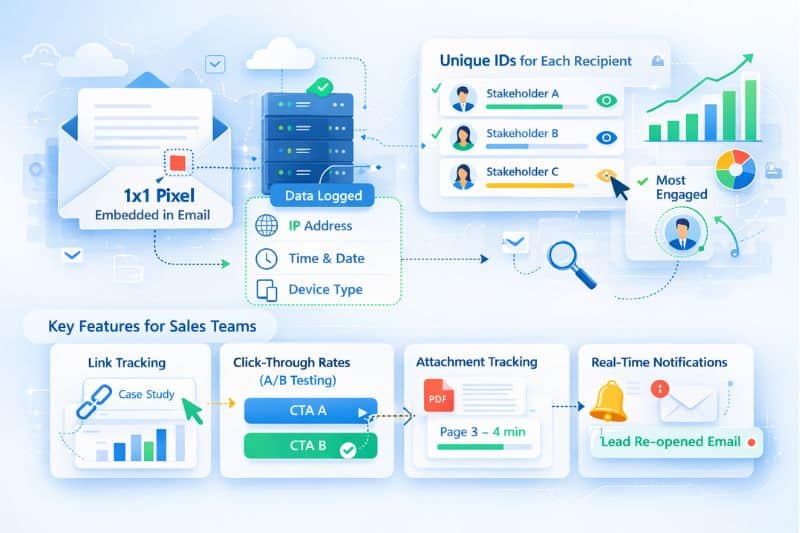
The essence of email tracking depends on a tiny invisible image, generally a 1×1 pixel, which is embedded in the body of the message. When the email client loads this image, it signals the server, logging the IP address, time, and device type.
Although it sounds simple, modern tech has refined this procedure. Contemporary email tracking software now uses unique identifiers for multiple recipients to make sure that if you send a proposal to a team, you know exactly which stakeholder is showing the most interest.
Essential Email Tracking Features for Modern Sales Teams
If you are a sales team member, practical email tracking features go far beyond the first open. Link tracking helps you see which specific resources in your email (like case studies or pricing pages) caught the most attention.
- Click-through rates – High-performing email campaigns count on these metrics to A/B test which call-to-action (CTA) is considerably effective.
- Attachment tracking – Knowing that a prospect spent four minutes on page three of your PDF proposal is a massive advantage for timely follow-ups.
- Real-time notifications – Receiving instant alerts the moment a high-value lead re-opens an old thread allows for a “top of mind” reach-out that feels organic instead of intrusive.
Is your tracking data skewed by poor deliverability? Stop tracking the spam folder. Use Inboxly’s Free Email Tester to make sure that your pixels actually get seen.
Selecting the Best Email Tracking Software Based on Your Outreach Workflow
Choosing the right tracking setup requires balancing your team’s existing CRM architecture with the need for real-time tracking accuracy. The best email tracking software for a solo freelancer is vastly different from the tracking tool needed by a global enterprise.
Whether you prioritize unlimited email tracking or deep email analytics, your choice of email client (be it Gmail and Outlook or a specialized interface) will dictate your technical requirements.
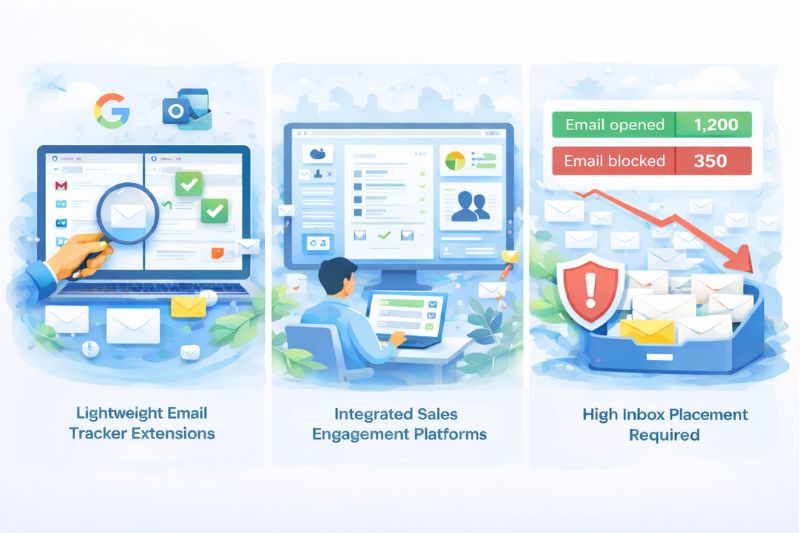
Lightweight Email Tracker Extensions for Individual Productivity
For many casual users and small sales operations, browser extensions are the go-to solution. These tools offer seamless integration with Gmail and Outlook environments, allowing users to track opens directly from their familiar composing window.
- Free plan options – Many providers offer a limited free version that includes basic tracking for a set number of messages per month.
- Paid plans – As your volume grows, paid plans start to offer unlimited tracking and email scheduling, which is vital for maintaining professional communication across time zones.
- Follow-up reminders – These extensions often include follow-up reminders that automatically nudge you if a recipient hasn’t interacted with your message after three days.
Email Analytics within Integrated Sales Engagement Platforms
Larger organizations often bypass simple extensions in favor of comprehensive email marketing suites. These platforms offer advanced tracking that syncs directly with the customer relationships database.
- Detailed analytics – Instead of seeing one-off opens, you view a dashboard of engagement metrics across thousands of email marketing campaigns.
- Automated follow-ups – By using email templates that trigger based on recipient behavior, teams can close more deals with less manual effort.
- Reporting features – Managers can use these reporting features to see which reps have the highest link clicks, helping to scale winning strategies across the department.
Email Tracking Software Performance Requires High Inbox Placement
Even if you invest in the best email tracking application, there is still a chance that your email performance stays flat, and this is a very common cause of frustration. The reality is that tracking software depends wholly on the email actually reaching the recipient. Meaning, if your tracking pixel is flagged by spam filters, your message might land in the spam folder.
This is why service providers like Inboxally change your strategy. Simply by focusing on deliverability first, they make sure that your email campaigns actually reach the main tab. Without high inbox placement, your unlimited email tracking is basically tracking silence.
Apple Mail and Google Privacy Filters Redefine Email Tracking Accuracy
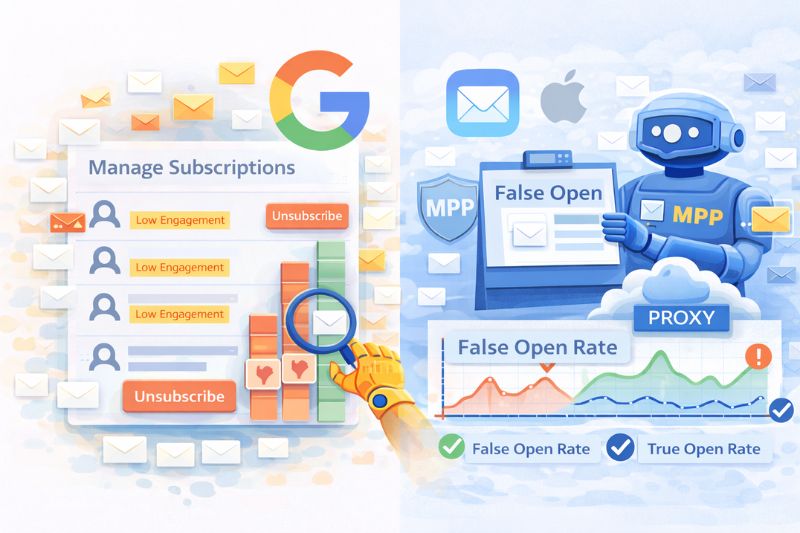
Complicated privacy updates from major providers such as Apple and Google now require senders to look beyond the simple open states to find actual engagement. Contemporary tracking practices now have to account for false opens, which can be triggered by automated security filtering and Artificial intelligence assisted inbox managers.
The Impact of Google’s Manage Subscriptions on Email Marketing
Google has introduced a “Manage Subscriptions” feature that provides a dashboard showing high-volume, low-engagement senders. If your email marketing strategy is based on the “spray and pray” approach, Google has never made it easier to mass unsubscribe.
- Google Workspace UpdatesFor users on Google Workspace, Gmail now investigates trends in engagement and will suggest which emails should be archived.
- Actionable InsightsTo bypass this filter, your email tracking needs to offer insights into who is engaged with your email, rather than who has opened it. Although having a high click-through rate has always been a good sign of your email being welcomed, it is now more so than being opened.
Navigating Apple Mail Privacy Protection and Artificial Intelligence Previews
Apple Mail continues to guide the way in obscuring recipient behavior. Their MPP (Mail Privacy Protection) pre-loads images on a proxy server, which can trigger a “false open” in your tracking tool.
- Apple Intelligence – With the advent of AI summaries, many people now read your email in condensed form without “opening” your email at all.
- Advanced Features – As a way to combat this, the best email tracking software now focuses on “intent-based” tracking, like link tracking and click tracking, which Apple does not hide.
- Email Templates – Creating email templates with “reply first” calls to action is the new standard for gauging genuine interest.
Smart Frameworks for High-Deliverability Email Tracking
The key to the successful implementation of tracking tools in 2026 is the “deliverability-first” mindset, where reputation is prioritized over raw data collection. Successful sales operations do not view tracking tools as a “secret” way to spy, but rather as a means to have better, more relevant conversations.
Using Branded Custom Domains for Better Email Tracking
A major reason for triggering spam filters is the usage of generic tracking links, which are usually offered by free email trackers. In this regard, it is worth noting that when there are thousands of senders who have used the same domain for sending emails, and then someone uses it to send spam, it is blacklisted.
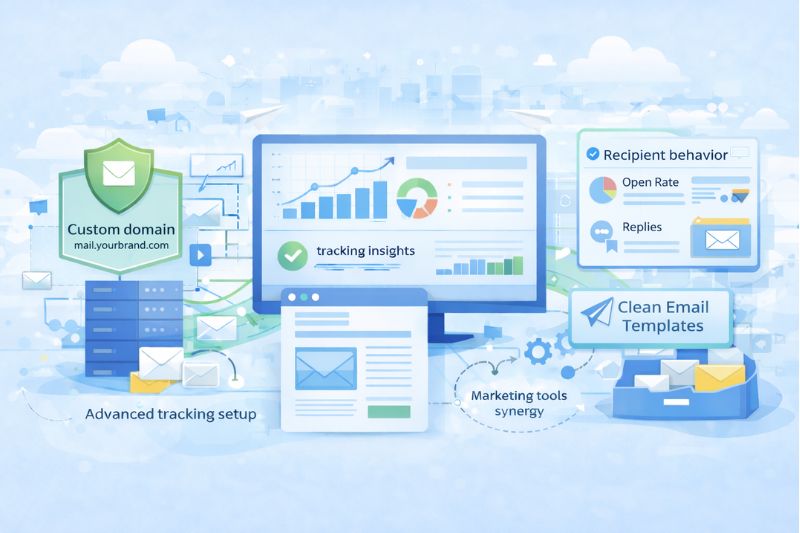
- Advanced tracking setup – The best email tracking setups use “Custom Tracking Domains”. This allows you to keep your tracking in line with your own brand.
- Valuable insights – This small technical change greatly improves your odds of bypassing spam filters, making sure that your tracking pixel actually fires.
- Gmail pricing and Outlook pricing – Many paid plans include this feature as a standard, making them a valuable investment over a completely free alternative.
Optimizing Tracking and Email Templates to Avoid “Engagement Bloat”
Going overboard with tracking can be just as damaging as not tracking at all. If every word in your email is a tracked link, the code-to-text ratio becomes suspicious to an email client.
- Clean email templatesUse email templates that are light on code. Minimize the number of tracked link clicks to focus only on the most important actions.
- Recipient behaviorRespect your audience. The lead may have opened your email ten times, but they have not responded, which means they are in the “consideration” phase. A gentle email that is not tracked may work better than sending the email through the email tracker.
- Marketing tools synergyTweak your message with the help of your email analytics. If your link tracking reveals that no one clicks the “Schedule a Demo” button, but everyone clicks the “Read the Case Study” link, it’s time to pivot your email campaign.
Conclusion – Master Your Inbox Placement
If you want to win the battle for the inbox, you will need to do more than just know who opened your email. You will need a domain that provides trust. Although Email tracking tools give you the roadmap, deliverability is the engine that gets you to the destination. By combining advanced tracking with a healthy sender score, you can convert your cold outreach into a warm relationship.
Begin your 10-day Free Trial with Inboxally today and turn your “sent” folder into a conversion engine.