The CAN-SPAM Act is the US law that sets the rules for commercial email, and a cold email to a prospect counts. CAN-SPAM is an opt-out law, so it generally doesn’t require consent before the first email. Canada’s anti-spam law, by contrast, generally requires consent before the first message, though that consent can be implied.
In return, CAN-SPAM asks for honesty and an easy way out. Tell the truth in your headers and subject line, identify the message as an ad, include a valid postal address and a way to opt out, and honor every opt-out request within 10 business days.
Meeting the law is one job. Reaching the inbox is another, and inbox providers set their own standards for that.
Key takeaways
- The CAN-SPAM Act is a US law that sets rules for commercial email. It generally doesn’t require consent before you send, but every message must follow its rules: honest headers and subject lines, a clear ad disclosure, a valid postal address and a working opt-out that you honor within 10 business days.
- Following CAN-SPAM doesn’t guarantee inbox placement. Gmail and other providers also weigh how recipients respond to your mail, and their sender requirements go beyond what the law asks.
Disclaimer: this article explains the law in general terms and isn’t legal advice. Check with a lawyer about your specific case.
What is the CAN-SPAM Act?
The name stands for Controlling the Assault of Non-Solicited Pornography and Marketing Act, which tells us a lot about what inboxes looked like in 2003, when it was passed. It sets national rules for commercial email, and the Federal Trade Commission enforces it.
CAN-SPAM is an opt-out law. It generally doesn’t require permission before a commercial email, but every message has to meet the law’s requirements, and once a recipient asks you to stop, you have to stop.
Congress even asked the FTC to look into a national do-not-email registry (a Do Not Call list for inboxes). However, in a June 2004 report, the FTC concluded a registry wouldn’t work without a way to authenticate where email comes from, and made that a prerequisite for any registry. One concern was that spammers would most likely use it to check which addresses were valid.
The law also applies to every commercial email, not only bulk campaigns. One email to one prospect still counts and, according to the FTC, there’s no exception for business-to-business email. If you also send newsletters or promotions to an opt-in list, our guide to the legal requirements for email marketing covers that side.
Which emails does the CAN-SPAM Act cover?
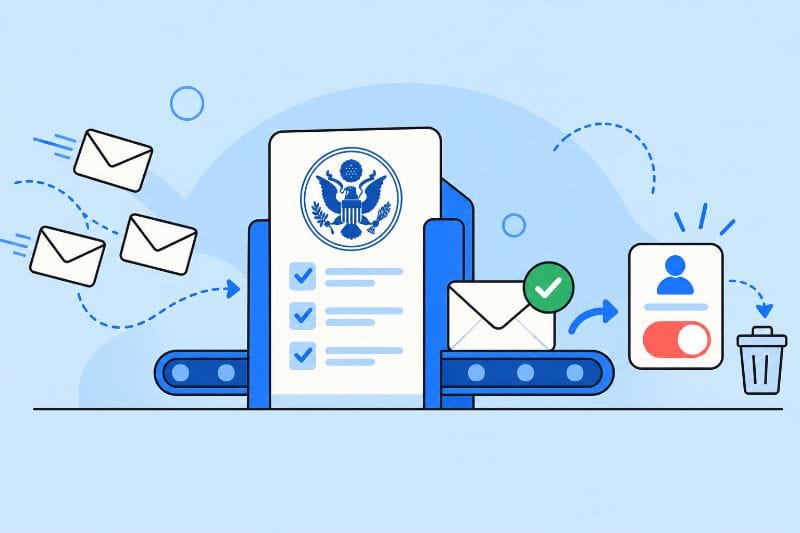
The type of email is sorted by its primary purpose:
- Commercial messages advertise or promote a commercial product or service. These carry the full set of rules.
- Transactional or relationship messages confirm a purchase, share account or warranty information, or deliver something the recipient already agreed to. These are exempt from most of the rules, though their routing information still has to be accurate, and the FTC says the law views these categories narrowly.
- Mixed messages are a combination of both. If a recipient reasonably reading the subject line would likely conclude it’s an ad, or the transactional part doesn’t appear mainly at the beginning, it counts as commercial.
Under the FTC’s primary-purpose test, a cold email that pitches a product or books sales calls counts as a commercial message, whatever the subject line says. Calling it a “quick question” doesn’t change its purpose.
What does the CAN-SPAM Act require?
The FTC compliance guide boils down the law to a short list:
- Use accurate header information. The “From,” “To,” and “Reply-To” fields and your routing information, including the originating domain name and email address, must be accurate and identify the person or business who initiated the message.
- Don’t use deceptive subject lines. The subject line has to match what the message is about.
- Identify the message as an ad. You get some leeway in how, but the disclosure has to be clear and conspicuous.
- Include a valid physical postal address. Your current street address, a post office box you’ve registered with the U.S. Postal Service, or a private mailbox you’ve registered with a commercial mail receiving agency established under Postal Service regulations.
- Tell recipients how to opt out. The opt-out mechanism has to work for at least 30 days after you send. Gmail separately requires one-click unsubscribe for marketing messages from senders of more than 5,000 messages a day to Gmail accounts.
- Honor opt-out requests within 10 business days. As a condition of honoring the request, you can’t charge a fee, require personal information beyond an email address, or require any step other than a reply email or a visit to a single web page. Once someone opts out, you can’t sell or transfer their address, except to a company you’ve hired to help you comply.
- Monitor anyone sending on your behalf. If another company sends for you, the FTC says “you can’t contract away your legal responsibility to comply with the law.”
Three of these cause cold emailers more trouble than the rest.
The ad disclosure is easy for cold emailers to overlook, because a good cold email reads like a personal note. The law gives you leeway in the wording, but the FTC says you “must disclose clearly and conspicuously that your message is an advertisement,” so ask your lawyer what wording and placement meet that standard for your emails.
The postal address can be an awkward requirement when you send from a new outreach domain with no physical office. Few people want their home address in a sales email footer, which is exactly what a P.O. box and private mailbox options are for.
The opt-out is easy to misconfigure. Many cold email setups send from several mailboxes on several domains, sometimes through more than one tool. An opt-out that lands in one mailbox has to stop emails from all of them. If the unsubscribe list stays in one tool and the next campaign launches from another, each email it sends to someone who opted out more than 10 business days earlier can count as a separate violation.
Replies count too. If your opt-out instruction is “just reply and let me know,” then every reply asking you to stop is an opt-out request, even when buried in an annoyed paragraph.
What happens if you break the CAN-SPAM Act?
Each separate email that violates the CAN-SPAM Act can cost up to $53,088, according to the FTC. That’s per email, not per campaign, so a five-step sequence to 1,000 prospects gives you 5,000 ways to get into trouble. The FTC adjusts that maximum for inflation, and its current penalty rule applies it to penalties assessed after January 17, 2025.
Liability can reach more than one company. According to the FTC, the company whose product the email promotes and the company that sends it may both be held legally responsible. State attorneys general can also bring their own cases, and harmed internet service providers can sue. For the worst behavior, the law provides for prison time. According to the FTC, the list includes accessing someone else’s computer to send spam without permission, using false information to register for multiple email accounts or domain names, and harvesting email addresses or generating them through a dictionary attack.
Long before any regulator gets involved, inbox providers are already measuring how recipients respond to your mail.
Why a compliant cold email can still land in spam
CAN-SPAM sets rules for what goes into a commercial email and how you handle opt-outs, while inbox providers also weigh how recipients respond to it. Google’s sender guidelines say to “keep spam rates reported in Postmaster Tools below 0.10% and avoid ever reaching a spam rate of 0.30% or higher.” That leaves little room for spam complaints.
People who never asked to hear from you are often quicker to click “report spam” than to look for your footer, which is why even a compliant message can still teach Gmail that recipients don’t want your mail.
New outreach domains have it harder still, since a new domain has no sending history for providers to judge.
What if your prospects aren’t in the US?
CAN-SPAM is a US law, and prospects in other countries may be covered by their own rules. For a country-by-country overview that also covers Australia, see Is cold emailing illegal? A few examples:
According to the CRTC, Canada’s Anti-Spam Legislation (CASL) generally requires express or implied consent before you send a commercial electronic message. Consent can be implied when someone has conspicuously published their business email address without a statement that they don’t want unsolicited messages, and your email is relevant to their role. The CRTC calls that a higher standard than an address simply being available online, judged case by case, and every message still needs your identification details and an unsubscribe mechanism. Under CASL, penalties can reach C$10 million per violation for a business.
The UK lets you email corporate subscribers without specific consent, according to the ICO. Sole traders and some partnerships count as individuals, though, and individuals need consent. Either way, you can’t hide who you are, and you must give a valid address for opt-outs. The ICO also says you may need to consider data protection law when you email named employees at a company address.
The EU combines GDPR with each country’s own ePrivacy rules, so what you can and cannot do depends on where your prospect is.
Where compliance ends and reputation begins
Following CAN-SPAM takes steady discipline, from every footer to every opt-out list. Earning a sender reputation with Gmail and Outlook takes longer, because it builds over time and depends in part on how recipients respond to your mail.
With InboxAlly, you can see where your outreach lands across its own mailboxes before it goes out, and build the sender reputation it takes to scale your campaigns.
The law decides whether you’re allowed to send. Inbox providers decide where your emails land, and how recipients respond is part of that decision. If your compliant emails keep ending up in spam, start a free InboxAlly trial and give your next outreach a better shot at the inbox.