Every email you send is a chance to connect, engage, or make that perfect pitch, but only if it actually lands in your recipients’ inboxes. Will it arrive where it belongs, or drift into the spam folder before it is even seen? That is the constant challenge of email deliverability.
For businesses, improving deliverability means addressing spam triggers, checking authentication protocols, and keeping up with the changing rules of email providers and their filters. That is why tools like MailGenius have become useful for marketers trying to keep their campaigns on track.
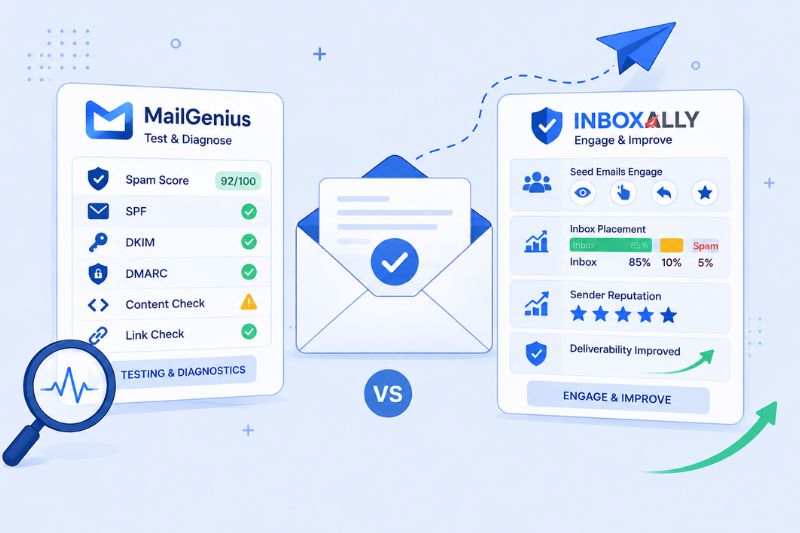
But is testing alone enough? In this article, we compare MailGenius with InboxAlly, breaking down their strengths, differences, and which tool is better suited to your email strategy.
Key Takeaway
- MailGenius is a solid choice for testing emails and spotting potential deliverability issues before you send.
- InboxAlly goes beyond testing by using seed engagement and inbox placement tracking to help improve sender reputation over time.
Understanding MailGenius: Features and Limitations
MailGenius is the email tool you grab when you need a quick check to see if your message follows the basic rules. It handles spam testing, SPF, DKIM, and DMARC verification, HTML validation, broken-link checks, and known spam words that could hurt your chances of reaching the inbox. On paper, it sounds like a solid setup.
It also offers inbox placement previews and checks domains, IP addresses, and links against known blocklists. However, MailGenius is still mainly focused on testing and diagnosing problems rather than actively improving sender reputation over time.
If you are working with a fresh or damaged domain, it does not offer the same engagement-based warm-up system as InboxAlly. There are no seed emails opening, clicking, replying to, or moving your messages into the primary inbox.
The bottom line is that MailGenius can work well for smaller campaigns or senders who mainly need testing and diagnostics. But if you want a more hands-on solution for improving inbox placement and sender reputation, you may need to look beyond testing alone.
So, is there a MailGenius alternative that does more? That is where InboxAlly comes in.
InboxAlly: A Powerful MailGenius Alternative
InboxAlly approaches email deliverability with a strategy-first mindset. It gives you tools to actively improve your email campaigns, not only test them.
One of its key features is seed emails, which do more than just sit in an inbox. They engage with your messages by opening them, clicking on links, and even moving them to the primary tab. For email providers, these actions mean “This sender is trusted,” which can make a huge difference in where your emails land.
Live tracking is another reason InboxAlly is such a useful tool. You’re not staring at a static report. Instead, you get live data on inbox placement and deliverability, so you can tweak your approach before problems spiral. And if you’re not sure what you need, InboxAlly’s preset engagement profiles offer pre-made solutions like:
- Traditional Warmup for new domains building reputation.
- Reputation Repair for damaged domains.
- Reputation Boost to push established domains further.
- Reputation Protect for high-volume senders who need consistency.
While MailGenius focuses primarily on testing, diagnostics, and monitoring, InboxAlly takes a more hands-on approach. It verifies email lists, tracks inbox placement, and uses seed engagement to help strengthen sender reputation over time.
This isn’t about bells and whistles. If you are managing complex email campaigns, these tools can help you understand where your emails are landing and take practical steps to improve the results.
Feature Comparison: MailGenius vs. InboxAlly
Sometimes the easiest way to choose between two tools is to see exactly how their features stack up. MailGenius and InboxAlly both help improve email deliverability, but they take very different approaches.
MailGenius focuses primarily on testing, diagnostics, and monitoring, while InboxAlly uses seed engagement to actively strengthen sender reputation and inbox placement over time. Here is how their key features compare:
| Feature | MailGenius | InboxAlly |
|---|---|---|
| Spam and Deliverability Testing | ✅ Free email test with spam, content, and technical checks | ✅ Spam score and deliverability testing |
| SPF, DKIM, and DMARC Checks | ✅ Included | ✅ Included |
| Inbox Placement Tracking | ✅ Placement previews and monitoring | ✅ Detailed placement reporting by provider and campaign |
| Content and Link Analysis | ✅ Spam-word, HTML, and broken-link checks | ✅ Content testing and deliverability diagnostics |
| Blocklist Monitoring | ✅ Domain, IP, and link checks | ✅ Blocklist monitoring available |
| Seed Email Engagement | ❌ Not included | ✅ Seed emails open, click, reply, and move messages to the inbox |
| Email Warm-Up | ⚠️ Testing and monitoring support, but no engagement-based warm-up system | ✅ Structured, engagement-based warm-up |
| Sender Reputation Improvement | ⚠️ Provides diagnostics and recommendations | ✅ Actively supports reputation building through seed engagement |
| Email List Verification | ❌ Not a core advertised feature | ✅ Available |
| Deliverability Consulting | ✅ Available | ✅ Available |
As you can see, MailGenius works well when you need to test an email, uncover technical issues, and understand what could be hurting your inbox placement. But if your goal is to actively strengthen sender reputation over time, testing alone may not be enough.
InboxAlly’s advanced tools, like inbox placement tracking and engagement-driven seed emails, provide the results that truly matter. So if you’re ready to stop guessing and start winning the inbox game, give InboxAlly a shot!
Real-World Benefits of Choosing InboxAlly
Nothing proves the value of a tool better than real results. In one InboxAlly case study, a wellness brand increased its inbox placement rate from 49.2% to over 90%. After five months, its open rates ranged from 39% to 84%, showing just how much stronger deliverability can affect campaign performance.
The strategy included adjusting the seed email distribution to reflect the brand’s actual subscriber base: 70% Gmail, 10% Yahoo, 10% Outlook, and 10% Hotmail. This helped the engagement activity more closely match where its audience was receiving emails.
During a later program launch, the company sent more than 200,000 emails in 10 days and achieved a 216% increase in enrolments compared with its previous launch. InboxAlly formed part of a broader strategy that also included segmentation, A/B testing, and ongoing deliverability monitoring.
The takeaway is not that every campaign will achieve the same results. It is that stronger inbox placement can give more subscribers the opportunity to see, open, and act on your emails.
The Cost of Poor Deliverability: Why It Matters
Poor email deliverability isn’t just some annoying technical glitch. It’s money slipping right through your fingers. Every email that fails to reach the intended recipient’s inbox means lost engagement, missed conversions, and a dent in your profits.
Even established senders face challenges when authentication is inconsistent, sender reputation declines, or engagement patterns suddenly change. Worse still, repeated deliverability failures can snowball into a damaged sender reputation that takes considerable time and effort to rebuild.
The financial hit is hard to ignore. Emails that don’t make it to the inbox mean fewer prospects see your offers, fewer sales come through, and your marketing ROI starts looking grim. Beyond that, disengaged subscribers and lower open rates make it easier for providers to mark your emails as suspicious, locking you in a vicious cycle that’s expensive to break out of.
That’s why deliverability tools are so important. They take the uncertainty out of email campaigns and show you exactly where the problems lie. More importantly, they help you stay consistent so you can maintain trust with email providers and avoid bigger issues down the road.
These tools are an integral part of any email strategy so hopefully, by now, you understand why getting the right one is so important. Every email you send is a chance to grow—don’t let it turn into a missed opportunity.
How to Make the Switch to InboxAlly
Switching to InboxAlly is straightforward, but there are a few important steps to get everything working properly. Here is how to get started:
1. Create Your Sender Profile
After adding and verifying your sender email, create a sender profile and choose the engagement rules that match your goals. This tells InboxAlly whether you are warming up a new domain, repairing a damaged reputation, or maintaining steady deliverability.
2. Add the Seed Emails to Your Campaigns
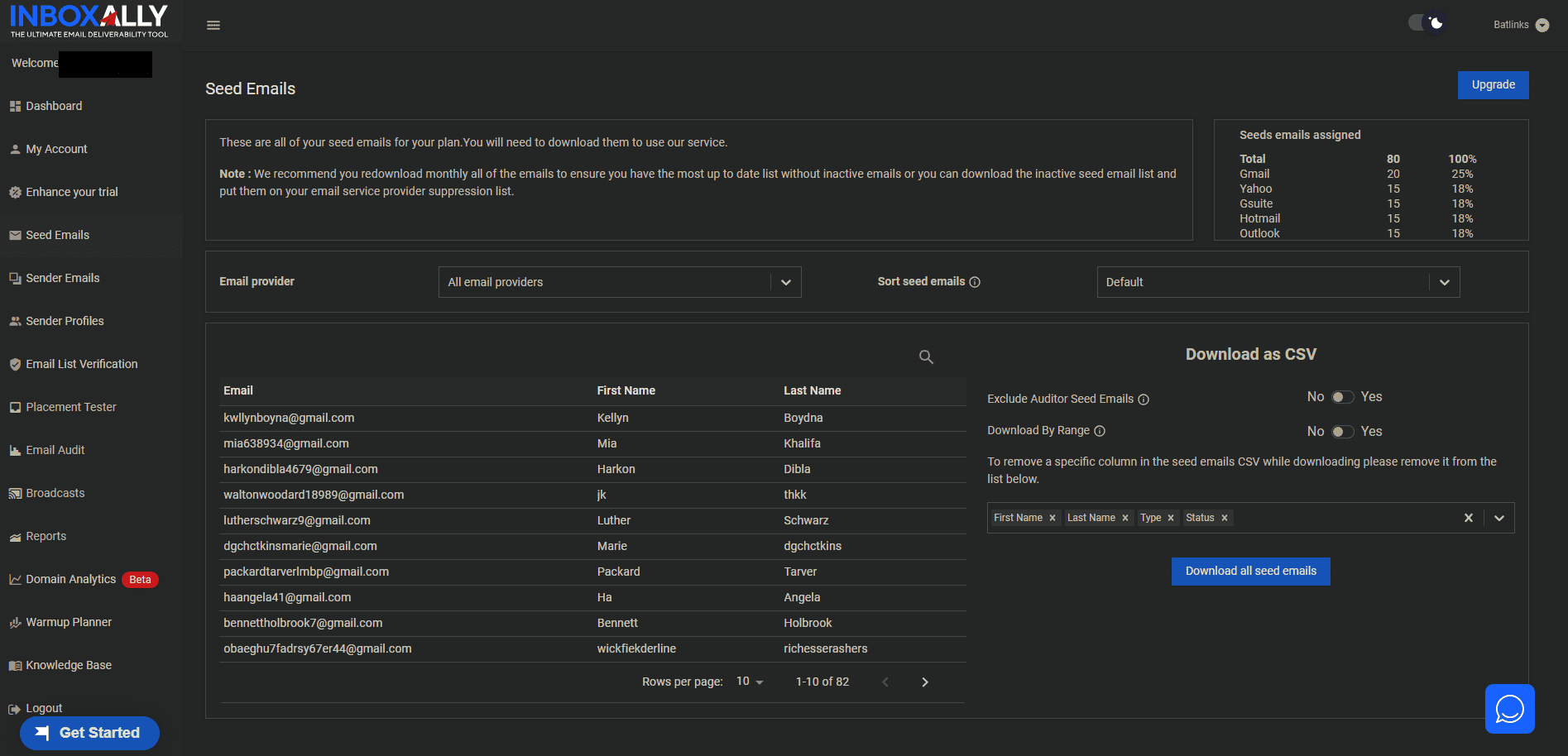
Seed emails are the backbone of InboxAlly’s system. These addresses receive your campaigns and engage with them through actions such as opening, reading, clicking, replying, and moving messages into the inbox.
InboxAlly provides the seed list, which you then import into your email service provider and include in your sends.
3. Track Inbox Placement and Engagement
Once your campaigns are running, InboxAlly shows where your messages are landing and how the seed emails are engaging with them. This helps you identify unexpected spam placement, weak provider performance, or other issues that may need attention.
4. Use the Right Engagement Profile
InboxAlly offers preset engagement options for different goals, including Traditional Warmup for new or inactive domains and Reputation Repair for senders experiencing deliverability problems. You can also adjust the engagement rules to suit your own sending strategy.
Getting started with InboxAlly is not rocket science. Once your profile, seed list, and engagement settings are in place, the platform handles much of the ongoing activity while you monitor the results and focus on your campaigns.
Final Thoughts
Email deliverability is not something you can afford to gamble on. It affects your communication, your marketing performance, and your brand reputation. The good news is that improving it does not have to feel overwhelming when you have the right tools in place.
MailGenius is a strong option for testing emails, identifying technical issues, and understanding what could be hurting your placement. InboxAlly takes a more hands-on approach, using seed engagement, warm-up tools, and placement reporting to help strengthen sender reputation over time.
Regular inbox placement testing gives you useful insight into where your emails are landing and where your strategy may need attention. The next step is to choose the platform that best matches your goals.
If you are looking for more than diagnostics and want to actively work on improving inbox placement, InboxAlly is well worth exploring.
Frequently Asked Questions
About the author:
Darren Blumenfeld is the CEO and Founder of InboxAlly, an email deliverability platform trusted by growth-focused marketers. He’s previously founded HonestMail, worked at NASA, and holds degrees from Tufts and Columbia. His passion for tech, education, and creativity continues to inspire innovation in email outreach.