Darren Blumenfeld is the CEO and Founder of InboxAlly, an email deliverability platform trusted by growth-focused marketers. He’s previously founded HonestMail, worked at NASA, and holds degrees from Tufts and Columbia. His passion for tech, education, and creativity continues to inspire innovation in email outreach.
You’ve spent days working on a new email campaign. You’ve chosen the right angle, written compelling copy, and you’re confident it will resonate with your audience. Then you hit send. Hours later, you discover the images aren’t displaying properly on mobile devices, and your formatting is broken in Outlook. The key text is unreadable in dark mode.
Before you kick yourself for not doing email testing, it’s far more common than you think. So we’ve spent some time looking at email preview tools that will help you catch rendering and compatibility problems before they impact your next campaign.
Quick Overview: Email Preview Tools
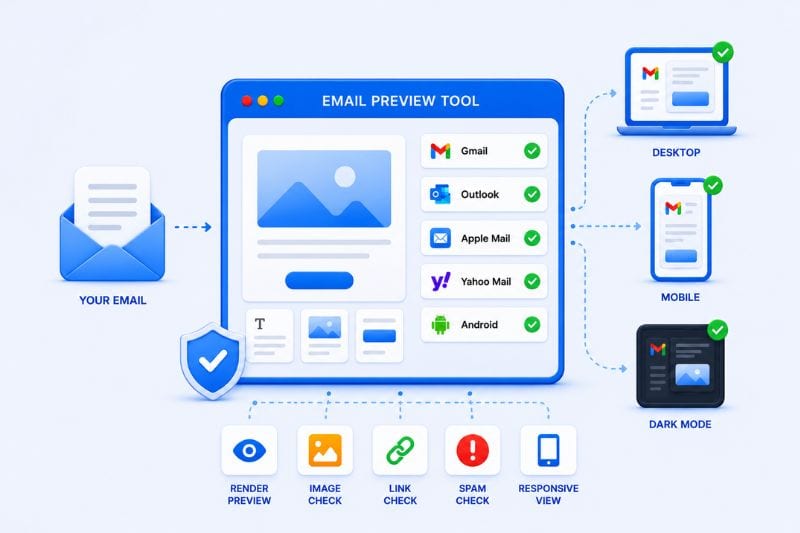
Email preview tools help marketers and business owners test for rendering issues, broken elements and compatibility issues before launching email marketing campaigns. While email testing does not directly improve deliverability, it can enhance the user experience and engagement, which, in turn, affects campaign performance.
Email preview tools: Quick Comparison
| Tool | Best For | Main Strength | Watch Out For | G2 Review |
|---|---|---|---|---|
| Litmus | Comprehensive testing | Broad email coverage and real screenshots | High pricing | 4.6 out of 5 |
| Mailosaur | Automated email testing | API automation and real inboxes | The platform is quite technical | 4.6 out of 5 |
| Mailtrap Email Sandbox | Safe pre-send testing | Isolates emails before delivery and catches rendering issues | Less comprehensive cross-client previews | 4.8 out of 5 |
| Mailgun Inspect (previously Email on Acid) | All-in-one validation | Campaign precheck workflow | Some feature gating | 4.5 out of 5 |
Top 4 email preview tools for 2026
With major UI tweaks causing popular email clients to make regular changes, the HTML template and email design that worked well today may not be sufficient tomorrow. This is why one of these four testing tools is an invaluable addition to your email campaigns.
1. Litmus

Litmus is regarded as an industry gold standard for preview testing, with 100+ inbox previews across email clients and devices. The platform promises 24/7 email monitoring with Litmus Email Guardian to catch and fix errors before your marketing emails go out.
Litmus is for marketers who need to validate campaigns across real devices and dozens of clients, operating systems and browsers. It provides users with complete confidence that email templates are compatible and ready to use at any time.
With the Litmus campaign monitor, you can preview emails, run a spam checker, validate links, inspect load time, and test accessibility in one workflow.
Strongest feature: Litmus can generate real screenshots of emails as they appear in Gmail App, Outlook, Apple Mail, Yahoo Mail and other email clients. These visual previews help eliminate guesswork and rendering problems before subscribers encounter them.
Key features that stand out from the competitors
- Accessibility testing.
- Unlimited 24/2 email monitoring, fixing errors before emails go out.
- Dark-mode testing and preview.
- Automated QA test.
What to watch out for: Litmus is more expensive than many competitors because it offers powerful, advanced features. Unless you are a large team or marketing agency, you could end up paying for more than you need.
Pricing
Litmus only offers enterprise-grade plans that require a custom quote. Standard enterprise features can also be upgraded, giving you access to deep engagement analytics and customizable alerts.
2. Mailosaur
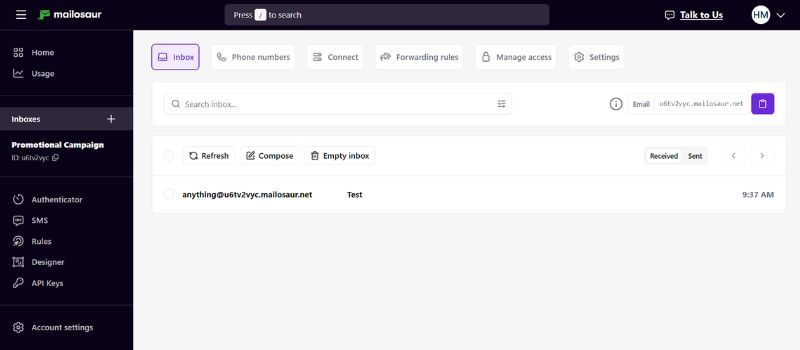
Mailosaur is built for developers and QA teams, so it takes a different approach to email testing. Rather than focusing on visual previews (like Litmus), the platform lets users create virtual inboxes and automatically test email functionality via APIs and automated workflows.
The automated workflows make Mailosaur particularly useful when large volumes of emails need to be tested for content, layout, subject line errors, link validation and broken images. Testing preview text and subject lines is crucial to ensure they are not cut off on mobile devices, where a large percentage of emails are read daily.
Strongest feature: The platform is an excellent choice for testing transactional emails and customer notifications at scale. It ensures that emails are delivered correctly, faster, and display the content that users would expect to see. Mailosaur promises to eliminate dummy accounts and cluttered inboxes – a must for email campaign efficiency.
Key features that stand out from the competitors:
- Virtual inboxes for email testing.
- Automated workflows for email validation.
- API integrations for testing workflows.
- Real devices are used for testing instead of inaccurate emulations.
What to watch out for: Mailosaur has been designed for developers and QA teams, therefore it has very specific functionality. Marketers may find the platform too technical and prefer platforms that provide visual rendering previews.
Pricing
Mailosaur offers three-tiered pricing plans: Personal, Core and Enterprise.
- Personal – $20 per month, billed annually.
- Core – $50 per month, billed annually.
- Enterprise – customer pricing.
3. Mailtrap Email Sandbox
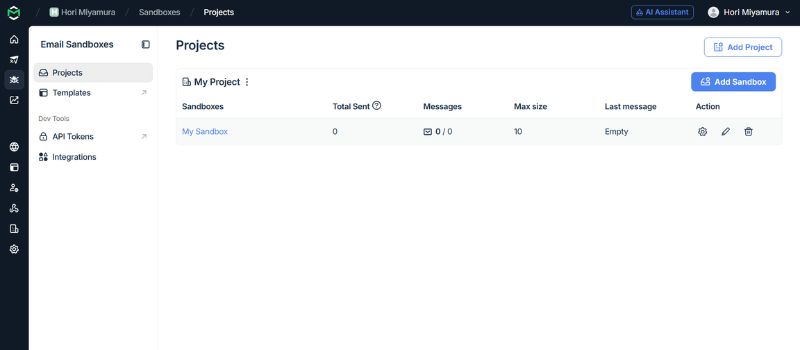
The email sandbox is a user-friendly platform that lets you set up your testing environment in just 5 minutes. Their well-documented API allows you to get started quickly and share access to your sandboxes with colleagues.
Rather than sending emails directly to subscribers, Mailtrap’s sandbox captures them and stores them inside a protected inbox for testing and analysis. The platform is well-suited for the development and staging phases, where you can dig into both the content and the source of your emails.
Strongest feature: Mailtrap safely captures emails in a controlled environment, allowing teams to troubleshoot and fix errors. This gives marketing teams the peace of mind that comes with total control over their campaign workflow.
Key features that stand out from the competitors:
- Secure, customizable sandbox environment.
- HTML and plain-text email inspection.
- Email debugging tools.
- Free plan for individual users.
Pricing
Mailtrap offers five tiered pricing plans for email testing, including a free plan for one user.
- Free Plan – $0 (one user only)
- Basic Plan – $17 per month
- Team Plan – $42 per month
- Business Plan – $123 per month
- Enterprise Plan – $498 per month
4. Mailgun Inspect
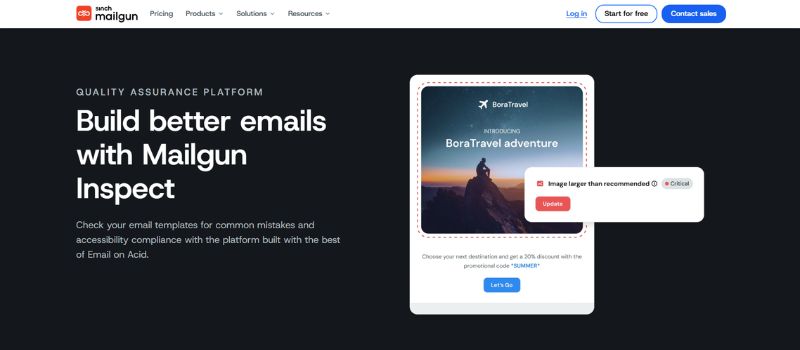
Mailgun Inspect is recognized as the closest competitor to Litmus, providing a comprehensive suite of email testing tools. It has been designed for the unique needs of marketers, developers and designers and provides two kinds of testing: Template testing and campaign testing.
The email testing functionality provides accurate email previews for over 90 email clients, while the pre-campaign check helps marketers identify rendering and compatibility problems. Every email template you create will look and feel the way you intended before it affects user experience.
Strongest feature: Campaign precheck consolidates multiple email tests into one workflow. Mailgun can detect issues such as spam triggers, broken HTML formatting, missing authentication and inconsistent rendering without skipping a beat.
Key features that stand out from the competitors:
- Test subject lines to improve open rates.
- Use tags to A/B email test button placement, design and a call to action (CTA).
- Check image sizes and proportions to improve loading times.
- Preview emails for 100+ email clients without creating a test account.
Pricing
Mailgun Inspect offers four pricing plans (including a free option). Each plan limits the number of emails that can be sent, but the limits are generous. You can also increase the email limit by paying a small additional fee.
- Free Plan – $0 (100 emails a day)
- Basic Plan – $15 per month
- Foundation Plan – $35 per month
- Scale Plan – $90 per month
Conclusion
In our opinion, the best email preview tools are the ones that do the heavy lifting, getting your email campaign off the ground faster and with greater confidence. That’s going to be different depending on your focus, so here is our recommendation:
- Litmus: Best for teams and enterprises.
- Mailgun Inspect: Best for mid-sized marketing teams.
- Mailtrap Email Sandbox: Best for developers.
- Mailosaur: Best for developers and QA managers.
Email preview tools are great for improving user experience and engagement, but they’re only one part of your campaign. Even a perfectly rendered email won’t generate results if it lands in the spam folder. That’s why marketers often pair preview tools with email deliverability software.
A tool like InboxAlly ensures that your email actually reaches your subscriber’s inbox, helping to close that final gap.
Further insight: Why is email deliverability important?