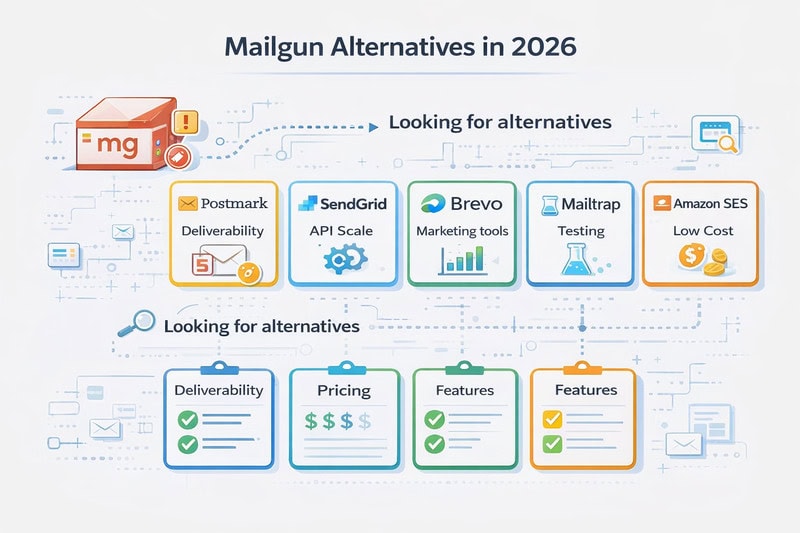
Mailgun works well for a lot of marketers, mostly because of its competitive pricing at mid-volume. That’s not nothing.
But “works well” has a shelf life. And the moment yours expires, you’ll want to know exactly what you’re moving to and why, not just grab the most familiar name on a comparison list.
Below is an honest comparison of the five best Mailgun alternatives: who each one is built for, what the deliverability numbers look like, and what you’d be giving up or gaining by switching. Let’s begin!
Key Takeaways
- Mailgun is a developer-first transactional email platform with a good API and infrastructure, but less good marketing features, advanced analytics, and log retention.
- The best alternative depends heavily on your use case: pure deliverability focus, all-in-one marketing needs, budget constraints, or team accessibility all point to different tools.
Why even look for an alternative?
Mailgun launched in 2010 as an API-first email service, and that DNA is present to this day, seen in the thorough documentation and a flexible API, which is why it’s a common choice for developers. And, honestly, it’s a decent deal at mid-scale.
The problems tend to come up later down the line. Mailgun’s log retention is capped at 5 days on the base plan, which is not enough for troubleshooting delivery issues that can’t be identified immediately. A lot of users are also not very impressed by the UI, which itself adds more pressure when you’re looking for a specific send event or trying to fix a critical issue.
These are not exactly dealbreakers for everyone, but they’re big enough that a lot of senders start looking around.
Top 5 email marketing tools to consider
1. Postmark
Postmark has been in the transactional email business since 2009, and it shows in the product’s focus. For the first decade, it didn’t do marketing email at all. That single-mindedness built a loyal customer base and a reputation for reliability that’s hard to fake.
Today, Postmark uses stream separation. This feature lets marketing and transactional emails travel through completely different infrastructure, so a batch campaign can’t drag down your password reset delivery. That is extremely valuable since shared IP pollution is one of the less obvious ways deliverability degrades over time.
The data retention policy is generous too: 45 days by default, customizable up to 365, compared to Mailgun’s 5.
Postmark unfortunately doesn’t do SMS, list segmentation, or marketing automation. If you need those, plan on integrating with other tools. It’s also the priciest option here; $95/month versus Mailgun’s $75 for 100K emails.
Pros
- One of the highest inbox placement rates in the industry.
- Separate streams for transactional and bulk emails
- 45-day data retention is included in all plans
- Transparent pricing with no priority support upsells
- Excellent documentation
Cons
- No SMS, marketing automation, or list management
- More expensive than Mailgun at most volume tiers
- Dedicated IP addresses are a paid add-on
Pricing: Starts at $15/month for 10K emails. 100K emails runs $95/month.
2. SendGrid
SendGrid is one of the oldest names in this space, acquired by Twilio in 2019. They processed 8 billion emails on Black Friday 2022 alone, which is a scale that’s hard to argue with. If you need an email infrastructure that can grow with an enterprise, SendGrid can handle it.
The API documentation is comprehensive, the integration library is wide, and the marketing product is mature. It’s a legitimate all-in-one for managing both transactional triggers and campaign sends from one reliable email delivery platform.
On the other hand, SendGrid’s pricing is genuinely confusing. It uses separate plans for developers and marketers, and several features that feel standard are gated behind add-ons or higher tiers. SSO, for example, requires the Pro plan at $89.95/month. Dedicated IPs aren’t included on the Essentials plan either. That difference between what the pricing page implies and what you’ll spend is bigger than it should be.
Deliverability is also a mixed story: in an independent test where Postmark hit 83.3%, SendGrid came in at 61%, with nearly 21% of emails going missing entirely.
Customer support has also drawn complaints since the Twilio acquisition, with faster response times reserved for premium tiers.
61% inbox placement can often be a reputation problem, not necessarily SendGrid doing its thing. This is why it’s important to check your basics before making drastic changes. InboxAlly creates the engagement signals that move you out of spam and keep you there, regardless of which ESP you’re using. Book a free demo and see how much better your next email campaign can perform.
Pros
- Proven at extreme volume
- Combined transactional and marketing platform
- Wide integration library
Cons
- Deliverability is inconsistent in testing
- Pricing complexity (many features require add-ons)
- Support quality varies by plan tier
- Marketing automation is only available on advanced plans
Pricing: Developer plans start at $19.95/month. Marketing plans from $15/month. Sending 100K emails costs ~$35/month on Essentials, but features may push you to the $89.95 Pro plan.
3. Brevo (formerly Sendinblue)
Brevo has grown well beyond its transactional email roots. What you’re getting here is closer to a full marketing stack: email API and SMTP for developers, plus a drag-and-drop campaign builder, visual automation workflows, SMS and WhatsApp messaging, built-in CRM, and live chat.
The free plan is among the most generous on this list: 300 emails per day, forever, with no trial expiry. That’s meaningful for early-stage businesses with lower sending volumes.
Where Brevo earns its stripes is accessibility. Non-developers can configure transactional messages through the UI, build automation flows visually, and manage contacts without coding. That makes it genuinely useful for mixed teams.
Deliverability is on the weaker side, definitely not up to par with Postmark or even Mailgun, and advanced automation requires paying for higher tiers. So while the entry price is genuinely low, the total cost at scale is less predictable once SMS credits, additional users, and plan upgrades come in.
Pros
- All-in-one: email, SMS, WhatsApp, CRM, automation
- Generous permanent free plan
- Accessible for non-technical users
- Good contact segmentation and personalization tools
Cons
- Deliverability is less consistent than pure transactional tools
- Advanced automation requires higher-tier plans
- Can get expensive as you scale with add-ons
Pricing: Free up to 300 emails/day. Paid plans from $9/month. 100K emails at $69-$129/month depending on plan tier.
4. Mailtrap
Mailtrap has a unique position in the market: it’s both a sending platform and an email testing environment. The sandbox lets developers inspect and debug emails in development and staging environments, catching template issues, rendering problems, and spam filter flags before they affect real users. That’s something none of the other tools on this list offer natively.
On the sending side, analytics go deeper than most: per-mailbox-provider breakdowns, per-category tracking (welcome emails, invoices, password resets), deliverability alerts, and a 24/7 deliverability support team on all plans.
The pricing is competitive at lower volumes and straightforward to understand. At 100K emails, the Basic plan costs $30/month, which is cheaper than Mailgun’s $75. The Business plan at $85 adds dedicated IPs, SSO, and a SaaS safeguard feature that protects your whole account if one sending domain runs into trouble.
Pros
- Integrated email testing/sandbox environment
- Deep per-provider analytics
- 24/7 deliverability support on all plans
- Competitive pricing
Cons
- No dedicated IP on the free plan
- Smaller brand recognition than SendGrid or Mailchimp
Pricing: Free plan includes 4,000 emails/month. Paid from $15/month. 100K emails: $30/month on Basic, $85/month on Business.
5. Amazon SES

Amazon SES is the cheapest option on this list by a wide margin. At $0.10 per 1,000 emails, sending 100K emails costs roughly $10 in raw email delivery service fees. Nothing else comes close.
But SES is a fundamentally different kind of tool. It’s infrastructure, not a platform. There’s no visual interface for non-developers, no built-in analytics to speak of, and no suppression management out of the box. If you need to track bounces, handle spam complaints, or monitor deliverability trends, you’re building that yourself. And that developer time is not free.
It also doesn’t come with support. SES-only plans include no AWS customer service, meaning you troubleshoot alone unless you pay separately for an AWS support plan. At 2 a.m., when something breaks, you’re on your own.
The economics work if you have a good engineering team, you’re already using AWS, and your email needs are relatively straightforward. For everyone else, the total cost of ownership tends to get closer to alternatives faster than the per-email rate suggests.
Pros
- By far the cheapest per-email pricing
- Scales to any volume on AWS infrastructure
- Flexible integration with other AWS services
- Global infrastructure with great uptime
Cons
- Virtually no analytics or deliverability visibility
- No support without a separate AWS plan
- No email template builder or visual interface
- High technical overhead
Pricing: ~$0.10/1,000 emails. Sending 100K emails costs roughly $10-$25 when accounting for all fee types.
But what about deliverability?
Switching ESPs is not a deliverability strategy. It helps, and picking the right sending infrastructure means a lot, but the bigger factor in inbox placement is the signal that Gmail, Outlook, and Yahoo have built up about your domain over time, based on how people engage with your emails: opens, replies, and people moving your email from spam to the inbox. A poor sender reputation follows you to any new email service provider.
That’s why InboxAlly works alongside whichever platform you choose and trains mailbox providers to treat your emails as wanted, by generating high-value engagement signals from real, highly-engaged recipients. This improves inbox placement, without changing your sending stack.
If deliverability is the reason you started looking for a Mailgun alternative in the first place, try InboxAlly free, and you might not need to switch tools at all!