
HubSpot is excellent at sending emails. It gives you the buttons, the scheduling, a pretty email health dashboard, and the workflows that make you feel like everything is under control. But none of that decides whether Gmail, Yahoo, or Microsoft actually shows your email to anyone.
So how do you get that part figured out?
In today’s article, we’ll look at where HubSpot genuinely helps, where it has zero influence, and the specific parts of it you must manage yourself if you want consistent inbox placement. Let’s dig in!
Key takeaways
- Good list hygiene and segmentation keep you out of trouble. This results in fewer bounces, fewer complaints, and far more predictable inbox placement.
- Consistent engagement is the real driver of deliverability. Combine good sending habits with tools that reinforce positive signals, and your HubSpot campaigns will start landing in the inbox.
What HubSpot does for deliverability (and where it stops)

HubSpot does help with deliverability, but only up to a point.
On the helpful side, it automatically suppresses hard bounces, so if an address fails once, HubSpot won’t keep trying to reach it.
It also uses subscription types (newsletters, product updates, sales emails, etc.) so people can opt out of one type without missing out on all emails. That reduces both subscriber churn and complaints.
It also offers some send frequency protections. If you try to reach the same contact with too many emails in a short period, HubSpot can slow things down or block additional attempts. And because it tracks opens, clicks, unsubscribes, and spam reports, you at least see when engagement is going in the wrong direction.
That’s the good part, but there are limits: HubSpot does not control your domain reputation with Gmail, Yahoo, or Outlook. It doesn’t decide how spam filters score your content. It doesn’t warm up new sending domains or manage volume ramping when you increase send size. It doesn’t score risky segments for you or tell you, “Don’t email this chunk, it will hurt you.”
HubSpot’s deliverability tools: useful but reactive
When it comes to deliverability, HubSpot cleans up after problems show up but it doesn’t prevent them on its own. If you want great deliverability, you have to handle reputation, email volume, and engagement strategy yourself and use HubSpot as a sending tool, not something that protects your domain.
The biggest reasons HubSpot emails land in spam
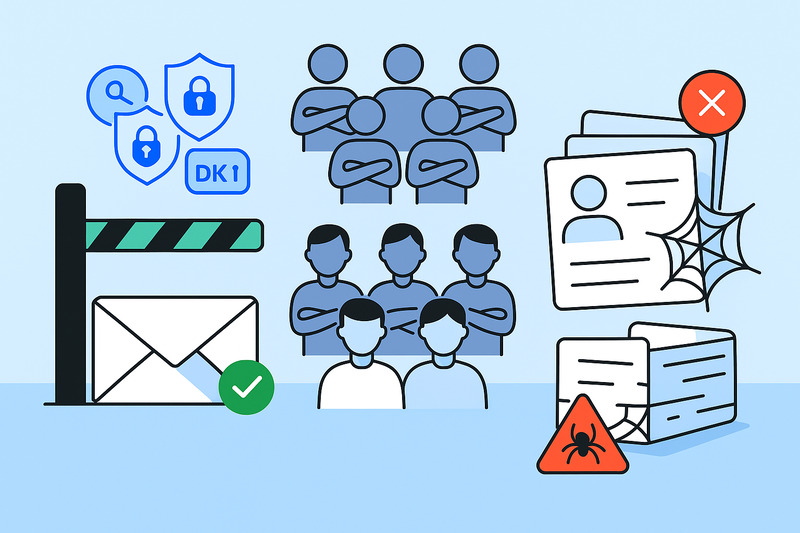
Most people blame “the algorithm” when their HubSpot emails end up in spam. In reality, it’s almost always the same set of problems showing up in different clothes.
Your authentication is poor or half-done
If SPF, DKIM, and DMARC aren’t set up correctly, no email service provider will fully trust that HubSpot is allowed to send for your domain.
That doesn’t always break things right away, but it puts you on thin ice. When something else goes wrong (bad lists, complaints, bounces), you get punished faster because the technical side was never good to begin with.
You keep mailing disinterested contacts
Another common pattern: huge sends to cold or inactive segments. People who haven’t opened in 6–12 months are basically telling you, “I’m done.” When you keep emailing them, you train Gmail and Outlook to see your emails as low-value.
It gets worse if you mix in promotional blasts and cold outreach from the same domain. Email performance from cold outreach is usually worse and attracts more complaints. If you run them next to your main email marketing campaigns, the whole domain’s reputation drops.
Your lists are old, dirty, or both
That big CSV from “back when things worked well” is usually the worst thing you can do for deliverability.
Old lists that were never cleaned are full of abandoned inboxes, spam traps, and email addresses from people who have changed jobs. Importing them into HubSpot and emailing them is a great way to increase hard bounces and ruin your reputation in a single day.
If you want a deeper look at how HubSpot handles validation (and where it falls short), check out our full guide on HubSpot email validation.
Fixing sender reputation inside HubSpot

You can’t click a magic “better deliverability” button in HubSpot, but you can set things up so mailbox providers stop seeing you as a risk and start treating you like a normal, trustworthy sender. That means fixing three areas: how your domain is set up, who you send to, and how those people react.
Start with infrastructure: your domain setup is important
As we’ve said on this blog a thousand times already, SPF, DKIM, and DMARC are non-negotiable. If you haven’t set them up and aligned with your sending domain, everything else you do in HubSpot is built on sand.
Also, make sure you use a branded email sending domain, not just HubSpot’s defaults. When all your email uses your real domain, reputation builds in one place instead of being split or hidden.
Getting the technical side right early makes everything else easier, especially during your hubspot email integration setup, where small configuration gaps can quietly affect deliverability later on.
And be honest about IPs: most setups are fine on a shared IP as long as their lists and behaviour are on point. A dedicated IP with bad sending is just a faster way to get yourself in trouble, with no one else to blame.
Once the technical side is stable, the next lever is your audience. Run your main lists through an email validation tool and sync back simple fields like valid, invalid, risky, and disposable. Build active lists that cut out the worst of it automatically. That’s your first filter.
Then add a second filter: engagement. Create segments like:
- Opened or clicked in the last 30–90 days
- No engagement in 6–12 months
- Never engaged
Send full email campaigns to the first group, test softer, lower-volume flows with the second, and think very hard before mailing the last group at all.
Fix engagement
Even with a perfect technical setup and pristine lists, deliverability won’t go far if engagement is bad.
- Space out campaigns, meaning don’t go from total silence to three blasts a week.
- Build real nurture sequences instead of random one-off campaigns and always make sure to let go of people who never open, because they likely never will.
- When you start sending from a new domain or subdomain, warm it up! Small campaigns to engaged contacts first, then slowly grow volume, or find InboxAlly in the HubSpot App Marketplace if you want to automate this process.
- Lastly, keep an eye on your open rate, click-through rate, spam reports, and bounces.
If all of that looks great, your deliverability won’t budge.
What HubSpot can’t fix for you (and how to handle it)
HubSpot is great at sending emails, but not so great at convincing email providers that those same emails deserve a good spot in the inbox.
It can’t create positive engagement signals for you. If people don’t engage with your emails, HubSpot can’t magically turn that into a good sender reputation. It just records the pain in a report.
It also can’t take emails out of spam once Gmail or Outlook decides that’s where they belong.
Same goes for warming a domain: if you start blasting big volumes from a cold setup, HubSpot will send them, but it won’t protect you from the consequences.
Once domain or IP reputation drops, HubSpot can, at best, let you slow down, segment better, and stop making it worse. And it’s not built to detect nuanced risk like “this segment will technically deliver but hurt you long term.”
That’s why InboxAlly should always be a part of your email tool stack. While HubSpot handles lists, workflows, and content, InboxAlly uses seed accounts that behave like real people: opening, scrolling, clicking, taking emails from spam, and marking them important. Mailbox providers value this kind of engagement signal the most, which gives your good sending habits in HubSpot a better chance of being rewarded.
If you want to see how the two connect, here’s a simple step-by-step guide on how to integrate HubSpot with InboxAlly.
A deliverability-ready HubSpot setup (the blueprint)
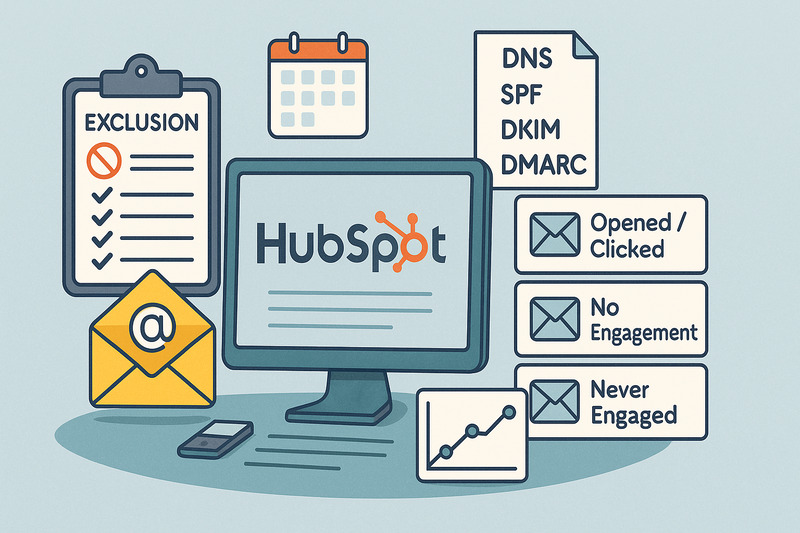
If you want HubSpot to send marketing emails and keep you out of trouble, the setup has to do most of the thinking for you. Here’s the version you can basically copy.
Start with one global exclusion list. Anyone marked invalid, disposable, high-risk, hard-bounced, or spam-complained goes in there. Make that list a global exclusion on every marketing email and workflow. No exceptions.
Then build engagement-based segments. At minimum:
- Opened or clicked in the last 30–90 days (30-60 if you want to be extra safe)
- No engagement in 6–12 months
- Never engaged
Your main campaigns go out to the first group. The second gets lighter, slower sequences. The third is for testing, or it gets dropped completely.
Add send windows so you’re not scheduling campaigns at 03:00 or emailing people five times in one day. Keep volume consistent and avoid random spikes.
On the infrastructure side, you need all DNS records: SPF, DKIM, and DMARC; you know the drill.
Add real-time validation on forms, so you don’t even create contacts with bad email addresses. For new domains or subdomains, run a clear warming sequence: start small with engaged contacts, then grow volume slowly, or automate it with InboxAlly.
Finally, opt for a simple monitoring stack: bounce rate, spam complaints, opens, clicks, and inbox placement if you’re using something like InboxAlly. If those numbers start tilting the wrong way, the setup should tell you before the mailbox providers do.
Where this leaves your HubSpot email strategy
HubSpot is an email platform, not a sending reputation shield. It sends whatever you tell it to send, but it won’t protect you from bad lists, weak engagement, or a domain that mailbox providers no longer trust.
Deliverability only improves when you manage it on purpose by being careful who you email, how often you email them, and what feedback you get each time you click “send.”
If you want to get help building those engagement signals while you fix the rest, book a quick InboxAlly demo and see what steady inboxing feels like.