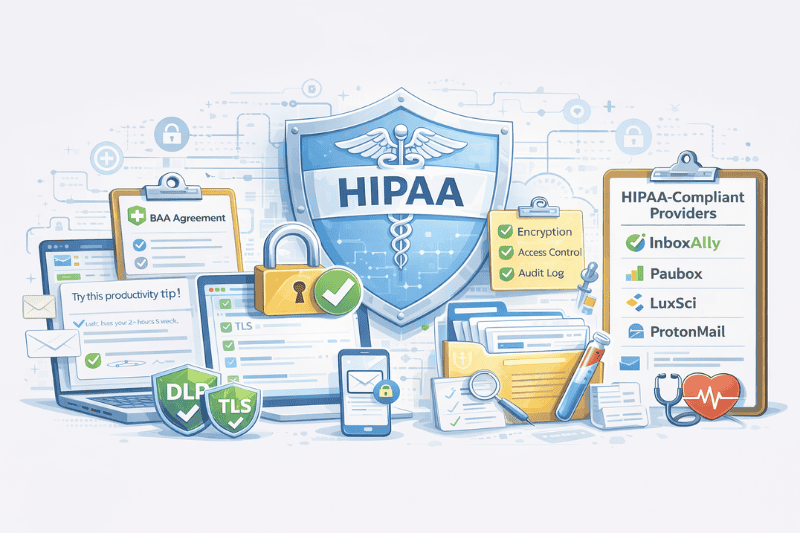
Most healthcare practices don’t start thinking seriously about email security until a patient complains or an audit strikes them. Three unencrypted emails sent by accident are enough, which is exactly what happened at a Memphis-area medical center, where an employee’s honest mistake triggered a federal investigation and mandatory breach notifications to affected patients. It wasn’t malicious or even a hack. It was just a regular email, sent the wrong way.
That’s the thing about HIPAA and email. The risk is usually mundane, and that’s what makes it easy to ignore until it’s too late.
In this article, we’ll break down where those risks come from, how HIPAA applies to everyday email use, and what healthcare practices need to put in place to avoid becoming the next case study.
Key Takeaways
- HIPAA-compliant email requires encryption, access controls, audit logs, transmission security, and a signed business associate agreement (BAA); all have to be in place together
- There’s no universally best provider. A lot of it comes down to your practice size and setup; a solo practitioner and a hospital network are looking for completely different things
So what is HIPAA, exactly?

The Health Insurance Portability and Accountability Act was signed into law in 1996. Originally, it was about protecting` workers’ health coverage between jobs, but as healthcare went digital, the law expanded to cover how patient data is handled, transmitted, and stored across every channel, including electronic communication.
The law calls this data Protected Health Information, or PHI. And PHI is broader than it seems at first. It’s not just medical records. Appointment reminders, lab results, and even an email address count, if it’s linked to a health service. Anything that identifies a patient and relates to their health is PHI, and the moment you send it over email, HIPAA applies.
The Office for Civil Rights (OCR) enforces this. Fines run from $100 to $50,000 per violation, with an annual cap of $1.5 million. Willful violations, where you knew the rules and ignored them, can result in criminal charges. Most violations don’t go that far, but the financial risk is big enough that this isn’t something to figure out retroactively.
Encryption alone won’t save you
There’s a common misconception that gets practices into trouble, and it’s adding encryption to the email setup, assuming the problem is solved. It’s far from it.
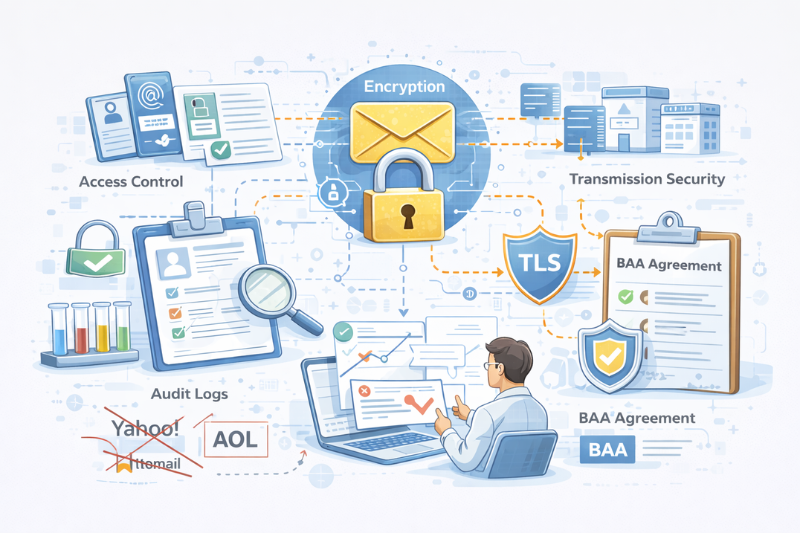
HIPAA compliance for email is actually five things at once:
- Encryption, of course.
- Access controls (only the right people can read or send PHI)
- Audit logs (a record of who accessed what and when)
- Integrity controls (PHI can’t be altered in transit)
- Transmission security (modern TLS protocols protecting data as it moves between servers).
There’s also a contractual piece that has nothing to do with your software settings. Any third-party email provider that has access to your PHI must sign a Business Associate Agreement (BAA). This is a legal document that defines how the vendor protects your data, what they do if there’s a breach, and what they’re liable for. If a vendor won’t sign one, you cannot legally use them for PHI, plain and simple.
Which brings up the free email question. Yahoo, Hotmail, AOL, none of them offer BAAs for free accounts. Neither does standard Gmail nor personal Outlook. No BAA means no compliance, full stop, regardless of how the marketing language reads.
The three types of solutions
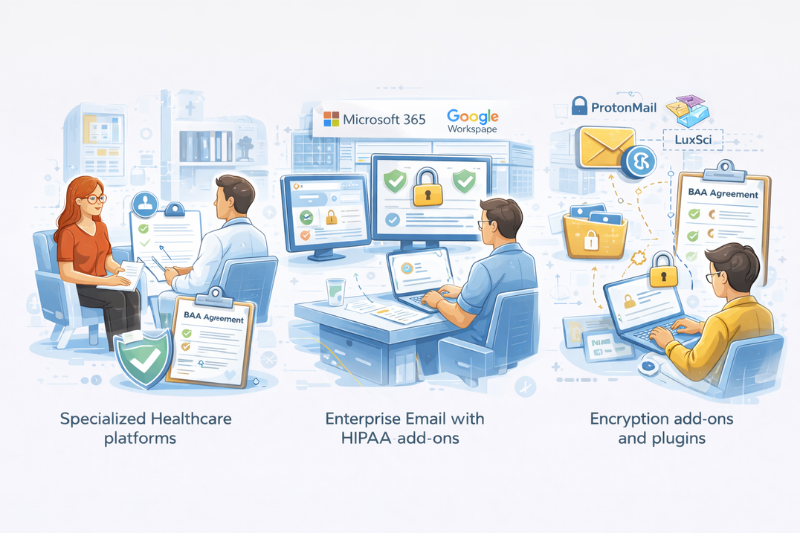
Before getting into specific email service providers, it helps to understand the category you’re shopping in. The right answer for a solo therapist looks nothing like the right answer for a regional hospital network.
Specialized healthcare communication platforms are designed from the ground up for healthcare providers. They come with BAAs, encryption, and compliance features already in place. This requires minimal configuration and a relatively fast setup. The tradeoff is that they’re narrower, which means you’re buying a specialized tool that might not be as flexible as you want it. Best fit for small-to-mid-sized practices that want something that works out of the box.
Enterprise email with HIPAA add-ons like Google Workspace and Microsoft 365 can absolutely be made compliant. Google and Microsoft both offer BAAs and the security infrastructure to support HIPAA. But “can be made compliant” is doing a lot of work in that sentence. You still need to configure DLP policies, enable the right encryption settings, set up admin controls, and keep all of it maintained. Misconfiguration is where practices get caught. This path works well when you have IT support. Without it, it’s a huge liability.
Encryption add-ons and plugins add security on top of whatever HIPAA-compliant email platform you’re already using. Lower cost, fewer issues. The catch is that they’re only as good as the base platform underneath.
Appointment reminders and follow-ups are useless in spam. InboxAlly helps rebuild inbox trust by generating the engagement actions providers reward, so your patient comms don’t get buried after a domain change, list import, or volume spike. Start free and see how it works in your sending setup.
The best HIPAA-compliant email services right now
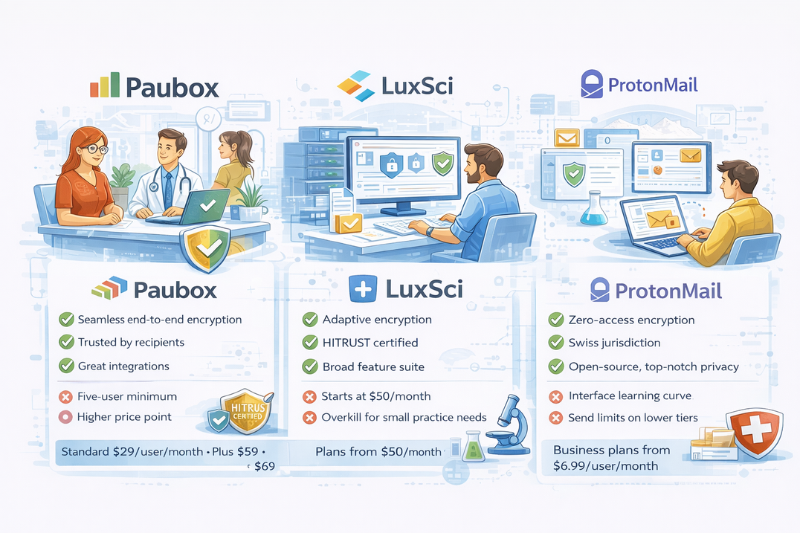
These are the options that come up regularly in healthcare settings. None of them is universally right, though, so keep in mind what works for you as you read through this.
Paubox
Best for: Mid-sized practices already on Google Workspace or Microsoft 365
Paubox’s whole pitch is that encryption should be invisible. No portals, extra steps for patients or staff training on “how to send a secure email.” Messages go out encrypted by default, whether or not the recipient’s server supports it, and they land directly in the inbox like a normal email.
That approach is rare in this space, and it’s why Paubox regularly takes the top spot of G2 and Capterra ratings. It integrates directly with G Suite and Office 365, includes a BAA on every paid plan, and has HITRUST certification. The Plus and Premium tiers add inbound threat protection, DLP, archiving, and voicemail transcription if your practice needs those.
However, the minimum of five users makes it less practical for solo practitioners, and the pricing is more suited for a mid-market positioning. This isn’t the cheapest option in the category.
Pros:
- Seamless end-to-end encryption
- Trusted by recipients
- Great integrations
- HITRUST certified
Cons:
- Five-user minimum
- Higher price point
- Some DNS configuration is required upfront
Pricing: Standard $29/user/month; Plus $59; Premium $69
LuxSci
Best for: Larger healthcare organizations with complex communication needs
LuxSci has been in this space since 1999. Both Aetna and Beth Israel Lahey Health use them. That track record counts for something when you’re trusting a vendor with patient data.
Their standout feature is SecureLine. It’s an adaptive encryption system that picks the best method (SMTP TLS, PGP, S/MIME, or Escrow) based on what the recipient’s server can handle. Instead of a one-size approach, it adapts. That’s a huge difference when you’re communicating with dozens of different partner systems.
LuxSci also goes well beyond email by supporting secure web forms, text messaging, video conferencing, and web hosting. More than most small practices need, but great for enterprise-level organizations that want compliance and more than one way to communicate.
Pros:
- Adaptive encryption
- HITRUST certified
- Broad feature suite
- Long track record
Cons:
- Starts at $50/month
- Overkill for small practice needs
Pricing: Plans from $50/month
ProtonMail (Proton for Business)
Best for: Practices where privacy is the primary concern
ProtonMail was built by researchers at CERN in Switzerland, which tells you something about its orientation. Zero-access encryption means Proton itself can’t read your encrypted emails. Data is stored under Swiss privacy law. Their primary server infrastructure is located in an underground facility beneath 1,000 meters of granite, which sounds extreme until you consider what’s at stake.
The BAA is available on business plans, which is the only tier you should be considering for PHI. The interface takes some adjustment if you’re coming from Gmail or Outlook. Also, daily send limits on lower tiers are worth checking against your volume. But this is a serious option for a practice where patient privacy is the north star.
Pros:
- Zero-access encryption
- Swiss jurisdiction
- Open-source
- Top-notch privacy
Cons:
- Interface learning curve
- Send limits on lower tiers
- Proton Bridge is required for desktop clients
Pricing: Business plans from $6.99/user/month
A few things to know when you’re evaluating these tools
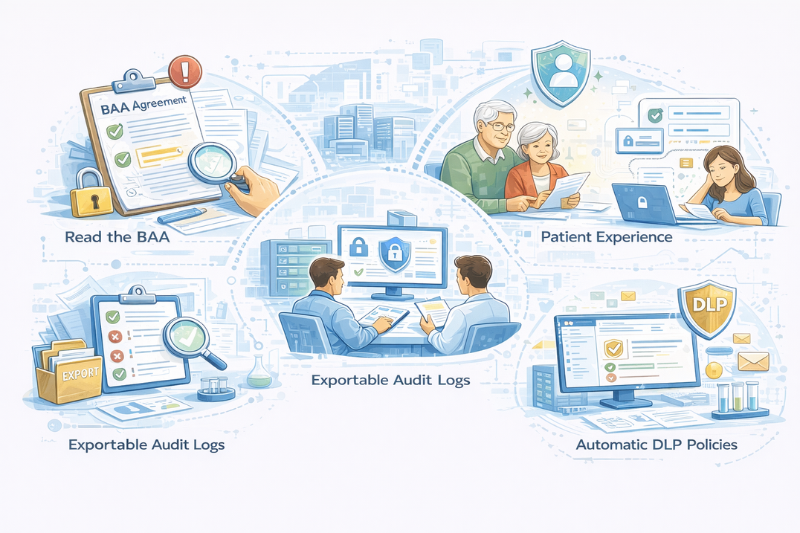
Read the BAA before you sign it. Some vendors offer a BAA but write it in a way that transfers breach notification responsibility to you, limits their liability significantly, or excludes subcontractors. A signed BAA is not the same as a protective BAA.
Patient experience matters more than you think. The most secure solution in the world doesn’t help if patients won’t use it. If reading a message requires creating a secure portal account through a multi-step login and downloading an app, a lot of patients (especially older ones) will just not bother.
Audit logs need to be exportable. During an investigation, you need to quickly produce clean records. If the logs exist but can’t be exported in a usable format, they won’t help you under pressure.
DLP policies are where compliance happens. You can’t rely on staff to manually flag every sensitive email. Look for platforms with automatic encryption based on content
Deliverability is a separate problem, and it’s connected
Compliance protects your patients. Deliverability determines whether your emails actually reach them.
These are different problems, but they intersect. If you’re running appointment reminders, HIPAA-compliant patient outreach or any kind of health communication at volume, your domain needs a good behavioral track record before those emails go out.
When your emails are fully compliant but still landing in spam, the problem is behavioral. InboxAlly builds the engagement signals inbox providers actually look for, so your patient communications land where they should. Try it free and see how that trust gets rebuilt in practice.