
You’ve probably seen this before. A client sends one simple question, and somehow, five people reply. Or worse, no one does. Everyone is cc’d, everyone is “on it,” and yet the same message bounces around like a pinball.
Welcome to the chaos of team email. The bigger the group, the worse it gets. In this mess, messages pile up, replies get duplicated, and important information is sent to someone’s personal email address, where no one else can see it. It just goes to show that email was never built for teamwork.
So companies start improvising. They build distribution lists to send updates to everyone at once and create shared mailboxes to centralize replies. It works… somewhat.
In the article below, we’ll talk about what these tools are and why choosing the wrong one can be detrimental to your team’s efficiency.
Key takeaways
- Pick what fits how your team works. Distribution lists handle simple one-way updates. Once you need visibility, shared replies, or context, move to a shared mailbox. When email volume increases, shared inbox tools can take over with automation and tracking.
- There’s no perfect setup, only the one that fits now. Every system breaks at a certain scale. What matters is recognizing when your current setup becomes confusing instead of helpful, and evolving before it slows your team down.
The origin of distribution lists
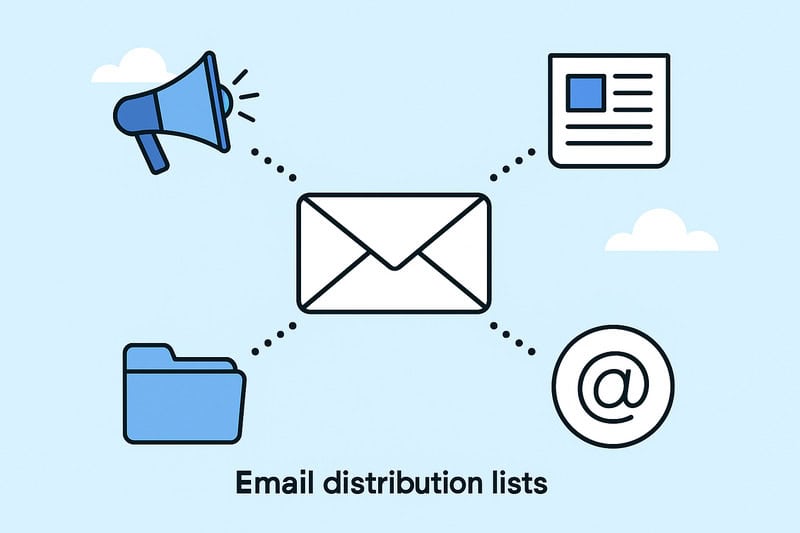
Before Slack, shared inboxes, or customer support tools, there was the humble distribution list. One email address that blasted a message to many. It was simple and good enough for what companies needed back then: one-way communication.
HR used it for company updates, marketing for internal newsletters, and IT for “no-reply” outage alerts. It kept everyone informed without the endless cc’ing and forwarding. Distribution lists are easy to set up, free to maintain, and that’s why they’ve been around for decades.
But here’s why they’re not ideal: when someone replies, the response lands in their personal inbox rather than a shared space. So if you send a message to finance@company.com as a distribution list, every reply splinters into individual inboxes, untracked, and invisible to the rest of the team.
All this worked fine when email was used to broadcast information, but as business email became a full-blown conversation, that setup no longer works.
The rise of the shared inbox (and why we needed it)

As businesses grew and email became a team sport, the distribution list began to show its age. Teams needed a better way for multiple users to see the same messages, track what’s been handled, and share responsibility without drowning in cc threads. That’s how the shared mailbox was born.
A shared mailbox appears as a single address (e.g., support@company.com or sales@company.com), but behind it, several people can read and reply to the same incoming messages. It’s still one inbox, but now everyone with access can join.
Now, the HR team sees job applications in one place, the IT desk sees all requests in one place, and the small sales team can respond to leads without forwarding them around. Much better!
Technically, it’s less cluttered, too. Each person logs in using their own email account, but they can “Send As” the shared address or “Send on Behalf Of” it. That small distinction is important: “Send As” looks fully unified because the message appears to come directly from support@company.com. “Send on Behalf Of” helps with transparency because it shows who actually replied.
Of course, the early versions were messy. Companies used to just share one login and password for everyone, which was, understandably, a security nightmare. One wrong click was enough to expose customer data or lock out the whole team. Defined permissions changed that. Admins could finally control who had access, what they could do, and whether their replies showed up as themselves or as the shared identity.
Now the team can see everything in one place, handle replies faster, and maintain accountability.
So now we have communication in one place, but still not collaboration.
Distribution list vs shared inbox: what’s the difference?
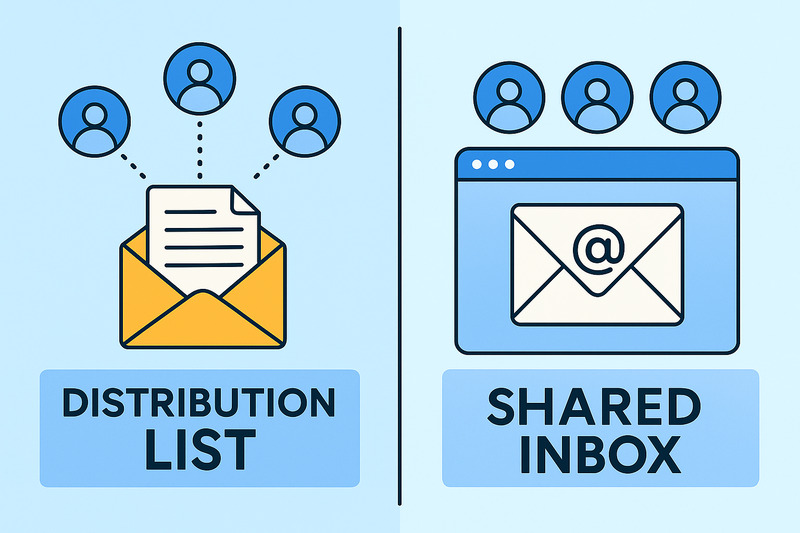
At first glance, both tools seem to do the same thing: handle email messages for multiple people. But if we go a little deeper, the differences are vast, and they essentially change the whole workflow. Let’s see how…
Access & visibility
A distribution list sends the same message to multiple recipients simultaneously, but it’s stored separately in each person’s inbox. There’s no shared view or message history, so once the email is delivered, it’s out in the wild, and that can mean five different versions and essentially five chances for confusion.
A shared mailbox creates one central inbox. Every authorized user can see the same messages, threads, and replies. It’s a single source that doesn’t require digging through your personal inbox to find what your teammate said yesterday.
Replies & ownership
With a distribution list, anyone can reply, but no one else will see it unless they manually cc the distribution group. That’s how duplicate responses happen: two people answer the same question differently, and the customer gets a mixed answer.
In a shared mailbox, all replies are stored in the same thread. Everyone can see who responded and what was said, so there’s no overlap or guessing. It’s quicker and less chaotic.
Management & permissions
A distribution list is easy to get started with by just adding a few addresses. But that simplicity comes with limits because you can’t control access beyond adding or removing members.
A shared mailbox needs a bit more setup. Admins define who can view, send, or manage the mailbox, and which users’ email addresses are granted access to it. It’s extra work upfront, but it keeps communication secure and organized, especially when you need to handle sensitive information like customer data.
Team collaboration & accountability
A distribution list is essentially a broadcast tool. It’s great for announcements, but not so much for collaboration, because there aren’t any shared notes to make sense of who’s handling what.
A shared mailbox can do all of that. Teams can leave internal notes, assign conversations, and track responses without endless forwarding. It turns email into something that looks much more like teamwork.
Neither tool is universally better because they solve different problems. Distribution lists are about reach, shared mailboxes are about response.
When distribution lists stop working

At some point, every growing team outgrows its distribution list. It usually starts small, where two people reply to the same message… then a client gets two conflicting answers… then no one’s sure if anyone replied at all.
In fact, the pain points are endless:
- Replies get duplicated or missed entirely
- There’s no insight into task responsibility
- Conversations are scattered in personal inboxes
- When someone’s out of the office, half the context disappears
The more people on the list, the faster it unravels.
This isn’t a matter of incompetence; the issue is structural. A distribution list has no shared memory. It just copies a message to multiple inboxes and leaves the rest up to luck and discipline. That’s fine for HR updates, company-wide memos, or “no-reply” reports, where you don’t expect interaction. But once actual communication is involved, the system collapses.
Distribution lists are just built for a world where email was one-way, and that world doesn’t exist anymore.
When a shared mailbox becomes too small

Shared mailboxes start great, but very soon, the emails pile up. That sense of order quickly starts slipping into the same old chaos.
In bigger environments, threads blur together. Two people reply to the same customer, someone leaves a half-written draft, and nobody knows what’s been handled or what’s still pending. There’s no automation, tracking, or reporting, so you end up in a manual triage and with high hopes to. You can’t see who’s behind, how long replies take, or what kind of workload relevant team members are responsible for.
Even with permissions and rules, a shared mailbox address eventually reaches its limit. It was built for insight, not so much scale. Once you’re dealing with hundreds of messages a day or a team spread across time zones, it starts feeling like you’re trying to run a help desk out of a group inbox.
That’s when it’s usually time to move on to shared inbox tools like Help Scout, Front, or Missive. It doesn’t mean that the shared mailbox has failed; it’s just that the business has evolved. These platforms bring in what mailboxes can’t:
- Automation
- Reporting and metrics
- Tagging
- Alerts when two people reply to the same email address
- Defined accountability
It’s the natural progression from lists to mailboxes to full inbox platforms built for proper teamwork.
Your inbox setup is only half the battle; your emails still need to land. InboxAlly helps you with that reach by improving sender reputation and engagement. Book a free demo and keep every message working for you.
Choosing the right setup for your team
The “right” setup depends less on headcount and more on how your team communicates.
If you’re just sending announcements, updates, or reports, a distribution list probably works fine with the added bonus of being simple because it’s one-way and low-maintenance. Nobody needs to coordinate..the message goes out, everyone gets it, done.
But if you need shared accountability, say, multiple team members replying to the same address, you’ve crossed into shared mailbox territory. That’s where oversight into the processes becomes highly important. You can see who’s answered, what’s pending, and who’s covering while someone’s out.
The next stage is customer support teams, sales, or cross-department collaboration. At that level, you need a full-on workflow, and it’s where shared inbox tools start making sense with all the features that make high-volume customer communication sustainable.
Let’s take this example: three founders sharing a single info@company.com address via a distribution list. Every new lead gets to all their inboxes. Within a month, two prospects got duplicate replies, and one slipped through completely. When they switched to a shared mailbox, everyone saw the same queue, could reply from one address, and track every message.
Email is teamwork, not traffic
At some point, email stopped being simple. What used to be one person writing to another became ten people tripping over the same thread. That’s how you end up arguing about inbox structure in the first place.
The truth is boring: there’s no perfect setup. Distribution lists, shared mailboxes, shared inboxes, they all break in different ways. The only mistake is pretending one system will scale forever.
So fix what’s breaking, keep what works, and move on. The goal isn’t to reinvent the wheel. It’s just to make sure the next message gets where it’s supposed to go.
InboxAlly is one of those tools that keeps your engagement and deliverability spot on. Whatever setup you’re using, it keeps your email flow working. Get started with InboxAlly and see what reliable inboxing actually looks like.
About the Author
Darren Blumenfeld is the CEO and Founder of InboxAlly, an email deliverability platform trusted by growth-focused marketers. He’s previously founded HonestMail, worked at NASA, and holds degrees from Tufts and Columbia. His passion for tech, education, and creativity continues to inspire innovation in email outreach.