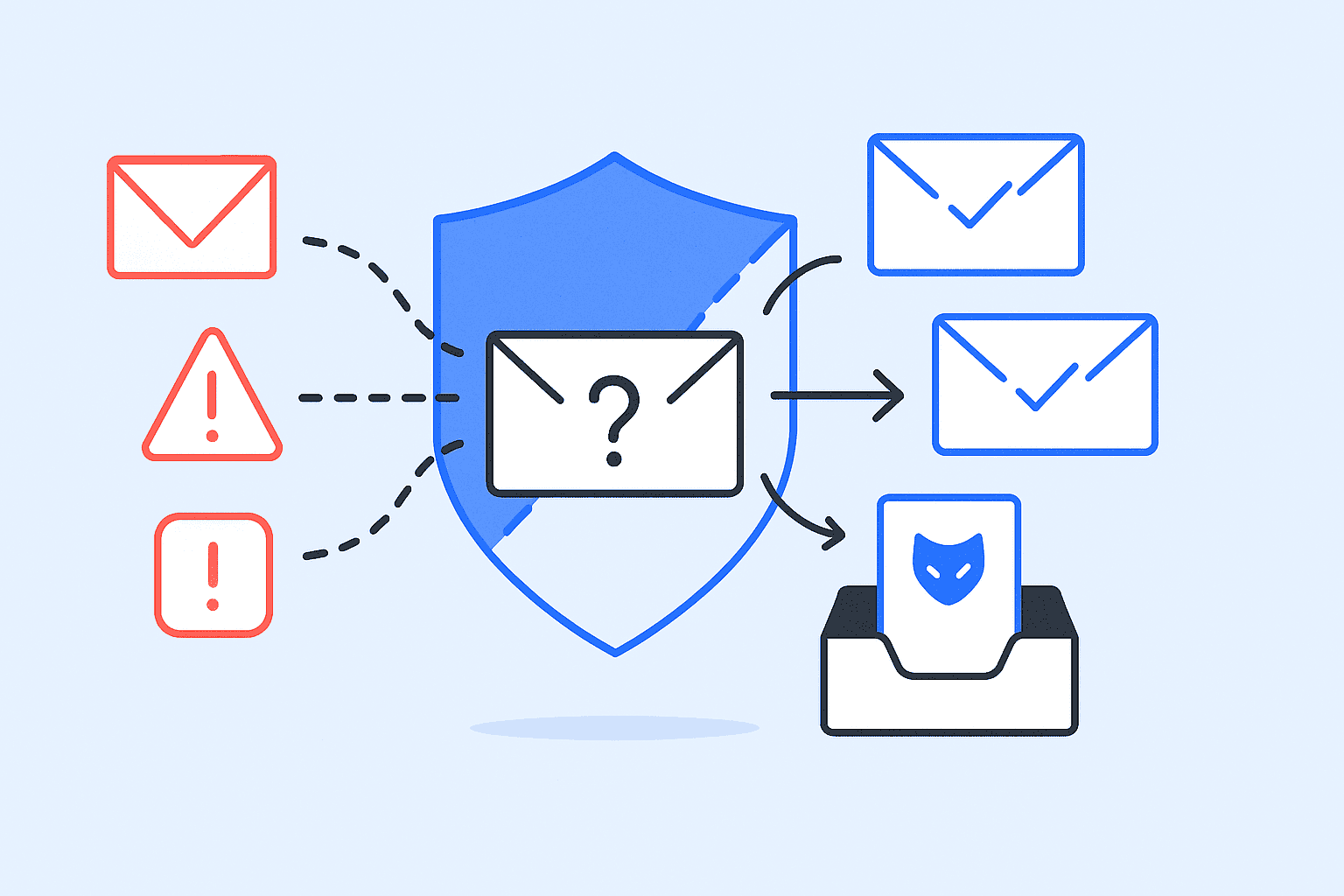
A hosted email spam filter is a cloud-based email filtering service. It inspects your inbound email traffic before it reaches your mail server or cloud mailbox. You point your domain’s MX records at the provider instead of your own. It blocks spam, phishing, and malware on its own infrastructure, then forwards clean mail to Microsoft 365, Google Workspace, or your own server. Depending on the provider and plan, it can also filter outbound messages.
That is the simple version. The harder question is whether the one you’re paying for is doing what you think it’s doing.
This guide covers how hosted email filtering works and what it really costs. Verified prices run from $0.25 to $6.70 per mailbox per month, or roughly $3 to $80 per user per year. Several major providers publish no pricing at all and quote per customer. It also covers where every hosted filter fails and the two Microsoft 365 misconfigurations that let attackers walk around yours.
Key Takeaways
- A hosted email spam filter screens incoming mail in the provider’s cloud before it reaches your server. You redirect your MX records to point to the provider.
- Inbound filtering, quarantine, content analysis, and SPF, DKIM, and DMARC authentication checks should be the baseline. Outbound filtering, sandboxing, and impersonation protection often cost extra.
- Choose hosted filtering if you run Microsoft 365 or Google Workspace and have no dedicated mail admin. Choose on-premises if regulation blocks third-party mail processing.
- No filter catches every email threat. AI-generated spear phishing, business email compromise, and cold outreach all get through.
- If you put a filter in front of Microsoft 365, enable Enhanced Filtering for Connectors and close the direct-send bypass. Otherwise, attackers route around it.
What Is A Hosted Email Spam Filter?
A hosted email spam filter is an anti-spam service that runs in the provider’s cloud instead of on your hardware. Established options include SpamTitan, Proofpoint Essentials, Mimecast, Barracuda Email Gateway Defense, Hornetsecurity, MailRoute, and MX Guarddog.
The key distinction is where the filtering happens. An on-premises filter runs on your mail server. Junk mail has already crossed your network perimeter before anything inspects it. A hosted filter intercepts mail at the provider, so malicious emails never touch your infrastructure. Filtering upstream also reduces spam traffic on your own network.
Most hosted filters combine several of the same inspection layers. The exact mix varies by provider and plan. Sender reputation checks run against block lists, and content analysis scores the message body. Attachments get scanned, and URLs get inspected for suspicious links. Sender authentication is verified through SPF, DKIM, and DMARC.
So what separates a genuinely effective spam filter from a mediocre one?
Two things: the quality of the threat intelligence behind those checks and how fast the models update.
How Does Hosted Email Filtering Work?
Email filtering services work by redirecting your mail flow through the provider before it reaches the recipient’s inbox. The sequence is fixed:
- You change your MX records. Your domain’s DNS points at the provider’s mail servers instead of your own.
- All incoming email arrives at the provider first. Nothing reaches your server directly.
- The filter runs its inspection layers: reputation, content, attachments, links, authentication.
- Clean mail is forwarded to Microsoft 365, Google Workspace, or Exchange. Suspicious mail is quarantined, tagged, or rejected.
- You manage spam from a web console — quarantine review, policy rules, allowlists, and reporting.
The inspection layers are worth knowing. Vendors describe them in marketing language that hides what they actually do:
- Real-time block lists (RBLs): These check the sending IP against global databases of known spam sources.
- SURBL and URL analysis: These check the links inside the message, not just the sender.
- Bayesian analysis: It scores the wording of a message against statistical patterns learned from known spam emails.
- Heuristic filters: These score the message against rule sets, and keyword analysis flags the phrases that spam tactics rely on.
- Greylisting: Greylisting temporarily rejects unknown senders to see whether their server retries.
- Sandboxing: It detonates suspicious attachments in an isolated environment, catching unknown threats that signature scanning misses.
- SPF, DKIM, and DMARC checks: These verify the message actually came from the domain it claims.
Scale is the real advantage of hosted filtering, and it is measurable. Google reports that Gmail blocks more than 99.9% of spam, phishing, and malware. It does that for more than 1.5 billion email users.
Microsoft reports screening roughly 5 billion messages daily. That scale gives cloud providers a far broader view of active email threats than any single organization sees. An on-premises filtering system only ever sees your own mail flow. It learns from a tiny fraction of the same signal.
Spam Filtering Vs. Email Security: What’s the Difference?
Spam filtering and email security are not the same thing. Treating them as synonyms is how businesses end up underprotected. Spam filtering deals with unwanted emails. Email security has to handle the rest of the email-borne threats: impersonation, credential theft, and fraud.
| Layer | What it protects against |
|---|---|
| Spam filtering | Unwanted and bulk email |
| Phishing filtering | Credential theft and social engineering |
| Malware scanning | Malicious attachments and files |
| URL scanning | Malicious links |
| Impersonation protection | Fake executives and vendors |
| SPF / DKIM / DMARC | Sender and domain spoofing |
| BEC protection | Financial and social-engineering attacks |
| Quarantine | Suspicious messages held before delivery |
The bottom rows are where the money is lost. The FBI’s 2024 Internet Crime Report recorded approximately $2.77 billion in reported losses from business email compromise. Those attacks often carry no attachment and no malicious link. They work by persuading someone into a payment or into revealing sensitive information. A filter tuned only for spam never sees them.
A basic spam filter built into an email client blocks unwanted bulk mail and covers the first row only. A modern hosted platform covers most of the table. When you compare providers, ask which rows are included in the tier you’re actually buying. The headline catch rate matters less.
What Features Should A Hosted Email Spam Filter Have?
A hosted email spam filter needs to cover every layer in the table above. No provider ships comprehensive protection as standard. Most include the first six features below and charge for the rest.
| Feature | What it does | Typically |
|---|---|---|
| Inbound filtering | Filters spam and malware before it reaches your server | Standard |
| Quarantine management | Holds suspicious emails; user self-service digests | Standard |
| Allowlists and block lists | Per-domain and per-user overrides | Standard |
| Content analysis | Bayesian and machine-learning scoring of the message | Standard |
| SPF, DKIM, DMARC checks | Evaluates authentication results and flags spoofed senders | Standard |
| Admin console and reporting | Policy control, real-time and historical reports | Standard |
| Outbound filtering | Stops compromised accounts sending spam from your domain | Standard or add-on |
| Attachment sandboxing | Detonates files in isolation before delivery | Higher tier |
| URL rewriting | Rechecks links at the moment a user clicks | Higher tier |
| Impersonation and BEC protection | Flags lookalike domains and display-name spoofing | Higher tier |
| Message tracing | Traces an individual message end to end | Varies |
| Email continuity | Spools mail while your server is down | Add-on |
| Email archiving | Tamper-evident retention for legal and compliance use | Add-on |
| Data residency control | Guarantees which country your sensitive data is processed in | Add-on |
Microsoft’s 2025 Digital Defense Report found AI-automated phishing achieved a 54% click-through rate, against 12% for standard phishing attempts.
AI-written messages read clean, so keyword and pattern rules miss them, and new spam tactics arrive faster than rule sets get updated. Machine-learning content analysis, behavioral signals, and impersonation protection catch these phishing attacks instead.
Quarantine helps differently. Verizon’s 2025 Data Breach Investigations Report found the human element involved in 60% of breaches, and holding a message back cuts the potential threats an employee has to judge.
Check which features sit above your price point. Sandboxing, URL rewriting, and impersonation protection are the three most commonly pushed into a higher plan, usually badged as enterprise-grade security.
Hosted vs. On-Premises Spam Filtering: Which Should You Choose?
| Differences | Hosted filter | On-premises filter |
|---|---|---|
| Where it runs | Provider’s cloud | Your mail server |
| When it filters | Before delivery | After mail reaches your server |
| Ongoing maintenance | Handled by provider | Your team patches and tunes |
| Threat intelligence | Global, across all customers | Limited to your own mail flow |
| Rule control | Provider decides; limited customization | Full control |
| Network performance | Junk dropped in the cloud | Junk crosses your network first |
| Latency | Adds seconds to minutes | Minimal |
| Data residency | Provider’s region unless you pay for control | Entirely yours |
| Continuity during outage | Mail spools at the provider | Mail bounces or backs up |
The verdict: choose hosted filtering when you want the provider to run the infrastructure, threat intelligence, and filter updates. It suits businesses on Microsoft 365 or Google Workspace, teams with no dedicated mail admin, and MSPs managing several domains.
It fits poorly in four situations. Regulation prohibits routing mail through third-party infrastructure. You have strict data-residency requirements. Your mail routing is heavily customized. Or you already run enterprise email security.
The two real costs of going hosted are control and latency. The provider decides what gets blocked. You get whatever customization they expose. Hosted filters also add delay: usually seconds, occasionally minutes with greylisting on. For most businesses, that’s an acceptable trade. For a trading desk, it isn’t.
How Do You Set Up a Hosted Spam Filter?
Every vendor page says “just change your MX records.” That’s true and incomplete. The cutover has failure modes worth planning for:
- Lower your MX TTL to 300 seconds at least 24 hours before the change, so you can roll back quickly.
- Add your domain and all mailboxes in the provider’s portal before touching DNS. Mail for unknown recipients gets rejected.
- Do not leave your old server as a secondary MX. A lower-priority MX pointing at an unfiltered server hands attackers a path around the filter. Keep the old server’s details for rollback instead. Revert the MX record if you need to.
- Configure policies before full rollout: spam sensitivity settings, quarantine behavior, allowlists, and blocklists.
- Restrict inbound SMTP to your filter’s IP ranges once mail is flowing. Skip this and the MX change is cosmetic. Anyone who knows your server’s address can still deliver straight to it.
- Test with a small group, then roll out domain-wide.
- Raise the TTL back and monitor quarantine reports for the first two weeks, when false positives cluster.
Step 5 is the one people skip, and it’s the one that matters most.
Why Your Hosted Spam Filter Can Be Bypassed
A hosted filter only protects mail that goes through it. Two documented gaps let attackers deliver mail that never touches your MX record at all.
Normal path: Internet → hosted filter → Microsoft 365 → inbox
Bypass path: Internet → Microsoft 365 directly → inbox
Direct-send to the tenant. An attacker can query your MX record, spot that you run Microsoft 365 behind a gateway, and work out your .onmicrosoft.com address. Whether mail sent there reaches a mailbox depends on your accepted domains, recipient configuration, and connector rules. Treat it as a gap to check, not a guaranteed hole. Where it is open, mail lands in your tenant without passing the filter. The fix has two parts. Add an outbound partner connector, then a transport rule that reroutes external mail addressed to your domain back out through your MX.
Broken authentication from the gateway. When a filter sits in front of Microsoft 365, Microsoft sees the gateway’s IP as the source. Not the original sender’s. That breaks SPF, DKIM, and DMARC evaluation. The fix is Enhanced Filtering for Connectors, also called skip listing. It tells Microsoft to look past the gateway to the real originating IP.
Skip either configuration, and your filter works perfectly on the mail that reaches it. Attackers just use the path around it.
Do Block Lists Still Work For Email Spam Filtering?
Block lists still work, but on their own they no longer block spam reliably. Attackers rotate domains, hijack legitimate servers, and stay under reputation thresholds. Block lists also overcorrect. On shared hosting, legitimate emails get blocked for coming from the same IP as a spammer.
Modern filtering layers block lists with three things they can’t do alone:
- Behavioral analysis: It automatically detects volume spikes, unusual sending patterns, and repetitive phrasing, even from senders with no history.
- Content analysis: It scores the message itself rather than its origin.
- Sender authentication: SPF, DKIM, and DMARC verify that a message came from the domain it claims.
Spam still gets through all of it. No filter can prevent spam completely, and modern email security isn’t built around perfection. It’s built to make attacks expensive enough that fewer succeed.
That logic runs both directions. If you send email, leaning on block list reputation alone is fragile. Sustained positive engagement is the more durable signal to ISPs. InboxAlly builds exactly that. Real user engagement and reputation tracking keep your deliverability steady. Start with a free demo.
What Is Greylisting And Does It Delay Your Email?
Greylisting temporarily rejects mail from senders your filter hasn’t seen before, treating unknown and suspicious senders the same way. Their server has to retry. Legitimate mail servers retry automatically. Most spam bots don’t.
It works, and it costs you email delivery speed. First-time senders wait one to thirty minutes, depending on their server’s retry interval. A new client’s urgent email doesn’t land for 20 minutes. A password reset arrives after you’ve given up.
The workaround is allowlisting. Preapprove partners, banks, payment processors, and anyone sending time-sensitive mail.
Whether the delay is worth it depends on your risk profile. In finance, healthcare, and IT security, blocking one phishing email justifies the wait. For teams that need real-time communication, greylisting is the first setting to switch off.
Why Do Good Emails Still Get Blocked?
Filters are built to catch unwanted or malicious emails, and they do it by scoring spam patterns rather than intent. Keywords, formatting, link density, attachment types, and sender history all feed a score. A legitimate message that looks like spam gets flagged on the resemblance alone.
Adjusting the threshold doesn’t solve this. It moves the problem. Lower the sensitivity, and more spam messages get through. Raise it and you block emails you need.
What reduces the damage is the quarantine workflow, especially where it goes further by enabling users to release their own mail without an IT ticket. Three habits help as well. Allowlist your trusted senders. Review quarantine digests weekly. Tune your policy after the first month of real traffic instead of accepting the defaults.
The better-tested products publish real detection accuracy numbers here. SpamTitan recorded a 99.98% catch rate at 0% false positives in Virus Bulletin testing, March 2024. Mimecast advertises a 0.0001% false-positive SLA. Be wary of any vendor that won’t quantify false positives.
Are your own emails the ones getting flagged unfairly? Run a test with InboxAlly’s Email Tester and see what ISPs think of your messages.
Why Cold Outreach Still Gets Through
The mail that annoys people most is the mail that hosted filters are worst at catching. Cold outreach sent through Lemlist, Instantly, or Mailchimp is hard for a filter to separate from wanted mail. It comes from authenticated domains with clean reputation, correct SPF and DKIM, and human-written copy. Every signal a filter checks comes back clean. The recipient still never asked for it, and authentication does not make a message wanted.
There is a practical fix vendor documentation doesn’t mention. Filter on the platform headers instead of the IP. A Microsoft 365 transport rule matching Mailchimp’s X-MC-User header stops sequencer campaigns. It leaves Mandrill transactional messages untouched.
Blocking Mailchimp’s IP ranges kills both. You won’t notice until a customer says their receipt never arrived.
Check the current header with the platform before you deploy a rule like this. Providers change them. Each sending platform uses its own.
How Do Hosted Filters Protect Your Sender Reputation?
Outbound filtering protects your domain from being used against you. Most discussion of email filtering services covers inbound mail only. Yet a compromised mailbox sending phishing from your domain does far more damage than junk in your inbox.
One compromised account sending volume can get your sending IP listed on Spamhaus SBL, the Barracuda Reputation Block List, or SORBS. A reputation penalty at Microsoft or Google can take weeks to clear. While it lasts, your invoices, receipts, and sales emails land in spam folders.
Hosted filters help in two ways. Scanning messages on the way out stops compromised accounts blasting spam from your domain. They also enforce SPF, DKIM, and DMARC, so receiving servers can verify your mail is genuinely yours.
Outbound filtering stops the disaster. It doesn’t build the reputation that gets your legitimate mail into the inbox. Those are two different problems. InboxAlly works on the second one. It uses engagement-based deliverability to send consistent positive signals to ISPs.
Do You Need Email Archiving And Continuity?
Email archiving and email continuity are add-ons most buyers don’t price in, and both are cheap compared to what they cover.
Email Archiving
Email archiving stores a tamper-evident copy of every message that passes through the filter. It matters for legal discovery and for regulatory retention. MXGuardian charges $1.50 per user per month on a one-year plan. HostDime charges $29.99 per month for 10GB. In a regulated industry, check retention length and export format before you buy.
Email Continuity
Email continuity keeps mail flowing when your own server goes down. The filter spools incoming messages and delivers them once you’re back online. MailRoute sells this as a $1 to $2 per user add-on. A half-day outage of your email communications costs more than that.
Ask any provider two things. How long are logs retained? Can you trace an individual message end to end? Message tracing turns “the client says they never got it” into a five-minute answer.
How Do You Choose A Hosted Email Spam Filter?
The best spam filter for your business is the one that survives all nine of these. Work through them in order, because the later ones only matter once the earlier ones check out:
- Pricing model: Confirm the billing model, not just the price. Per-mailbox, per-domain, and per-message billing produce different totals. Ask whether aliases and distribution lists are billed.
- Security controls: Check which ones are included in your tier. Impersonation protection, sandboxing, and DLP usually sit above the base plan.
- Independent test data: Ask the vendor for it. Virus Bulletin’s VBSpam results are verifiable; a self-reported “99.99%” is not.
- False positives: Ask about them specifically. A vendor that only quotes a catch rate is telling you half the story.
- Admin console: Test it during the trial. Console latency and clunky quarantine reporting are the most common long-term complaints from security teams. A demo won’t show you either.
- Data residency: Confirm where your mail is processed. It is a GDPR and HIPAA input, and some providers charge extra to lock it to a region.
- M365 or Google Workspace config: Verify it yourself. Enhanced Filtering for Connectors and the direct-send bypass are your responsibility, not the vendor’s.
- Support: Test it before you commit. Support responsiveness is the most-cited long-term frustration across every major platform.
- Negotiation: Quoted price and paid price are different numbers for every quote-only vendor. Always ask for a better rate.
The short version: hosted email filtering is the right default for most businesses on Microsoft 365 or Google Workspace. It costs $0.25 to $6.70 per mailbox per month. Expect it to stop phishing campaigns and mass-market threats reliably. Expect it to miss well-written cold outreach and AI-generated spear phishing. Expect to configure the bypass paths yourself. Filtering is one security solution among several, not the whole of email security.
Deliverability, reputation, and inbox placement on the sending side are a separate problem with a separate fix. See how InboxAlly can help.
How Much Does A Hosted Email Spam Filter Cost?
Verified published pricing runs from $0.25 to $6.70 per mailbox per month, or roughly $3 to $80 per user per year. That is a 27× spread for products that all describe themselves the same way.
| Provider | Published price | Model |
|---|---|---|
| MX Guarddog | $0.25 per address/month | Per mailbox |
| Hornetsecurity | From $1.00/user/month (Capterra listing) | Per user |
| SpamTitan | From ~$1.95/user/month | Per user |
| MailRoute | $2 Basics / $3 Enterprise / $4 US-only | Per user |
| Microsoft Defender for Office 365 | $2.00 (P1) / $5.00 (P2) | Per user |
| Proofpoint Essentials | $2.75 / $3.75 / $5.33 (MSRP) | Per user |
| MXGuardian | $3.00 at 1 user → $0.55 at 3,000+ | Per user, volume-banded |
| Barracuda Email Protection | $6.70/user/month (1-month term) | Per user |
| SpamHero | $5–$9/month per domain | Per domain |
| HostDime | $14.99/month per domain | Per domain |
| Mimecast, Cloudflare Email Security, DuoCircle | Not published — quote only | — |
Pricing checked August 2026. Published prices change. They also vary by billing term, contract length, volume, region, and reseller. The figures above are not directly comparable. Some are official published rates, some are MSRP, and one is a third-party listing.
Three things this table hides, and they matter more than the headline number:
- The pricing model changes the bill more than the price does. Per-mailbox billing (MX Guarddog, MailRoute), per-domain billing (SpamHero, HostDime), and per-clean-message billing (Heluna) give very different totals for the same company.
- Ask whether aliases and distribution lists are billed. MailRoute and MX Guarddog explicitly don’t charge for them. Per-mailbox vendors that do can quietly double your real cost.
- The quoted price is rarely the paid price. The enterprise vendors that publish nothing (Mimecast, Cloudflare, Proofpoint, Barracuda) quote per customer. Rates vary. Buying through a reseller or MSP partner is routinely cheaper than buying direct. MailRoute publishes a flat 25% reseller discount.