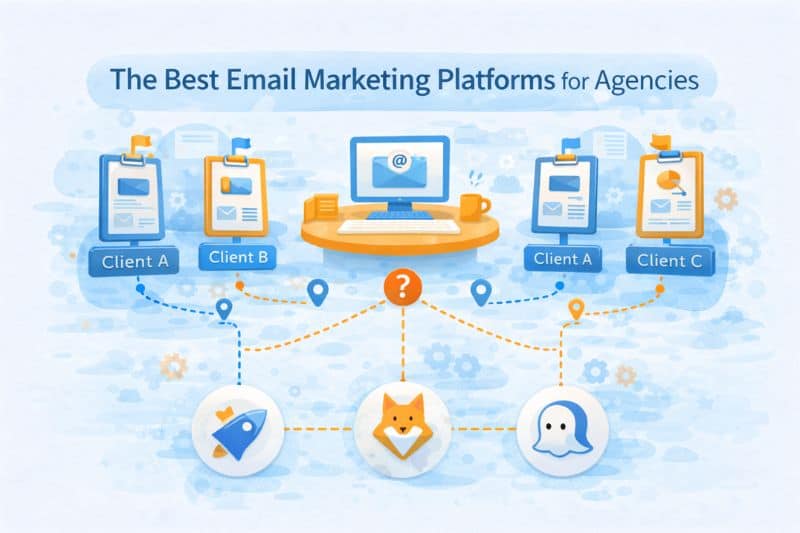
Why does email marketing get harder as soon as an agency adds its third or fourth client?
Because most email marketing platforms are built around a simple assumption: one brand, one owner, one set of incentives. But because they manage multiple clients with vastly different needs, Agencies don’t fit that by default, so choosing an email marketing platform becomes a time-consuming and sometimes risky endeavour.
This article looks at email platforms the way agencies experience them in practice. We’ll talk about how they work in agencies that need to manage multiple client accounts, shared risk, and limited headroom. You’ll see where each platform fits, and how to choose based on day-to-day requirements instead of ambition. Let’s begin!
Key Takeaway
The best email marketing platform for agencies is the one that isolates client risk, protects sender reputation, supports automation, and keeps the workflow manageable as the client list grows.
What Makes an Email Platform “Agency-Grade”

Most “best email marketing software” advice is written for one company or a brand with one sender identity. That’s fine for in-house operations, but not so much for agencies that need to handle multiple client accounts.
Why? Because by sending more emails, agencies multiply the risk. Every new client brings their own domain history, list hygiene, expectations, and tolerance for mistakes. When those are added up on top of each other inside a platform built for a single owner, scaling becomes much more difficult to manage.
In these cases, infrastructure becomes expensive in ways you don’t always anticipate. Different people, different opinions: one client insists on importing a questionable list, another wants to “warm up ASAP,” and a third disappears for a month, shreds engagement, then comes back sending at full speed. If a platform can’t separate identities, you’re effectively running a shared credit score. The penalty is gradual trust degradation that shows up later as poor inbox placement, declining open rates and click-through rates, and a headache from those same clients who now want answers.
Drag and drop editors and customizable templates don’t help you here. Neither do pretty automation canvases if the underlying system can’t explain why results changed or who caused it. Agencies get judged on outcomes in email marketing campaigns, often without getting a chance to explain what happened.
An agency-grade email platform needs to solve four things:
- Client isolation: full separation of domains, IPs, customer data, and reputation.
- Automation depth vs. visual fluff: workflows that can handle conditional logic, edge cases, and scale without becoming unmaintainable.
- Reporting that clients trust: clear attribution, stable key metrics, and explanations that keep the client updated on what’s going on.
- Deliverability as a shared risk surface: visibility into sender reputation and the ability to protect good senders from bad ones.
If a platform treats all senders as one happy family, it’s not agency-grade, no matter how polished it looks. Agencies need containment and control; advanced features are secondary.
The best platforms and the agency scenarios they fit
Now that we’ve framed the problem correctly, here are the email marketing platforms to consider as you move into agency-level email work.
1. HubSpot: When email is part of a big revenue system

Agencies choose HubSpot for the same reason single-product companies do: it puts email inside a broader revenue system. Customer relationship management, automation, reporting, attribution, it’s all there, and it’s tightly integrated. That’s a huge advantage for agencies working with B2B clients.`
HubSpot is great at creating structure. Lifecycle stages, reporting, and sales activity, client-facing dashboards all look credible and easy to understand. If your email marketing agency owns processes like lead definitions and handoffs, HubSpot can feel like a relief after juggling disconnected analytics tools.
It’s also quite forgiving during setup. You don’t need a deep technical knowledge to get value out of it. That makes it attractive for agencies onboarding less sophisticated clients or inheriting messy setups.
However, HubSpot does bring some friction when it comes to ownership. Even though it can segment accounts and permissions, it is fundamentally designed around a single brand, or at least a single owner, which is not how agencies work. Multiple clients, different sending habits, and shared infrastructure are all behind an intuitive interface. Day to day, things feel controlled, but underneath, sender reputation is more shared than it looks.
When it comes to deliverability, HubSpot handles a lot for you, but it also hides a lot. If and when inbox placement worsens, you don’t always get to know why.
In those cases, the best thing you can do is bring in third-party tools like InboxAlly that handle deliverability through proper engagement and carefully controlled sending patterns. Book a free demo and test it live on your own setup.
2. SendX: Built for agencies managing varied client portfolios
SendX is a full-stack email marketing platform that fits well with the reality of agency work: multiple clients, different industries, uneven contact data, and varied sending patterns.
The platform runs its own proprietary sending engine end-to-end, which gives agencies real visibility and control over inbox placement across every client account.
20+ deliverability addons come baked in, covering list cleaning, inbox testing, reputation tracking, auto warmup, smart routing, and bot filtering.
What makes SendX flexible for agencies is that it is not locked to a single vertical or use case. An agency running lifecycle programs for a mid-size ecommerce brand, a B2B SaaS client, a course creator, and a professional services firm can handle all four inside the same platform without twisting the tool to fit each one.
The visual workflow builder supports 48+ triggers across integrations like Shopify, Stripe, WooCommerce, HubSpot, and Intercom, so campaigns can be adapted to the client rather than the tool. 5 campaign types, from broadcasts and drip sequences to A/B tests and auto-trigger emails, cover the range of client scenarios most agencies see day to day.
SendX has less brand recognition than Mailchimp or HubSpot, so clients who default to familiar names may need some initial context.
- It does not include a built-in CRM, which means agencies working with clients that need CRM plus email in one platform will need to pair it with something like HubSpot or Salesforce.
- SMS and WhatsApp are still in beta, and restricted industries like iGaming and crypto are not supported.
Pricing is one of the practical reasons SendX works for agency budgets. It charges based on subscriber count, not email volume, with unlimited emails on every plan. That matters when one client sends a weekly newsletter and another runs daily promotional campaigns.
Onboarding is also less tedious than most platforms, since SendX offers migration support to move templates, subscriber lists, automations, and sending history from tools like Mailchimp, ActiveCampaign, and Klaviyo.
3. EngageBay: Best for agencies that want CRM and email marketing in one platform
If your agency manages marketing, sales, and customer relationships for multiple small business clients,
EngageBay offers much more than just email marketing. It combines email campaigns, marketing automation, CRM, landing pages, forms, live chat, appointment scheduling, and a help desk in a single platform, reducing the need to juggle multiple tools. It’s particularly well suited for agencies serving startups and SMBs that want an affordable, all-in-one solution rather than maintaining separate marketing, sales, and support software.
EngageBay’s visual automation builder, audience segmentation, personalization, A/B testing, and campaign analytics make it easy to build and optimize customer journeys. Combined with client management through its integrated CRM, agencies can manage leads from acquisition to conversion without switching platforms. For growing agencies looking for maximum functionality at a competitive price point, EngageBay delivers excellent value.
4. ActiveCampaign: advanced automation without enterprise overhead
ActiveCampaign is in a useful middle ground for agencies because it’s flexible enough to build automation, without the complicated setup or pricing of most enterprise platforms. That’s why many agencies land here after outgrowing basic tools but before committing to fully enterprise-level systems.
ActiveCampaign’s main selling point is automation tools, which allow for things like conditional logic, behavioral triggers, and advanced segmentation. All of these are deep enough for nuanced client programs like onboarding flows, welcome emails, re-engagement, and cross-sell sequences without feeling janky like in other similarly ambitious platforms.
Client separation is also more useful than in most “all-in-one” email marketing tools, which is important once you’re involved with multiple brands and varying tolerance for risk. You still need to design the structure, but at least the platform makes it easy to do.
With all these upsides, reporting could be better. Internally, ActiveCampaign gives agencies things like engagement trends, automation performance, and segment behavior. It’s actionable, but client-facing metrics often need interpretation. The numbers are there, but they don’t always tell the full story on their own, which means agencies end up translating results.
5. Customer.io: For product-led environments
Customer.io is a serious tool. It can be a weapon for agencies working with product-led clients, especially SaaS or apps with good event tracking. It’s built around event-based messaging, meaning emails trigger off product behavior like button clicks, feature usage, and crossed thresholds.
That is why product teams love it. You can precisely model onboarding, nudge users at the right moment, and tie messaging directly to in-product outcomes. When everything is connected properly, it is almost surgical.
That “when” is very important here.
A perfect environment for Customer.io is where the same team owns the product, the data, and the messaging. Client onboarding alone can be hard because it often requires event schemas, consistent naming, and someone to decide when to trigger events. If that foundation isn’t there, the tool can be hit-or-miss.
Customer.io isn’t primarily built for managing clients with very different levels of technical ability, budget sensitivity, or patience. Non-technical users often struggle with events and logic, which puts agencies in a constant interpreter role.
None of this makes Customer.io a bad choice. It just makes it a specific one. It works best when the client is product-led and comfortable treating messaging as part of engineering. For more traditional marketing programs or mixed client types, it can become a drag.
6. Mailchimp / Constant Contact: familiar and client-friendly
Clients ask for these tools because they recognize the names. Someone on their team has likely logged in before and looked around. There’s comfort in that, especially when email isn’t the main growth channel but something that “needs to be running.” From a sales conversation standpoint, that familiarity makes it easier to say yes.
And to be fair, they do work, albeit for narrow use like mall retainers, newsletters and occasional promos. If the brief is simple and expectations are modest, Mailchimp or Constant Contact can handle it fine. You don’t need to explain much: things go out, reports come back, and everyone moves on.
But simplicity comes with a low ceiling. From automation to segmentation, both become shallow once you move beyond linear sequences. Reporting tells you what happened, rarely why. When performance slips, agencies end up speculating on causes.
These platforms handle sending out of the user’s view, which is fine until inbox placement comes up, and agencies can’t isolate problems or protect clients from one another.
If Mailchimp or Constant Contact stops giving you answers about where your clients’ emails land, InboxAlly is often the best deliverability solution. Book a free demo and test it live.
How to choose the right email marketing software for your agency

Platform choice should start with your client mix, not your ambition. An agency serving early-stage founders with simple newsletters needs a very different setup than one running lifecycle-heavy programs for mature SaaS teams. The mistake is buying for the agency you want to be, then forcing today’s clients through tools they don’t need or can’t support.
Switching to other email marketing platforms won’t fix what’s broken. If reporting, automation, or deliverability go out of hand, those problems usually predate the tool. A new interface might buy you a honeymoon period, but the same issues will come up once volume, complexity, or client count increases. Tools amplify processes; they don’t replace them.
So think of it in levels. The platform handles email campaigns and automation, deliverability determines whether messages get a fair shot at the inbox, and processes (naming conventions, ownership, review cycles, client boundaries) keep everything from collapsing under its own weight. If one level is weak, the others unnecessarily take on the load.
A few grounded checks that can help you decide:
- Client needs over feature depth: choose what fits how your clients work daily.
- Operational clarity over flexibility: less freedom is often safer when you’re scaling.
- Separation before sophistication: protect clients from each other before looking for more email marketing features.
The right email marketing platform makes your existing decisions easier to manage, so always pick based on where you’re starting from.
So, which one is the best email marketing service?
Choosing an email platform as an agency is mostly about understanding how email works once you factor in multiple clients, uneven contact data, and shared risk. The platforms covered here all work, just not in the same situations and not with the same trade-offs.
If you want to scale without feeling like each step forward takes something back, make sure you consider those trade-offs consciously. Match tools to client needs and think in systems that help them achieve their goals. When platform, deliverability, and process each do their job, email marketing efforts become just an ordinary part of daily work.