Amazon SES and Mailgun are two of the biggest names in the email marketing space. Both can handle large volumes, and both promise high deliverability. But under the hood, they work very differently, and your choice now can save (or cost) you time, budget, and many headaches down the line.
In today’s article, we’ll look at how each platform holds up in daily workflows: what makes them great, what makes them frustrating, and what you can expect if you decide to go with one over the other. Let’s begin!
Same job, two different setups
Amazon SES and Mailgun do the same job on paper: they send emails. Whether it’s transactional emails, a password reset, or a full-on marketing campaign, both can get it done. The difference is how they do it.
Using Amazon SES feels somewhat like entering a data center. Everything’s raw, modular, and powerful, but also a bit cold and overwhelming. You’re not just signing up for an email tool but stepping into the broader AWS ecosystem. That means learning your way around IAM roles, rate limits, and a UI that wasn’t designed with marketers in mind. It’s great if you want full control, but you’ll have to work for it.
Mailgun, however, feels much more like a product built for email from day one. You get a proper dashboard, helpful onboarding, built-in templates, and an interface that makes some sense. Setting it up is easier, and you won’t need to Google every step.
So in short:
- SES = total control, but a steeper learning curve
- Mailgun = easier start, but some limits unless you upgrade
One isn’t necessarily better- it depends on which fits you. Comparing them as if they offer the same experience misses the point. Sure, they’ll both send your emails, but the path to doing it is very different.
SES is brutal if you’re not technical
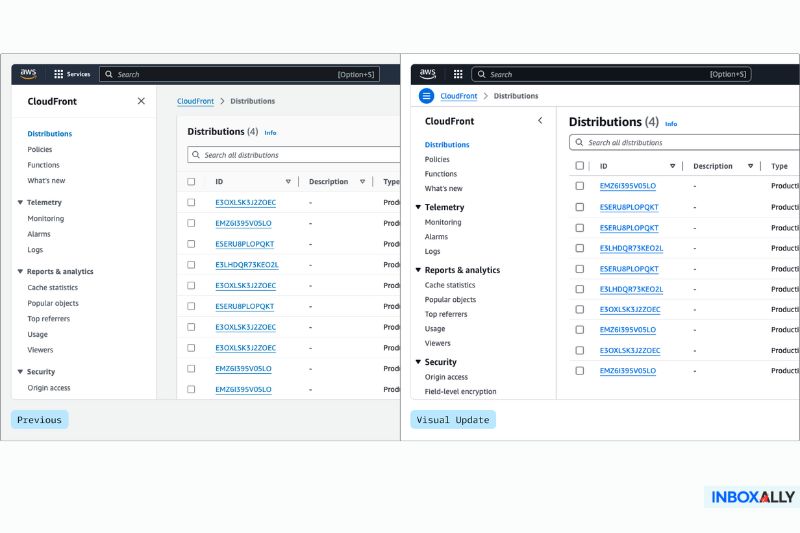
Amazon SES is powerful, scalable, and dirt cheap, if you know what you’re doing. For non-technical users, however, the setup feels more like configuring an entire infrastructure stack.
Before you can even send a single email, you’ll need to:
- Verify your domain in DNS (with SPF, DKIM, and DMARC)
- Set up IAM roles and permissions to get API or SMTP access
- Deal with region-specific endpoints across AWS
- Understand sending limits and how to request production access
- Generate SMTP credentials (which aren’t the same as your AWS login)
And that’s just the start.
If you’re a marketer or founder without an engineering background, this can quickly get overwhelming. The documentation can get quite complicated, and there are no visual setups, walkthroughs, or real-time guidance. You’re dropped into the AWS console and expected to know what to do next.
In fact, plenty of small teams hire AWS freelancers or agencies just to get SES working properly. Not to build marketing campaigns or scale delivery, but just to get the thing set up.
If you’re comfortable with AWS, SES is a bargain. But if you’re not, it’s going to feel like learning to code just to send a newsletter.
Before you send your next campaign, wouldn’t it be easier to test your setup? InboxAlly’s free email validation tool shows if your marketing emails land in the inbox, spam, or promotions. Try it here for free.
Mailgun is simpler (but not perfect)
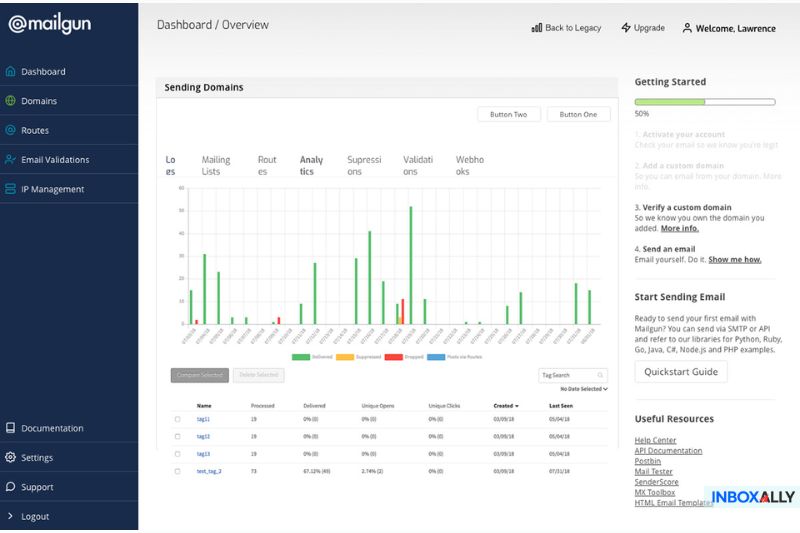
Compared to SES, Mailgun is a breath of fresh air. The dashboard actually looks like it was made for humans. The setup flow walks you through domain verification, gives you instructions for DNS records, and even shows real-time feedback when things are working (or not).
You don’t need to switch between three AWS dashboards just to find your SMTP credentials. And while the template editor isn’t groundbreaking, it’s simple and easy to use. The documentation is quite good, and the support team is responsive, which makes Mailgun feel much more like an “out-of-the-box” product.
That said, you’ll still need to:
- Set up SPF and DKIM records (no way around that)
- Keep an eye on bounces, complaints, and reputation
- Watch out for the occasional UI quirk, especially around webhooks or suppression lists
It’s easier to handle, but it doesn’t do everything for you. You’ll have to warm up IPs, manage your lists, and make sure things are properly configured. Still, if you’re a solo founder, marketer, or small team trying to get emails out the door today, Mailgun is a whole lot less painful.
Pricing: You get what you pay for

Just by looking at the numbers, Amazon SES is unbeatable. We’re talking $0.10 per 1,000 emails. That’s not a typo. It’s absurdly cheap, and it stays cheap even at massive volumes. But that price tag only tells half the story.
What you’re paying with SES is time. Unless you already know your way around AWS, you’ll spend hours (or days) setting things up, troubleshooting permissions, and researching error codes. And if you get authentication or IP warmup wrong, you could damage your sender reputation and lose way more than you saved.
Mailgun starts with a free tier (up to 5,000 emails/month for 30 days) and then moves into paid plans that scale with volume and features. The Foundation plan is affordable for smaller senders, but once you need dedicated IPs, advanced analytics, or better support, you’re looking at significantly higher monthly costs.
So, which one is more cost-effective?
- SES is cheap for developers who have the time and skills to set it up.
- Mailgun is more expensive, but it saves you from wasting time (or hiring help).
Ultimately, “cheap” only helps if it doesn’t slow you down or hurt deliverability. Paying more for simplicity and peace of mind isn’t always a bad deal.
APIs, SMTP, and all the nerdy stuff

If you’re a developer, this is the part you care about. Both email delivery services have powerful APIs and full SMTP support for mail servers, but the experience of using them is very different.
Amazon SES
Technically, SES gives you everything you need: SMTP relay, RESTful APIs, and deep configuration options. But it’s all tied into AWS’s IAM system, meaning every API call or SMTP server credential has to be set up with the right permissions, regions, policies, etc.. Even something as simple as sending a test email can be a multi-step process.
SES also has quirks, like API request limits that vary by region and weird error messages if something isn’t configured just right.
Mailgun
Mailgun’s API is well-documented, consistent, and more forgiving. SMTP setup is simple, and the docs even include copy-paste examples that work on their own. Webhooks are easy to configure for events like opens, clicks, and bounces. You might experience some UI lag or the occasional webhook glitch, but nothing that seriously slows you down.
Scaling Up: high volume, high stakes

Sending a few hundred emails a day is one thing. Sending 50,000 a day, every day, is where your infrastructure will show its worth.
Amazon SES is part of AWS, after all, and that backbone means high throughput, stable infrastructure, and near-limitless sending capacity (if you’ve jumped through the hoops). Once your SES account is out of sandbox mode, with your domains verified and IPs warmed up, SES just works with no surprise limits or throttling.
Mailgun can handle scale, too, but you’ll quickly run into the limits of the basic plans. If you need dedicated IPs, detailed analytics, or improved email deliverability tools, it’s going to cost you. And while Mailgun’s infrastructure is great, some users report rate throttling or slow support if they ramp up too fast.
Before you decide, consider this:
- SES = more work up front, easier scaling later.
- Mailgun = easier to scale into, but with more pricing friction as you scale.
If sending at scale is your goal, SES is probably the better long-term solution, assuming you’re willing to set it up right. Mailgun is great early on, but scaling often means paying more for the extras.
Email templates, dashboards, and day-to-day usability

Most of the time, you’re not thinking about IPs or APIs. You’re in the dashboard, checking stats, tweaking templates, or figuring out why last week’s campaign underperformed. This day-to-day ease of use is exactly the thing that keeps Mailgun and SES from feeling remotely similar.
Mailgun gives you the tools you’d expect:
- A drag-and-drop template editor (or raw HTML if you prefer)
- Real-time analytics on opens, clicks, bounces, and unsubscribes
- Easy access to bounce and suppression lists
- Logs that make sense the moment you open them
SES, on the other hand, assumes you’ll handle all of that elsewhere. There’s no built-in template editor, visual analytics dashboard, or UI for suppression management. If you want analytics or editing capabilities, you’ll need to connect SES to external tools (Amazon CloudWatch, Pinpoint, or a custom frontend). And even then, it’s not exactly straightforward.
If you’re the kind of user who logs in to tweak a subject line or check delivery stats, Mailgun feels like an actual product. SES, on the other hand, feels like a backend service—because that’s exactly what it is. So unless you’re building something bigger and more integrated, it can quickly get frustrating.
Deliverability: the one thing that matters the most
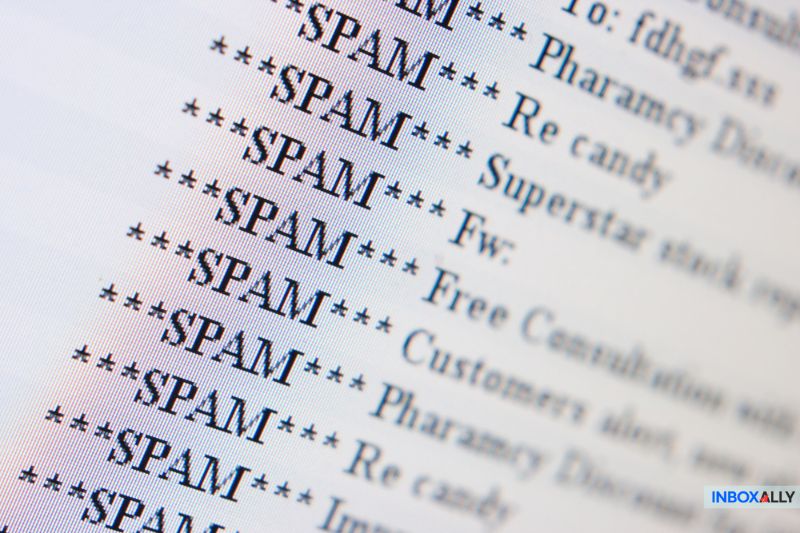
You can have the cleanest templates, the best subject lines, and the most click-worthy call-to-action in the business, but if your emails land in spam, none of it matters.
Deliverability is the single most important part of your email campaigns, but neither Amazon SES nor Mailgun guarantees good deliverability out of the box. Both platforms have the infrastructure to get your emails out, but they assume you know how to manage sender reputation, warm up your IPs, monitor bounce rates, and stay off spam blacklists.
A few things to watch out for are:
- Dedicated IP address: Available on both. SES requires more manual setup and management. Mailgun makes it a bit more accessible with its higher-tier plans.
- IP warmup: Very important for high-volume senders. Mailgun has a guided warmup option. SES expects you to build your warmup strategy or use third-party tools.
- Domain reputation: Your sending domain needs a good reputation. That means authenticated domains (SPF, DKIM), consistent volume, and clean lists with valid email addresses.
Regardless of the email service provider, you’ll eventually run into the same issue: emails landing in spam. This is where InboxAlly can make a measurable difference by teaching inbox providers to trust your emails. Whether using SES or Mailgun, InboxAlly can help train reputation signals by simulating real engagement (opens, replies, moving to inbox).
Deliverability is something you earn and have to keep earning, and that’s why getting expert help to protect your reputation and stay out of spam is worth every cent.
So… which one’s right for you?

This isn’t one of those “it depends” answers that leave you guessing. Let’s make it simple.
Go with Amazon SES if:
- You (or someone on your team) knows their way around AWS
- You’re sending massive volumes and want the lowest possible cost
- You’re okay setting things up manually and managing your analytics stack
Go with Mailgun if:
- You want something usable now, without reading four pages of documentation
- You need a usable UI, template editor, and out-of-the-box analytics
- You don’t mind paying more for ease and support
Plenty of teams use SES for its raw power, but pair it with tools like InboxAlly for engagement boosting and something like Sendy or Postal for a user-friendly interface. That way, you keep SES’s pricing and control without getting buried in AWS’s complexity.
Final thoughts
If there’s one takeaway, it’s that not even the most reliable email service does the hard work for you.
Mailgun might feel more polished, and SES might be more powerful, but whichever you choose, you’re still responsible for the things that impact performance: setups, warmups, monitoring, reputation, and deliverability.
Pick the platform that fits how you work. And if inbox placement is slipping (or was never quite there to begin with), consider our email deliverability service so you can focus your attention where it matters the most.