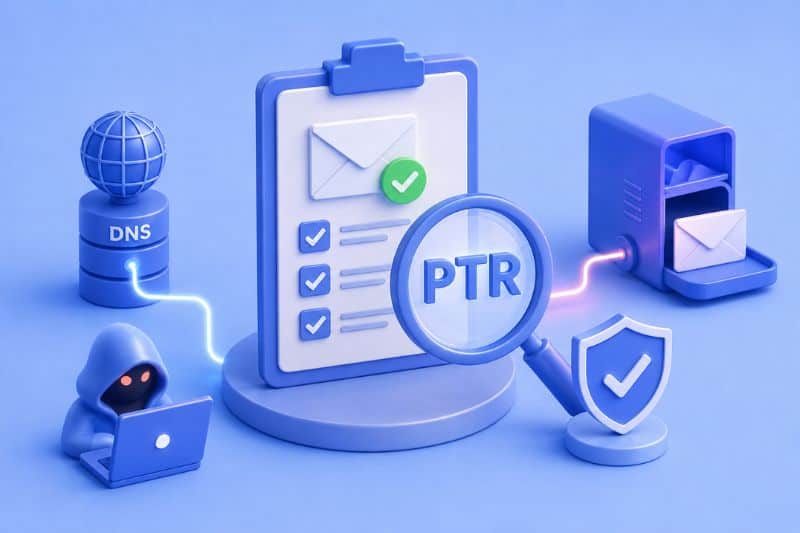
Ever wondered how emails stay safe from scammers and hackers? That’s where SPF PTR comes in. SPF PTR or Sender Policy Framework Pointer ensures only allowed emails get in. It acts like a secret code, verifying if emails are from where they claim.
In this article, we’ll explore SPF PTR’s role in email security. Understanding its ins and outs reveals how emails are protected in the digital world. So, how does SPF PTR work, and is it really up to the task of keeping our emails secure?
Let’s find out together.
What Is PTR in an SPF Record?
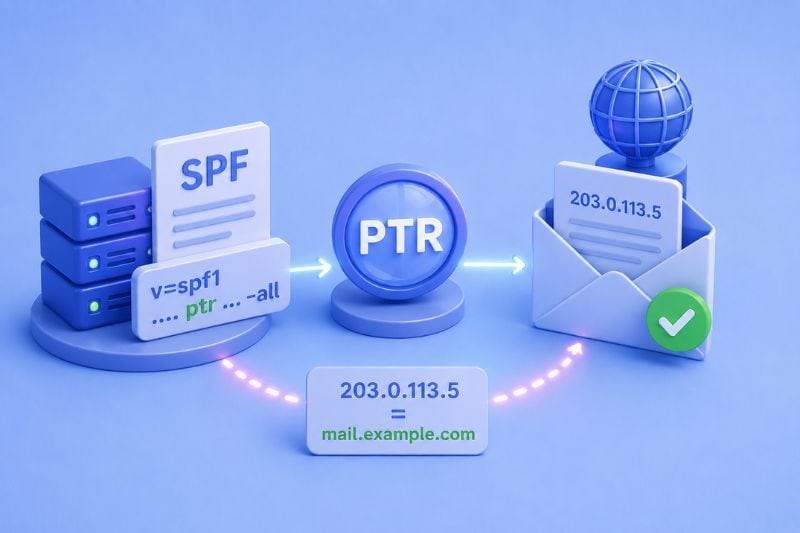
PTR, or Pointer, in SPF records, serves as a method to authenticate the origins of emails by cross-referencing the domain’s reverse DNS (Domain Name System) lookup with its declared sending IP address.
It validates whether an email originates from an authorized source based on the alignment between the sending IP and the associated domain.
How Does the SPF PTR Mechanism Work?
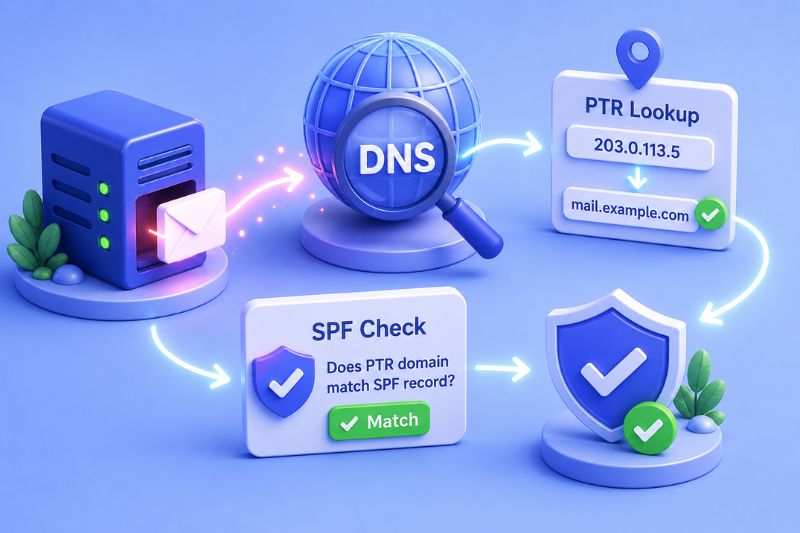
The SPF PTR mechanism operates by validating the authenticity of email senders through a series of checks. When an email is dispatched, the receiving server conducts a DNS reverse lookup on the sender’s IP address to retrieve the associated domain name.
This retrieved domain is then compared against the domain specified in the SPF record’s PTR mechanism. If the domains align, indicating that the sender’s IP address matches the declared domain, the email passes the PTR check and is considered authenticated.
5 Drawbacks of Using PTR in Email
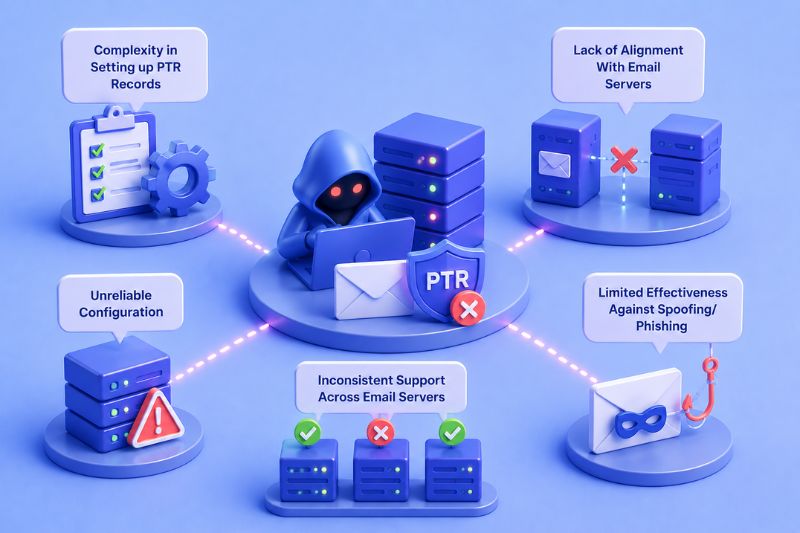
When it comes to email authentication, using PTR (Pointer) records within SPF can pose several challenges. Let’s check out the drawbacks:
1. Complexity in Setting up PTR Records
Configuring PTR records can be complex. It entails delving into DNS settings and ensuring alignment with the sender’s SPF record.
For instance, setting up PTR records for a mail server may require navigating intricate control panels and conducting an additional DNS lookup to ensure proper configuration.
2. Lack of Alignment With Email Servers
PTR records may not align seamlessly with different email servers. Discrepancies between PTR mechanisms and SPF records can lead to failed authentication checks, compromising the reliability of email authentication systems.
It’s essential to ensure that PTR records align with the sender’s SPF record to establish reliable email authentication mechanisms.
3. Unreliable Configuration
Maintaining reliable PTR records is challenging, particularly in dynamic environments where IP addresses and mail servers frequently change. An Inaccurate PTR record can compromise the authentication process by failing to accurately validate an incoming IP address.
Organizations must ensure proper configuration and maintenance of PTR records to uphold the integrity of email authentication systems.
4. Limited Effectiveness Against Spoofing/Phishing
While PTR mechanisms contribute to email authentication, they’re not entirely foolproof against sophisticated spoofing and phishing tactics.
Malicious actors may exploit vulnerabilities in PTR mechanisms, necessitating the implementation of additional authentication mechanisms for comprehensive protection.
It’s crucial for organizations to leverage a combination of email authentication methods, including SPF records and efficient email authentication protocols, to mitigate the risk of spoofing and phishing attacks.
5. Inconsistent Support Across Email Servers
The adoption and enforcement of PTR records vary among email servers and service providers. While some prioritize PTR validation, others may assign lesser significance to this mechanism or even disregard it entirely.
This inconsistency creates challenges for domain owners seeking to implement comprehensive email authentication strategies.
For instance, an email sent from a domain with a valid PTR record might fail authentication checks on servers that don’t prioritize PTR validation.
5 PTR Alternatives

PTR (Pointer) records are just one piece of the puzzle in email authentication. Let’s explore five alternatives to PTR records that enhance email security and delivery.
1. SPF (Sender Policy Framework)
SPF is like a digital security guard for your email domain. It specifies which IP addresses are allowed to send emails on behalf of your domain.
For instance, if your SPF record designates specific IP addresses for sending emails, receiving servers will check against this list to verify the sender’s authenticity.
SPF records are defined in your domain’s DNS settings. They contain a list of authorized IP addresses or hostnames that can send emails from your domain.
2. DKIM (DomainKeys Identified Mail)
DKIM adds a digital signature to your emails, allowing receiving servers to verify that the message content hasn’t been tampered with in transit.
DKIM works by generating a unique signature for each outgoing email. This signature is encrypted and included in the email header.
When the email reaches its destination, the receiving server decrypts the signature using the public key published in your domain’s DNS records. If the signature matches the email content, the email is considered authentic.
3. DMARC (Domain-based Message Authentication, Reporting, and Conformance)
DMARC acts as a supervisor, enforcing policies for SPF and DKIM authentication. It tells the receiving servers what to do if an email fails authentication – like reject, quarantine, or deliver with a warning.
DMARC allows domain owners to specify how receiving servers should handle emails that fail SPF and DKIM checks. For example, you can instruct servers to reject emails that fail authentication or send reports detailing authentication failures.
4. BIMI (Brand Indicators for Message Identification)
BIMI is all about brand recognition in your inbox. It allows companies to display their logos next to authenticated emails, giving recipients confidence that the message is legitimate. It’s like seeing a familiar logo on a storefront.
BIMI associates your brand logo with your domain’s email authentication records. When recipients receive emails from your domain, their email clients display your logo next to the message if it passes authentication checks.
This visual indicator helps recipients identify legitimate emails from your brand and builds trust.
5. ARC (Authenticated Received Chain)
ARC maintains the integrity of email authentication across servers. Think of it like passing a sealed envelope from one trusted friend to another – each server adds its digital stamp of approval along the way.
ARC allows email servers to preserve the authentication status of emails as they pass through multiple servers. It creates a digital chain of custody for emails, ensuring that authentication information remains intact even as emails travel across different domains and servers.
This helps prevent authentication failures caused by changes in email headers or routing paths.
How Does SPF PTR Mechanism Affect Email Deliverability?
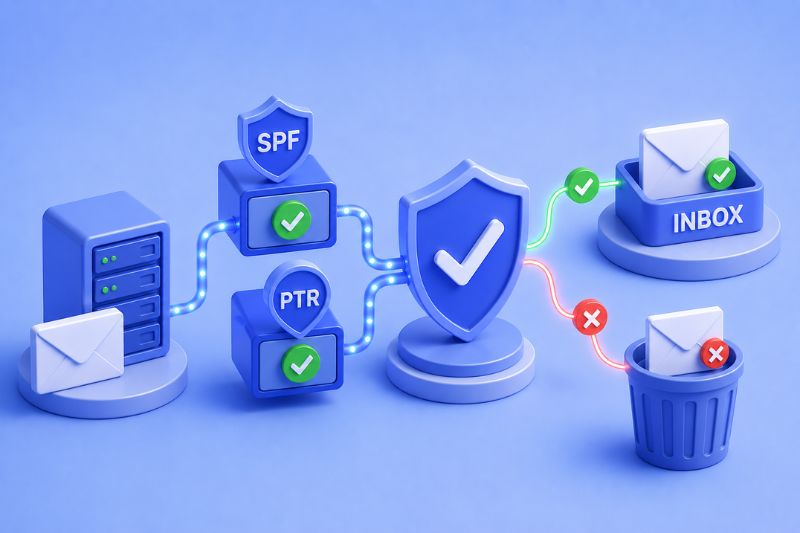
SPF PTR, also known as Reverse DNS, verifies that the IP address sending your emails matches the domain in the reverse DNS lookup.
This helps mailbox providers confirm that your emails come from a legitimate source, boosting your sender’s reputation and improving deliverability.
Now, here’s where a deliverability tool like InboxAlly swoops in! By teaming up with InboxAlly, you’ve got the ultimate duo for email success.
InboxAlly works behind the scenes, interacting with your emails to ensure they’re seen as valuable content by mailbox providers. It complements SPF PTR by further enhancing your sender reputation and optimizing your email content for maximum impact.
So, if you’re serious about email deliverability and want to take your email campaigns to the next level, it’s time to harness the power of SPF PTR and InboxAlly in perfect harmony.
Conclusion
So, there you have it – everything you need to know about SPF PTR in a nutshell. By understanding how SPF PTR mechanisms affect email deliverability, you’re better equipped to navigate the ever-changing landscape of email security.
Make sure your SPF records are up to date, Include the PTR mechanism if necessary, and keep a close eye on your email authentication settings to maintain optimal deliverability.
Ultimately, SPF PTR is just one piece of the email authentication puzzle. Combine it with other mechanisms like DKIM, DMARC, and BIMI for a comprehensive approach to email security.
With the right tools and know-how, you can safeguard your emails against phishing attacks, improve email deliverability, and build trust with your recipients.
Curious about boosting your email deliverability? With InboxAlly, you can ensure your emails not only land in the primary inbox but also engage with impact. Ready to level up? Try InboxAlly today!