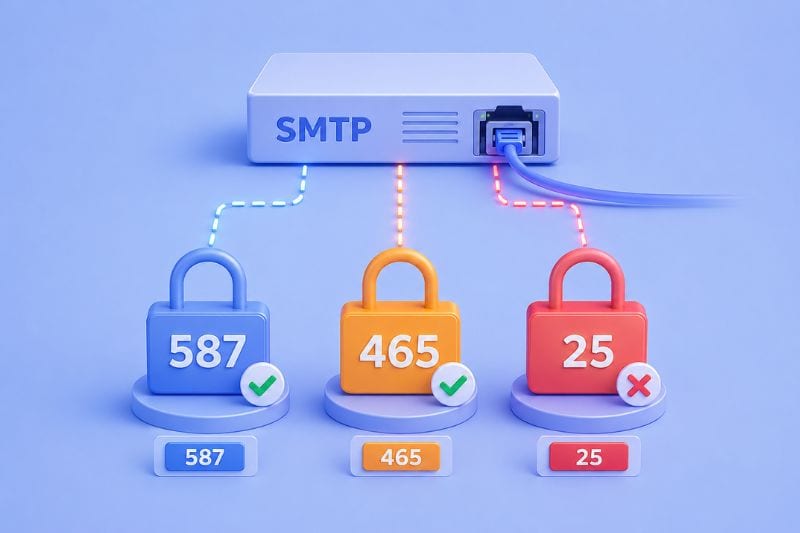
Configuring SMTP to send email seems straightforward right until you need to fill in the port number field. Port 587? Port 465? Maybe port 25? And what’s port 2525 doing there?
The port you choose affects whether your emails reach the inbox, get blocked by the ISP, or bounce back with an unintelligible error message. Depending on which one you pick, you could be troubleshooting for hours or sending emails in a matter of minutes.
In this guide, you will learn what SMTP ports are, what each port does, and which one you should use based on what kind of emails you’re sending. Keep reading!
Key takeaways
- Always use port 587 as your default SMTP port for sending email. It’s the modern industry standard and works with most networks without getting blocked by ISPs or firewalls.
- Never use port 25 for email submission from applications or mail clients because it’s designed only for server-to-server communication. Use port 2525 only as a fallback if port 587 is blocked by your network.
What is an SMTP port?
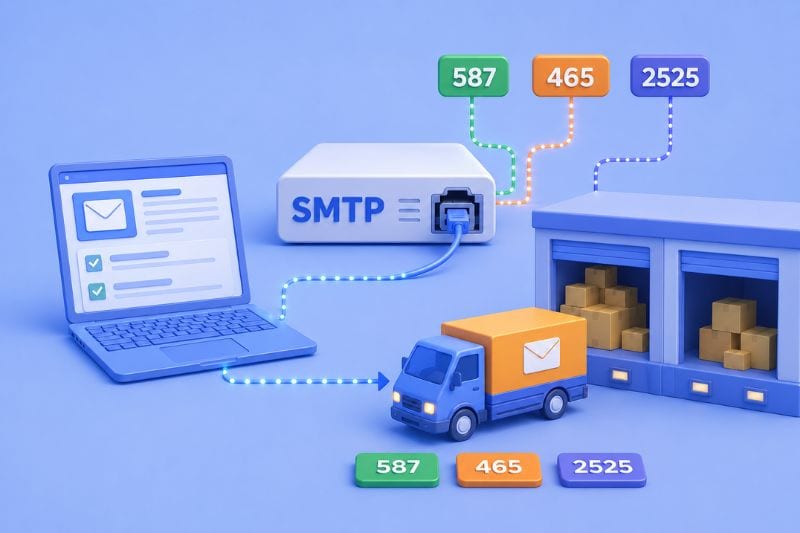
An SMTP port is a communication endpoint that email servers use to transfer messages from one place to another. It’s kind of like a specific loading dock at a warehouse where mail arrives at the dock designated for that type of delivery.
When your email client or application connects to an SMTP server to send mail, it needs to know which port to use. Different ports serve different purposes. Some require authentication, some support encryption, and some get blocked by ISPs to prevent spam.
The Internet Assigned Numbers Authority (IANA) assigns port numbers in consultation with the Internet Engineering Task Force (IETF) to maintain standards across email systems worldwide.
Quick SMTP recap
SMTP (Simple Mail Transfer Protocol) handles the sending side of email. When you send out an email, your mail client connects to your email provider’s SMTP server, which relays the message to the recipient’s mail server.
SMTP handles only the sending side. For receiving and reading emails, there are other protocols, namely IMAP (Internet Message Access Protocol) or POP3 (Post Office Protocol). SMTP gets mail from A to B. IMAP and POP3 let you retrieve what arrived.
SMTP runs on TCP/IP, which is the standard internet protocol that allows mail servers from different networks to communicate.
The four main SMTP ports
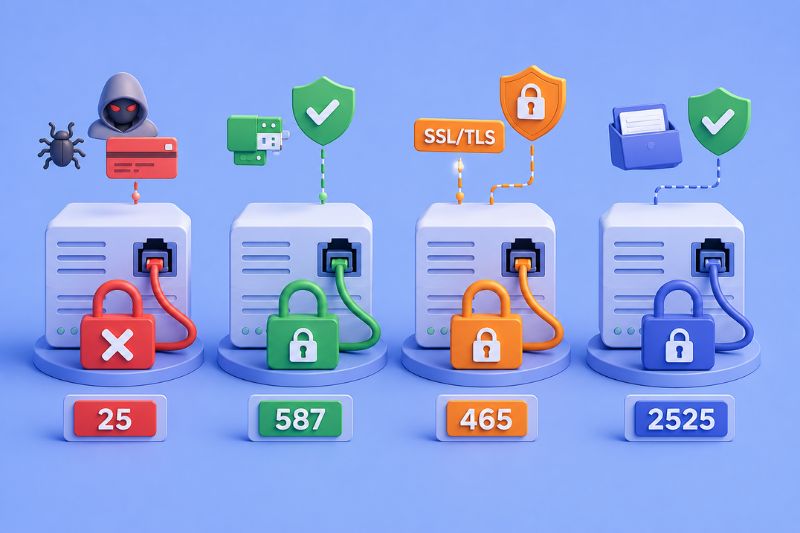
1. Port 25: The original SMTP port (now mostly blocked)
Port 25 appeared in the original 1982 SMTP proposal, which makes it the oldest port still in use today. It was designed for what’s called server-to-server transfer between mail transfer agents.
The problem with port 25 is that it’s completely unencrypted. Messages sent through this port can be intercepted and read by anyone monitoring the connection. This made it incredibly popular with spammers in the early 2000s who used it to blast junk mail from compromised computers.
Most ISPs responded by blocking port 25 entirely for residential and small business connections. Google Compute Engine, AWS, and pretty much every cloud hosting provider blocks outbound port 25 to prevent spam.
You’ll still see port 25 used for server-to-server communication between mail transfer agents, but you shouldn’t use it to send email from your application or mail client. There’s a good chance your messages won’t even leave your network.
2. Port 587: The one you should probably use
Port 587 is the modern standard for message submission. The Internet Engineering Task Force officially designated it for this purpose, and it’s become the industry default.
It’s different in that it requires authentication before it will relay any mail. Your email client has to provide valid SMTP credentials (username and password) before the server accepts messages. This prevents random people from using your SMTP server to send spam.
Port 587 supports TLS encryption through STARTTLS. The connection starts unencrypted, your client sends the STARTTLS command, and if both sides support it, the connection upgrades to encrypted. This protects your email content and login credentials from being intercepted.
The STARTTLS approach is flexible because it works on existing infrastructure and lets servers support both encrypted and unencrypted connections on the same port (though modern servers should require encryption).
ISPs rarely block port 587. Email service providers support it universally, and it works reliably with all networks. For most situations, this is your answer.
3. Port 465: The deprecated SSL port
Port 465 was originally set up for SMTP over SSL (Secure Sockets Layer, the predecessor to TLS). It offered encrypted email using SSL back in the 1990s.
Then it got deprecated when STARTTLS became the preferred method. The idea was to use STARTTLS on existing ports rather than maintaining separate encrypted ports for everything.
But port 465 never really disappeared. Email providers kept supporting it for legacy systems, and eventually, in 2018, it was officially re-registered for SMTP submission using something called Implicit TLS.
Implicit TLS is different from STARTTLS. With Implicit TLS, the connection must be encrypted from the very first moment, completely bypassing the unencrypted phase. The client establishes a TLS connection immediately or the server refuses it.
This makes port 465 slightly more secure in theory since there’s zero chance of accidentally sending credentials in plain text. But it’s less flexible than port 587 and not quite as universally supported.
Some hosting providers still offer port 465, particularly for older mail clients that implemented SMTPS before STARTTLS existed. Apple Mail and Microsoft Outlook support it, but port 587 is still a better choice for new setups.
4. Port 2525: The unofficial alternative
Port 2525 isn’t an official SMTP port. IANA never registered it for email but it exists as a practical solution to a common problem.
When firewalls or restrictive network policies block port 587, port 2525 often works as an alternative. Email service providers offer it specifically for situations where standard ports aren’t accessible: shared hosting environments, corporate networks with strict filtering, that sort of thing.
Functionally, port 2525 works identically to port 587. It supports TLS encryption through STARTTLS and requires authentication. The only difference is the port number.
Which SMTP port should you use?
Port 587 is the answer for probably 95% of setups.
It’s the current standard. It requires authentication, so unauthorized users can’t relay mail through your server. It supports TLS encryption to protect messages in transit. It’s compliant with IETF standards, and it’s thus the most reliable.
If port 587 doesn’t work, because, for example, your hosting provider blocked it or you’re on a restrictive corporate network, try port 2525. It has the same security features, just a different number that might slip past whatever’s blocking 587.
Only use port 465 if you have a specific reason. For example, if you’re maintaining a legacy enterprise system that implemented SMTPS before STARTTLS existed or your email client defaults to it, and you don’t want to change SMTP settings. It’ll work, but 587 is still better for new implementations.
And while correct port settings prevent bounces, InboxAlly prevents spam placement. Book a free demo and make sure your properly configured emails don’t disappear after it’s been sent out.
Common SMTP port issues and how to fix them
Can’t connect to the server at all
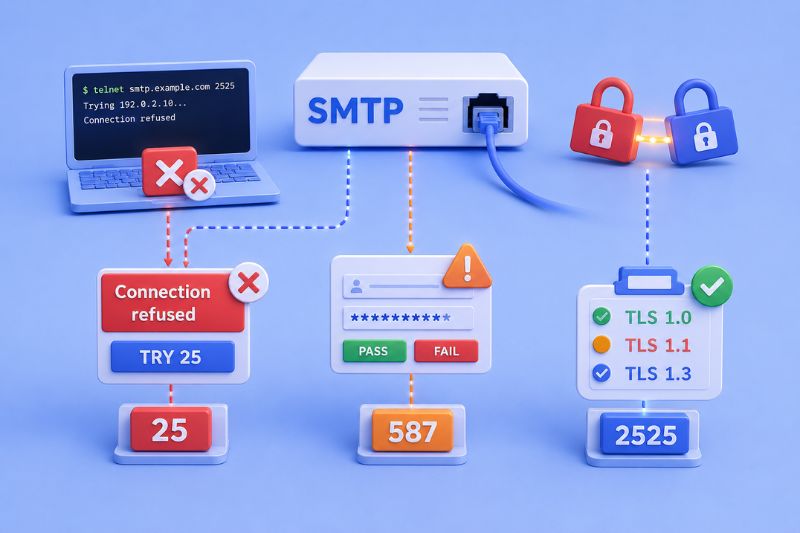
The port is probably blocked. Firewalls, ISPs, and hosting providers regularly block certain ports to prevent spam.
Test it from the command line. On Linux or Mac:
telnet smtp.example.com 587
Or:
nc -vz smtp.example.com 587
If it times out or says “Connection refused,” the port’s blocked. Try 2525. If that doesn’t work either, contact your hosting provider.
Authentication keeps failing
Double-check your credentials. SMTP authentication usually wants your full email address as the username (not just the part before the @).
Make sure SMTP auth is actually enabled in your mail client settings. The SMTP connection needs to use an authentication mechanism like PLAIN or LOGIN, and those require encryption to be secure.
TLS errors
You’re probably mixing encryption types. If you’re trying to use STARTTLS on port 465 (which expects Implicit TLS) or vice versa, it’ll fail.
Match your encryption to your port:
- Port 587: STARTTLS
- Port 465: SSL/TLS (Implicit TLS)
- Port 2525: STARTTLS
Also, check that you’re using a current TLS version. TLS 1.0 and 1.1 are being phased out. You want TLS 1.2 or 1.3.
Emails just aren’t going out
Verify the port number in your settings. A typo, like 567 instead of 587, will cause immediate failure.
Check your email provider’s documentation to confirm which ports they support. Not every provider offers every port.
What about receiving email?
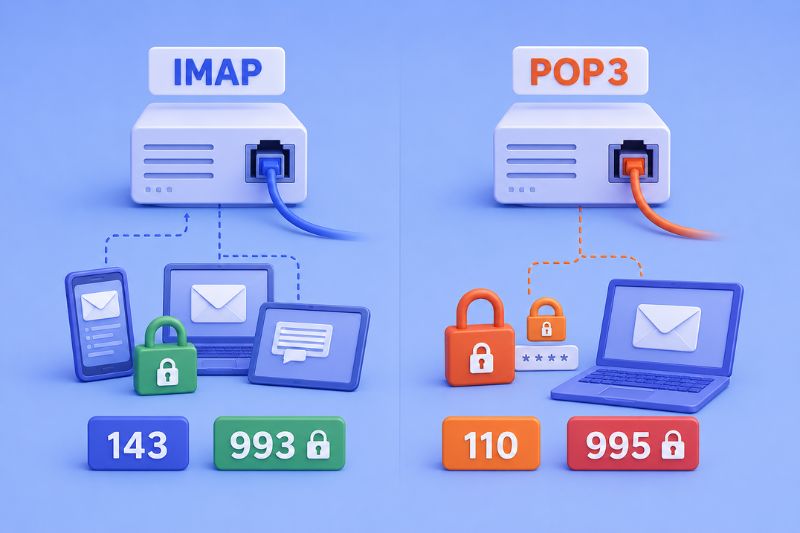
SMTP only handles sending. When you’re configuring email to receive messages, you’ll use different protocols and ports entirely.
IMAP (Internet Message Access Protocol) retrieves email from the server while keeping messages stored on the server. This allows you to access the same mailbox from multiple devices. IMAP uses port 143 for unencrypted connections and port 993 for encrypted connections over TLS.
POP3 (Post Office Protocol version 3) downloads email from the server to your device and typically removes it from the server afterward. It’s designed for single-device access. POP3 uses port 110 unencrypted and port 995 encrypted.
Just like with SMTP, you should always use the encrypted ports for receiving mail: 993 for IMAP and 995 for POP3.
Making sure your email gets where it’s headed
Choosing the right SMTP port gets your messages accepted by the receiving server. But acceptance and inbox placement are two different things.
Even with perfect port configuration, authentication, and encryption, your emails can still land in spam if your sender reputation is bad or your domain lacks proper trust signals.
InboxAlly solves this by training Gmail, Yahoo, and Outlook to recognize your domain as trustworthy before you ever send your first campaign. The platform builds positive engagement history with your sending domain, so when your emails arrive, inbox providers already trust them. Book a free demo and make sure your perfectly configured SMTP setup actually delivers results.