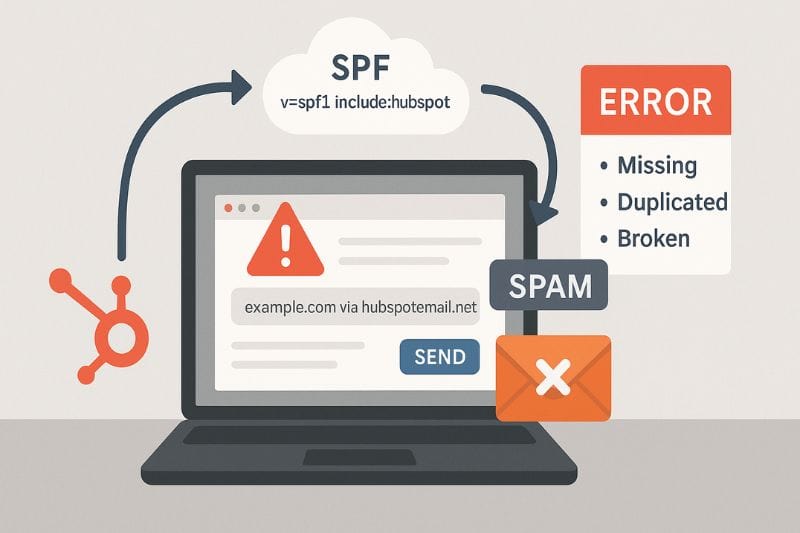
If emails sent through HubSpot are landing in spam or not being delivered at all, the SPF record is the first place you’ll want to check. While it’s rarely missing, it’s often bloated, duplicated, or broken by one “quick fix” someone made months ago.
In this article, you’ll learn how the HubSpot SPF record works in practice: what it’s doing when HubSpot sends “on behalf of” your domain, what its place is in the DNS setup you already have, and why things get unforgiving when strict DMARC policies enter the chat. For a broader view of how authentication fits into overall sending performance, proper HubSpot email integration plays a key role. Let’s begin!
Key takeaways
- A HubSpot SPF (Sender Policy Framework) is an email authentication protocol that tells mailbox providers which servers are allowed to send on behalf of your domain. It should be aligned with DKIM (DomainKeys Identified Mail) and DMARC (Domain-Based Message Authentication).
- Passing SPF verification process is necessary but not enough; long-term inbox placement depends just as much on engagement and sending behavior as on authentication.
The HubSpot SPF record problem you might not know you have
Most domains already have an SPF record by the time HubSpot is added. That’s where problems start. Because once it’s there (and once HubSpot shows the email sending domain as authenticated), people usually stop thinking about it. The assumption is that if it passed once, it must be fine. In reality, SPF can remain technically valid while undermining delivery.
An SPF record can “pass” and still cause soft failures, permerrors under certain routing paths, or fail alignment once DMARC records are enforced. None of that reliably shows up as a clear error inside your HubSpot account. Mailbox providers see it, though, and once they stop trusting a domain, that trust is hard to rebuild.
When performance drops, HubSpot is usually the first suspect. That’s understandable – it’s the sender you interact with. But HubSpot is sending on behalf of your domain. The DNS that authorizes that behavior is yours. One rushed SPF edit can break not just HubSpot, but every other tool that relies on the same domain.
What a HubSpot SPF record does
SPF is configured in your DNS as a TXT record, and it tells mailbox providers which servers are authorized to send email on your domain. That’s all it does. When a message arrives, the provider checks: “Did this email come from a server the domain owner approved?” If yes, SPF can pass. If not, it fails, and the message now looks suspicious.
When HubSpot sends your marketing email, it’s usually sent through shared infrastructure. The mail isn’t physically coming from your office or your web host. It’s coming from HubSpot’s sending systems, but the “From” domain is yours. Your SPF record makes that arrangement legitimate. It tells Gmail, Yahoo, and Microsoft: “Yes, HubSpot is permitted to send on behalf of this domain.” Without that permission, you’re essentially asking providers to trust what looks like email spoofing.
But there’s an important limit: SPF is not a deliverability guarantee. It doesn’t judge your copy or care if people love your emails or report them as spam. It also doesn’t handle forwarding well, because the sender IP can change mid-route.
Adding HubSpot to an existing SPF record without breaking everything
Here’s where SPF stops being “a simple concept” and can cause half your email to stop landing.
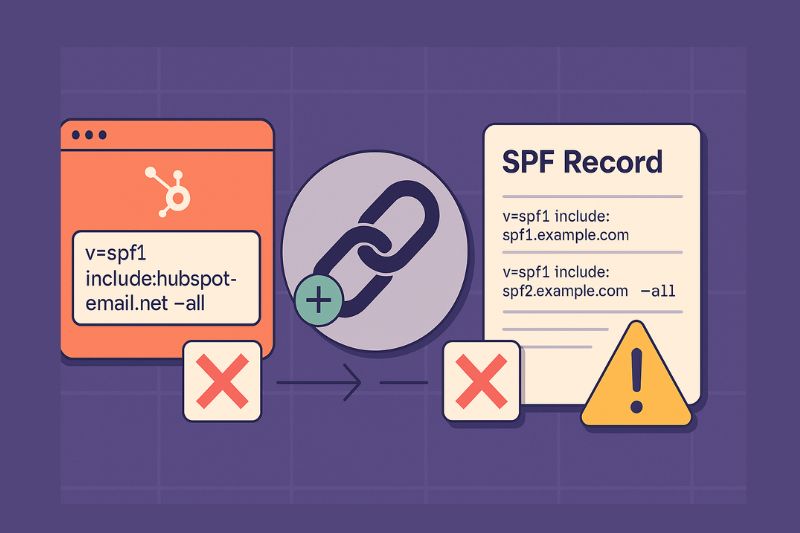
Most domains already have an SPF record long before HubSpot enters the picture. It can come from Google Workspace, Microsoft 365, or even an older ESP. Sometimes, a transactional sender like Stripe, Shopify, or an app provider. So when HubSpot shows you the SPF value it wants, the dangerous assumption is: “Cool, we’ll just add a new one.” Don’t.
SPF isn’t designed to be split into multiple TXT records. Mailbox providers are supposed to evaluate one SPF policy per domain. Problems start when they find two (or more). Some treat it as a permerror, others pick one and ignore the rest. Either way, it’s chaos, especially because the failure won’t be very clear.
So the job isn’t just to create a HubSpot SPF record. It’s to merge HubSpot into the SPF record you already have without breaking existing authorization.
But wait! There’s also the DNS lookup limit.
SPF is capped at 10 DNS lookups during evaluation. And yes, it’s easier to get to it than people think. Every include, redirect, and exists count into that number. Some macros can count too, depending on what they expand into. That “too many lookups” failure is one of the most common reasons HubSpot sends looks fine in the platform, but lands badly in the wild.
The last part you shouldn’t underestimate is the ending mechanism: ~all vs -all.
- ~all is a soft fail. It says: “Anything not listed is probably unauthorized.” Useful when you’re still setting things up and don’t want to break legitimate mail you forgot about.
- -all is a hard fail. It says: “If it’s not listed, reject it.” Under a strict DMARC policy, it can quickly turn from additional security into rejecting your own legitimate email.
One character. Very different outcomes.
SPF + HubSpot + DMARC: where things get unforgiving
SPF mistakes can be survivable… right up until DMARC gets strict.
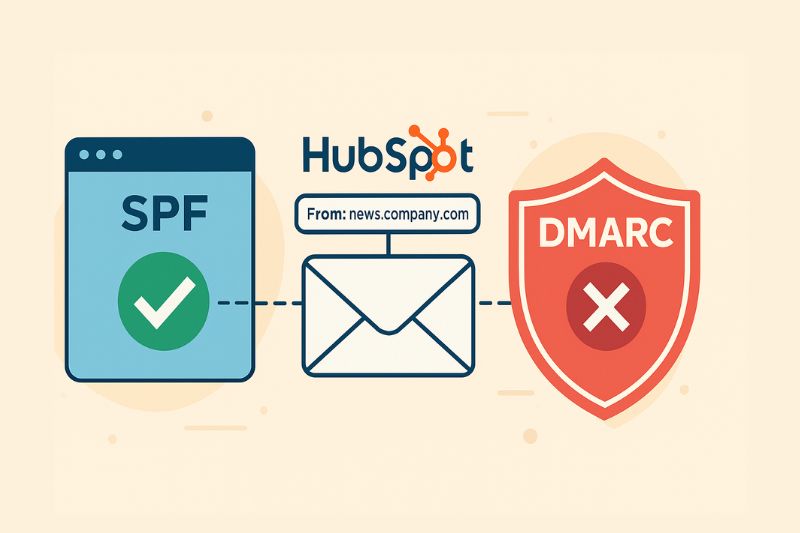
Here’s why: DMARC doesn’t just ask, “Did SPF pass?” It asks, “Did SPF (or DKIM) pass and does it align with the domain the recipient sees?” Alignment is the whole point. It’s how providers stop spoofing that technically “passes” somewhere else in the chain.
So you can have an SPF record that passes in some cases, but if it fails on a given message, and DKIM isn’t aligned either, DMARC becomes the judge and jury. With a relaxed policy, you might limp along. With p=reject, there’s no slack. The message doesn’t get “slightly downgraded.” It can get blocked.
This is where HubSpot setups tend to fall apart in very predictable ways.
One: someone on the team authenticates one domain in HubSpot but sends from another. They think they’re covered because “it’s the same company.” Mailbox providers don’t care about that. They only evaluate the exact domain shown in the “From” address.
Two: subdomains. Some companies send from news.company.com while the DMARC policy applies at company.com. If the policy isn’t set up with subdomains in mind, DMARC treats the message as unauthenticated.
Three: SPF setups that were never revisited. A record that worked when you only used Google is not guaranteed to work once you add HubSpot and a few other senders.
If you want an early warning, check your DMARC reports regularly. Aggregate reports show you failed SPF evaluations, broken includes, and random services trying to send as your domain. This is usually where SPF problems stop being theoretical and start being obvious.
When SPF is correct, but inbox placement still degrades

Authentication only proves you’re allowed to send. After that, mailbox providers watch what happens when your emails reach real inboxes. How recipients interact (opening, reading, replying, moving messages out of spam, or deleting without looking) shapes reputation far more than perfect DNS settings. You can pass SPF every time and still have your emails filtered if the traffic seems unwanted or lifeless.
That’s why you should always consider a sender reputation tool like InboxAlly, especially when a domain has already taken a few hits. InboxAlly uses seed accounts that behave like real users and generate the same kinds of engagement signals mailbox providers pay attention to. Over time, those signals can help stabilize or rebuild a poor domain or IP reputation alongside proper authentication.
So before you rewrite copy or change send times, check the boring indicators first:
- hard bounces rising
- filtering spiking after SPF edits
- engagement dropping across the board
If your authentication is spot-on and delivery still isn’t where it should be, book a free InboxAlly demo and see what happens when sender trust improves.
A good order of operations for HubSpot SPF
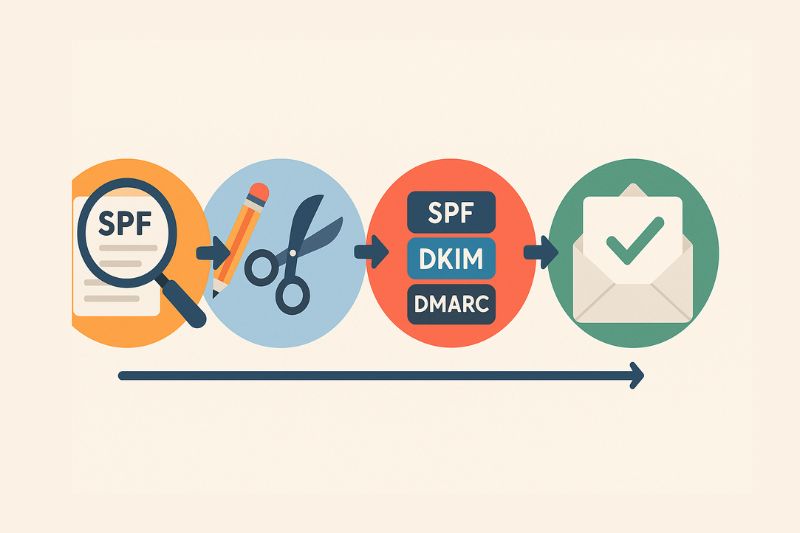
Start by auditing what SPF already authorizes. Not what you think it authorizes, but what the record actually permits today. This is where most mistakes hide. Count your DNS lookups. Look for old includes tied to tools you no longer use and double-check that HubSpot is even present in the SPF record for the domain HubSpot is sending from.
Once you know what’s there, simplify. Cut dead services, merge records cleanly and avoid slapping -all on the end as some kind of security upgrade when you’re not fully sure every legitimate sender is accounted for.
Only after that should you worry about alignment with SPF, DKIM, and DMARC. Make sure at least one authentication path reliably matches the domain shown in the From address. And validate this by sending, not just a checker tool that assumes a best-case scenario.
Finally, watch outcomes. Inbox placement trends matter more than “pass SPF” badges.
Wrap-up
A HubSpot SPF record isn’t hard to add, but it’s easy to get subtly wrong. Most deliverability issues come from bloated records, lookup limits, strict policies applied too early, or assuming SPF alone is enough. Keep SPF simple, pair that with good engagement, clean list habits, and InboxAlly’s deliverability layer, and you’ll have no issues reaching your customers.