
If you’re wondering how many marketing emails are too many, the answer comes down to engagement, not just volume.
Most businesses can safely send 1–2 marketing emails per week. Sending more than 3–5 emails per week often results in lower engagement, unless your audience is highly active.
The real limit isn’t a fixed number. It’s the point where increasing email frequency starts to reduce opens, clicks, and overall deliverability.
Key Takeaways
- Most businesses perform best at 1–2 marketing emails per week
- You can increase frequency only if engagement stays strong
- You’re sending too many emails when open rates decline, click-through rates drop and unsubscribes or spam complaints increase
- Frequency should follow audience behavior, not assumptions
How Email Frequency Affects Deliverability
Email frequency does more than influence how often your audience hears from you. It directly shapes how mailbox providers evaluate your emails over time.
Providers like Gmail and Outlook rely heavily on user engagement signals to determine whether your emails deserve a place in the inbox. These signals include:
- Opens and clicks
- Emails are ignored or deleted without reading
- Spam complaints
- Whether users move your emails out of spam or into priority folders
Every email you send contributes to this feedback loop.
When engagement is strong, sending more emails can reinforce a positive sender reputation. But when engagement is weak, increasing frequency has the opposite effect. Each additional email creates another opportunity for negative signals, which gradually erode your reputation.
This is where many marketers get it wrong. They assume that sending more emails will eventually drive more results. In reality, once engagement starts to decline, higher frequency often accelerates the problem.
Over time, mailbox providers begin to interpret your emails as less relevant. Instead of reaching the primary inbox, your messages may be filtered into promotions tabs or spam folders, even if your content and targeting remain unchanged.
The key point is simple:
Email frequency amplifies whatever signals your audience is already sending.
If your audience is engaged, more emails can work in your favor. If they are disengaged, more emails will make things worse, often quickly and at scale.
For teams trying to improve these signals more deliberately, tools like InboxAlly reinforce positive engagement patterns alongside standard email best practices.
Signs You Are Sending Too Many Marketing Emails

When email frequency crosses the line, the signals show up quickly in your metrics. The key is knowing which signals actually matter and what they indicate.
1. Declining Open Rates
A gradual drop in open rates is often the first warning sign.
If fewer people are opening your emails over time, it usually means one of two things:
- Your audience is becoming fatigued
- Your emails are starting to lose visibility in the inbox
Both are tied to frequency. As you send more emails, you increase the chances that subscribers begin to ignore them, which feeds back into deliverability algorithms.
2. Lower Click Through Rates
Clicks are a stronger signal than opens because they indicate active interest.
If your click-through rate drops while your sending volume increases, it suggests that your emails are no longer compelling enough to justify the frequency. This is often where diminishing returns begin.
3. Rising Unsubscribe Rates
Unsubscribes are a direct expression of fatigue.
A small increase is normal as your list grows, but noticeable spikes usually mean your audience feels overwhelmed or no longer sees value in your emails.
If unsubscribes rise after increasing frequency, the cause is usually clear.
4. Spam Complaints
Spam complaints are one of the most damaging signals you can generate.
Even a small number of users marking your emails as spam can significantly impact your sender reputation. Unlike unsubscribes, which remove a user quietly, spam complaints actively tell mailbox providers that your emails are unwanted.
This is often the tipping point where deliverability starts to degrade.
5. More Emails Being Ignored or Deleted
Not all negative signals are visible in your dashboard.
Mailbox providers track when users:
- Ignore your emails
- Delete them without opening
- Scroll past them repeatedly
These passive signals accumulate over time and can be just as important as explicit actions like unsubscribes or spam complaints.
6. Emails Landing Outside the Primary Inbox
If your emails start appearing in promotions tabs or spam folders more frequently, it is often a downstream effect of declining engagement.
At this stage, the issue is no longer just frequency. Your sender reputation has already been affected.
Email performance rarely drops all at once. It follows a predictable pattern where declining engagement leads to negative signals, which eventually reduce inbox placement.
What This Means in Practice
You are not looking for a specific number of emails per week. You are looking for the point where increased frequency leads to decreased engagement.
That is the moment when “more” turns into “too many.”
Why Sending Fewer Emails Is Not Always the Fix
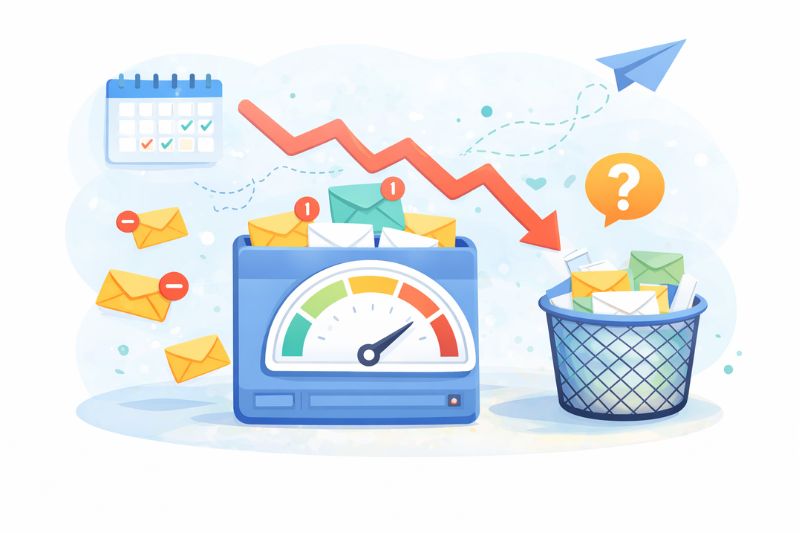
At this point, the obvious conclusion might seem simple. If you are sending too many emails, just send fewer.
In practice, it is not that straightforward.
Once engagement starts to decline, the issue is no longer just about how often you are sending emails. It becomes a problem of sender reputation, which is built over time and does not reset immediately when you reduce frequency.
If a large portion of your audience has already disengaged, sending fewer emails does not automatically restore performance. Those inactive subscribers are still part of your list, and their lack of engagement continues to send negative signals to mailbox providers.
This creates a common trap. Marketers reduce frequency, expect results to improve, and see little or no change. In some cases, performance continues to decline.
The reason is simple.
Deliverability is influenced by historical engagement, not just current behavior.
If mailbox providers have already learned that your emails are frequently ignored, that perception does not disappear overnight. Your emails may continue to be filtered into promotions or spam folders even after you adjust your cadence.
There is also a second issue. Reducing frequency can sometimes make engagement worse, not better.
When subscribers hear from you less often, they may:
- Forget who you are
- Be less likely to open your emails when they do arrive
- Treat your messages as less relevant or timely
This is especially true if your list already contains a large number of low-engagement users.
Because of this, many teams use InboxAlly to speed up recovery by actively improving engagement signals. Instead of relying on slow, passive improvements, it helps restore sender reputation and stabilize inbox placement more quickly.
The Real Problem: Audience Quality and Signal Imbalance
At its core, over-emailing is not just a frequency problem. It is a signal quality problem.
When you send emails to a disengaged audience, you create an imbalance:
- Too many negative signals
- Not enough positive engagement to offset them
Reducing frequency slows down the rate at which negative signals accumulate, but it does not fix the imbalance itself.
To improve performance, you need to change the signal mix.
That means:
- Increasing positive engagement
- Reducing exposure to disengaged users
- Rebuilding trust with mailbox providers over time
What This Means in Practice
If you have crossed the line into over-emailing, the goal is not just to send fewer emails. The goal is to restore engagement quality.
That requires a more deliberate approach, which includes:
- Segmenting your target audience based on engagement
- Suppressing or re-engaging inactive subscribers
- Prioritizing relevance over volume
Only then does adjusting frequency start to produce meaningful results.
How to Find the Right Email Frequency

Finding the right email frequency is not about choosing a number and sticking to it. It is about continuously aligning your sending cadence with how your audience engages.
The goal is simple. Maintain strong engagement while minimizing negative signals.
Here is how to approach it.
1. Start With a Controlled Baseline
For most businesses, one to two emails per week is a reliable starting point.
This frequency is high enough to stay visible but low enough to avoid overwhelming most audiences. From there, you can adjust based on performance.
If you are increasing frequency, do it gradually. Sudden spikes in volume can trigger negative engagement and impact deliverability before you have time to react.
2. Segment Based on Engagement
Not all subscribers should receive the same number of emails.
High-engagement users can tolerate, and often benefit from, more frequent communication. Low-engagement users are far more sensitive to frequency and are more likely to generate negative signals.
A simple segmentation model might look like:
- Highly engaged
Opened or clicked recently. Can receive more frequent emails. - Moderately engaged
Interact occasionally. Maintain a steady, moderate cadence. - Low engagement
Rarely open or click. Reduce frequency or pause sends.
This alone can significantly improve both engagement and deliverability.
3. Watch Leading Indicators, Not Just Outcomes
Many marketers wait until performance drops significantly before making changes. By then, the damage is already underway.
Instead, monitor early signals such as:
- Gradual declines in open rates
- Drops in click-through rates
- Increasing ignore rates
These indicators often appear before unsubscribes or spam complaints increase. Acting early helps prevent larger deliverability issues.
4. Increase Frequency Only When Engagement Supports It
More emails only work when your audience is actively engaging.
If open rates and clicks are stable or improving, you can test increasing frequency for specific segments. If engagement is flat or declining, increasing volume will usually make things worse.
Think of frequency as something you earn through engagement, not something you impose.
5. Suppress or Re-Engage Inactive Subscribers
Inactive subscribers are one of the biggest drivers of negative signals.
Continuing to send regular campaigns to users who have not engaged in months lowers your overall engagement rate and weakens your sender reputation.
Instead, you should:
- Reduce or stop sending to inactive segments
- Run targeted re-engagement campaigns
- Remove users who remain unresponsive
This improves your signal quality and makes higher frequency viable for active users.
6. Test Frequency by Segment, Not Globally
One of the biggest mistakes is changing email frequency across your entire list at once.
Instead, test changes within specific segments. For example:
- Increase frequency for your most engaged users
- Reduce frequency for low-engagement segments
This allows you to optimize without putting your entire sender reputation at risk.
Why Deliverability Still Breaks Even With the Right Strategy
Even when you follow best practices, email deliverability is not always predictable.
You might reduce your sending frequency, clean your list, and improve targeting, yet still see your emails landing in the promotions tab or spam folder for weeks afterward.
This happens because deliverability reflects patterns over time. Mailbox providers evaluate how recipients have interacted with your emails historically, and that perception does not change immediately.
A big part of the problem is reputation lag. When engagement drops, trust declines gradually. When engagement improves, that trust takes time to rebuild.
There is also a visibility gap. You can track opens and clicks, but you cannot fully see how mailbox providers classify your emails or how often they are filtered before users see them. Two campaigns can look similar in your dashboard but perform very differently in the inbox.
Small changes also compound. A slight increase in ignored emails can reduce inbox placement, further lowering engagement and creating a cycle difficult to reverse.
Even if you are doing the right things, you are still operating within a system that responds slowly to improvement, reacts quickly to negative signals, and offers limited transparency.
How to Recover From Sending Too Many Emails
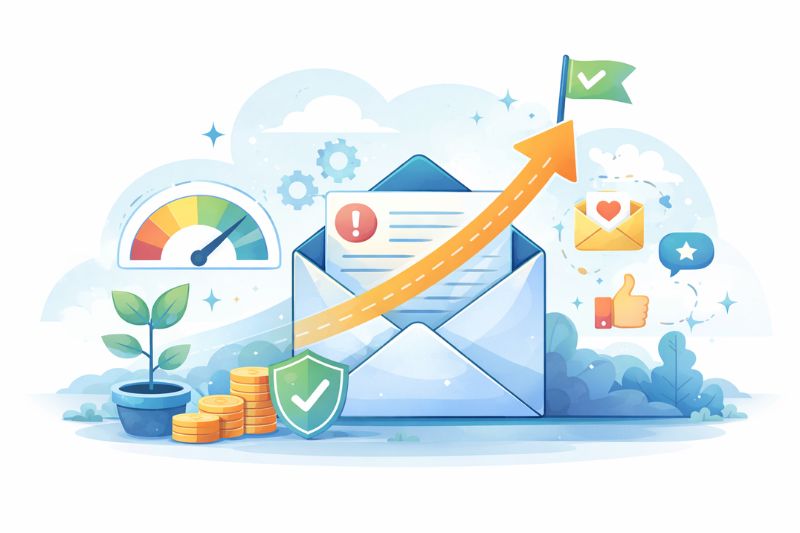
If you have already crossed the line into over-emailing, the goal is not just to reduce frequency. It is to rebuild engagement and restore sender reputation over time.
That requires a more deliberate approach.
1. Reduce Frequency Strategically
Start by lowering your sending volume, but do not stop sending entirely.
Going silent can make engagement worse. Instead, move to a more controlled cadence and focus on your most engaged segments first.
2. Segment and Isolate Low-Engagement Users
Identify users who have not opened or clicked in a meaningful period of time and reduce how often you send to them. In some cases, it may be better to pause sending altogether.
This prevents disengaged users from continuing to generate negative signals.
3. Run Re-Engagement Campaigns
Before removing inactive users, give them a chance to re-engage.
Send targeted campaigns that:
- Ask if they still want to hear from you
- Offer a clear value or incentive
- Allow them to adjust their email preferences
Those who re-engage can be moved back into your main segments. Those who do not should be gradually removed.
4. Focus on High-Intent Content
Instead of trying to maintain volume, shift your focus to sending emails that are more likely to generate engagement. That usually means prioritizing content that is timely, directly relevant to the recipient, and gives them a clear reason to take action.
The goal is not just to send fewer emails. It is to make each email more likely to produce a positive signal, which helps rebuild trust with mailbox providers over time.
5. Monitor Engagement Trends Closely
Instead of looking for quick wins, focus on how your metrics trend over time. Early signs of improvement usually show up gradually, such as stabilizing open rates, small increases in clicks, and a reduction in negative signals.
These shifts may seem minor at first, but they are often the first indication that your sender reputation is starting to recover.
The Key Principle
Recovery is not about sending fewer emails. It is about improving the quality of the signals your emails generate.
Once engagement stabilizes, you can begin increasing frequency again, but only as long as performance supports it.
Final Thoughts
So, how many marketing emails are too many? It depends.
Most businesses can start with one to two emails per week and adjust from there. The real signal to watch is how your audience responds as you increase or decrease that frequency.
If engagement holds steady or improves, you’re in a good place. If it starts to slip, that’s usually your first sign that you’ve crossed the line. What matters is not the number of emails you send. It’s whether those emails continue to generate positive engagement over time.
Once you start thinking in terms of signals instead of volume, it becomes much easier to scale your email program without hurting deliverability.
If you’re already seeing signs of declining engagement or deliverability issues, waiting for things to recover on their own can take weeks or even months. InboxAlly gives you a way to actively improve your engagement signals and regain inbox placement faster, so your emails start performing the way they should again.