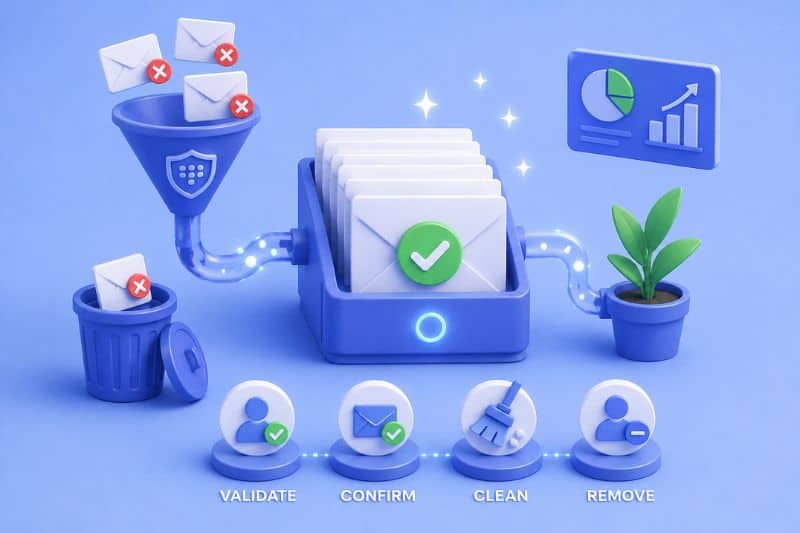
Most email marketers treat the total subscriber count as a scoreboard. “Bigger number better,” isn’t it? Well, not really.
What that number doesn’t show is how many of those addresses are abandoned or owned by people who haven’t opened an email from you since last winter. A list stuffed with that kind of dead weight creates a problem that you’re unlikely to catch until you notice changes in deliverability.
So what does a healthy list actually require?
The answer is simpler than you’d expect, but it only works if you do it consistently. This article covers the practices worth keeping and the ones worth starting today. Keep reading!
Key takeaways
- A smaller, engaged list will always outperform a large, bloated one on deliverability, on metrics, and on ROI.
- List hygiene is a habit you should perform regularly. Automate what you can, schedule the rest, and don’t wait for a deliverability problem to force the issue.
Your list decays whether you like it or not
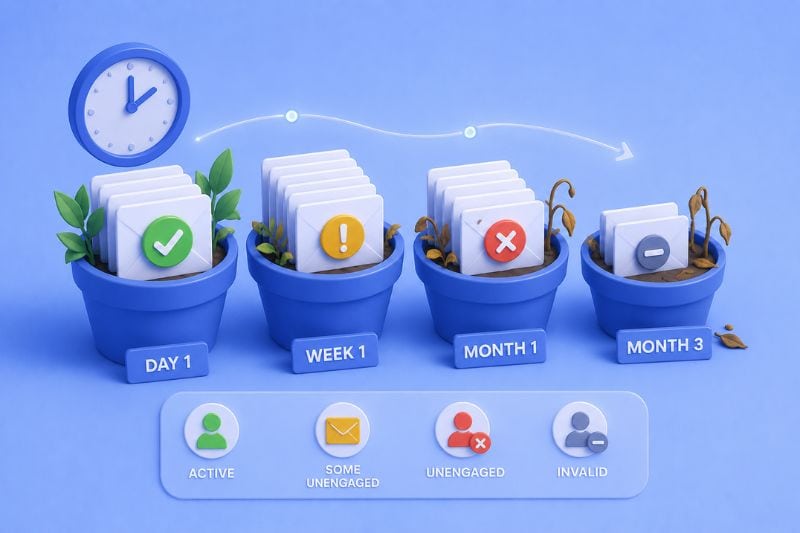
HubSpot puts average annual email database decay at 22.5%. People change jobs and leave work addresses behind. They sign up with a throwaway Gmail during a webinar registration and never open it again. Companies get acquired. Entire domains disappear.
None of that is your fault, but continuing to send to those addresses is.
Every invalid address you keep mailing is a hard bounce waiting to happen. Every subscriber who forgot they signed up eight months ago is a potential complaint and a trip to the spam folder. According to Sinch Mailgun’s State of Email Deliverability report, a combined 39% of senders rarely or never conduct list hygiene. That’s nearly half the senders out there, absorbing risk that a basic cleaning schedule would eliminate entirely.
The senders who understand this treat list hygiene as a good mechanic treats an oil change: completely non-negotiable.
Clean and scrub aren’t the same thing
You’ll often hear these terms used interchangeably, but they’re not the same thing.
Cleaning removes addresses that are invalid, bounced, or nonexistent. If you’re not doing this, your delivery rates are suffering, and your metrics are lying to you.
Scrubbing is behavioral. You’re identifying email subscribers who are technically reachable but have stopped engaging entirely. Under this category, you’ll find valid addresses, real people, but zero interest. Those contacts survive a standard clean and keep working against you in the background.
Most senders only do one. Both are necessary, and confusing the two is how programs stay half-fixed for years.
What a dirty list does to you
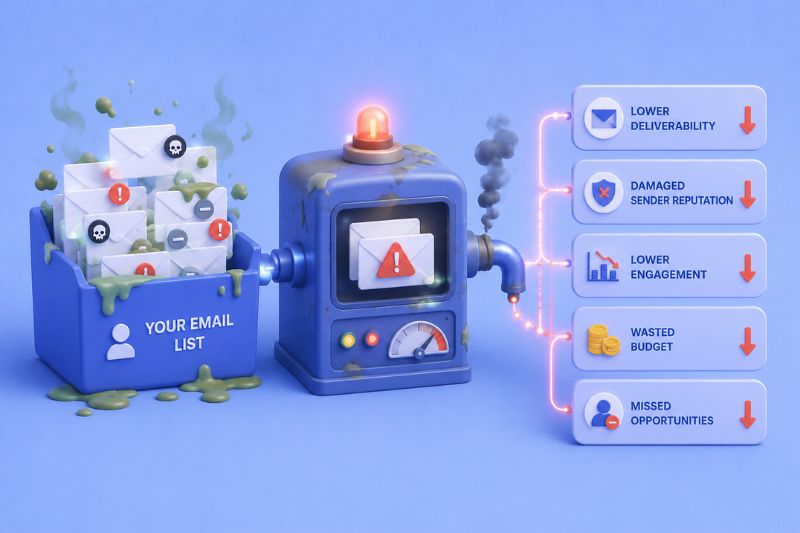
Inbox providers (Gmail, Outlook, Yahoo) track how recipients interact with every message you send. All of it feeds into a score calculated behind the scenes that determines where your emails land, called sender reputation. You don’t see it directly but you do feel it when your open rates crater and you can’t figure out why.
Gmail and Yahoo enforce a 0.3% spam complaint threshold for bulk senders. If you cross it, your emails will start getting filtered before they reach anyone, including the subscribers who genuinely want them. If you push further, you’ll eventually end up blocklisted. Getting delisted involves submitting remediation requests, waiting, cleaning your list, and proving to inbox providers that you’ve changed your ways. It’s about as fun as it sounds.
On top of that, there are spam traps. Some are purpose-built to catch senders with poor list practices. Others are recycled from abandoned accounts that inbox providers have repurposed as traps. Either way, hitting them tells providers exactly what they need to know about how you manage your data. A dirty list actively works against every email you send to everyone on your list.
The difference between stable inbox placement and months of recovery often comes down to early reinforcement. Add InboxAlly to your sending setup before your next send and see how controlled engagement changes long-term outcomes.
How to maintain email list hygiene over time
1. Double opt-in from the start
More than 47% of senders still aren’t using double opt-in, per Sinch Mailgun. That’s a significant portion of the industry building lists on unconfirmed addresses and wondering why engagement is soft.
Requiring new subscribers to confirm their email before joining adds one step for the user. What you get back is a verified address, a confirmed human, proof of intent, and a GDPR-compliant acquisition process. The slight drop in initial signups is worth it. The people who don’t bother confirming weren’t going to open your emails anyway.
2. Hard bounces go immediately
Permanent delivery failure: invalid address, closed account, dead domain. Most ESPs suppress hard bounces automatically after one or two attempts, but don’t assume yours does. Check, confirm, and keep your hard bounce rate under 0.5%.
Soft bounces need a different approach. A full inbox or a temporarily downed server can generate one without any real underlying problem. Monitor rather than remove. Three to five consecutive soft bounces from the same address is worth acting on. We’ll talk more about diagnosing persistent soft bounces below, but just keep in mind that persistent soft bounces can become a problem.
3. Build a sunset policy
A sunset policy is a defined process for what happens when a subscriber goes quiet. Nearly 59% of senders operate without one, according to Mailgun, which means the majority of programs are making ad hoc or no decisions at all about who stays on the list.
Three steps:
- Define inactive for your program: no opens or clicks in 90 to 180 days is the standard range
- Run a re-engagement campaign before removing anyone
- Suppress or remove subscribers who don’t respond
The right inactivity window depends on how often you send. A daily newsletter and a monthly product update have completely different engagement rhythms. A subscriber who hasn’t opened in 90 days might be perfectly normal for one program and a clear problem for another. Set a threshold that makes sense with your cadence, write it down, and apply it consistently.
4. Re-engagement before removal
Two or three emails over one to two weeks. Acknowledge the silence, remind them what they signed up for, and make it easy to stay or leave. A click or reply is all you need because it tells you the address is live and some interest still exists. No response after the sequence means remove them. They’ve already answered.
One underused move here: an opt-down option alongside the unsubscribe. Let subscribers choose to hear from you monthly instead of weekly, or newsletters only instead of every campaign. A meaningful portion of people choose that over leaving entirely, which means you keep engaged subscribers you would have otherwise lost.
5. Persistent soft bounces and what to do with them
Most guides tell you to monitor soft bounces and leave it at that. Here’s what monitoring actually looks like:
If an address soft bounces once, leave it. If it soft bounces on three consecutive sends, suppress it temporarily and attempt delivery again in two to three weeks. If its still bouncing, that address is functionally dead, so treat it like a hard bounce and remove it. An inbox that’s been full for six weeks isn’t coming back.
6. Make unsubscribing easy
An unsubscribe costs you one contact. A spam complaint costs sender reputation points that take months to earn back. That math should make the decision easy, yet plenty of senders still bury the unsubscribe link in six-point font at the bottom of the footer.
Gmail and Yahoo now require a one-click unsubscribe in email headers for bulk senders. If that’s not implemented, fix it today. A frictionless exit is how you keep the subscribers who stay actually worth having.
7. Automate the routine work
20% of your database goes bad every year. Manual cleaning doesn’t keep pace with that rate of decay, and relying on quarterly audits alone means spending months sending to outdated email addresses that stopped working in January.
Set automated rules to suppress contacts after a defined inactivity window, flag recurring soft bounces for review, and remove hard bounces on first occurrence. Real-time email validation on signup forms is worth adding too. This will help you catch typos, fake email addresses, and role accounts like info@ or support@ before they enter the list. A problem caught at the form costs nothing but prevents deliverability issues six months down the road.
When to clean
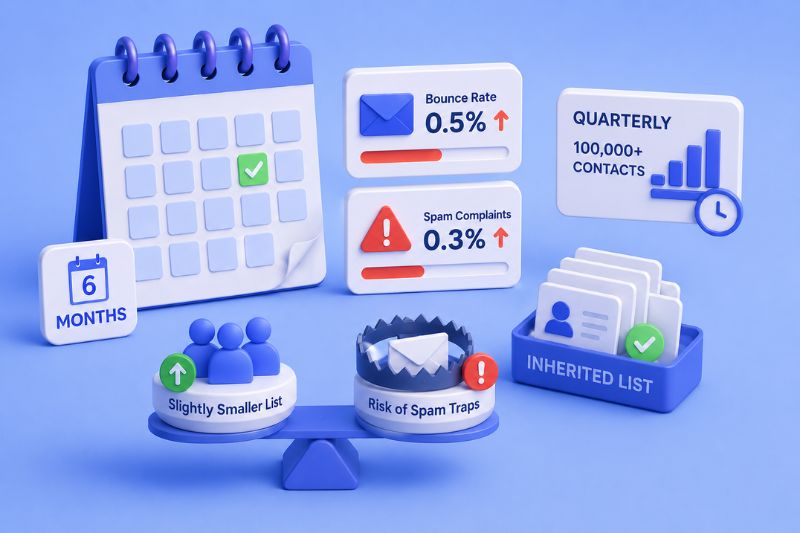
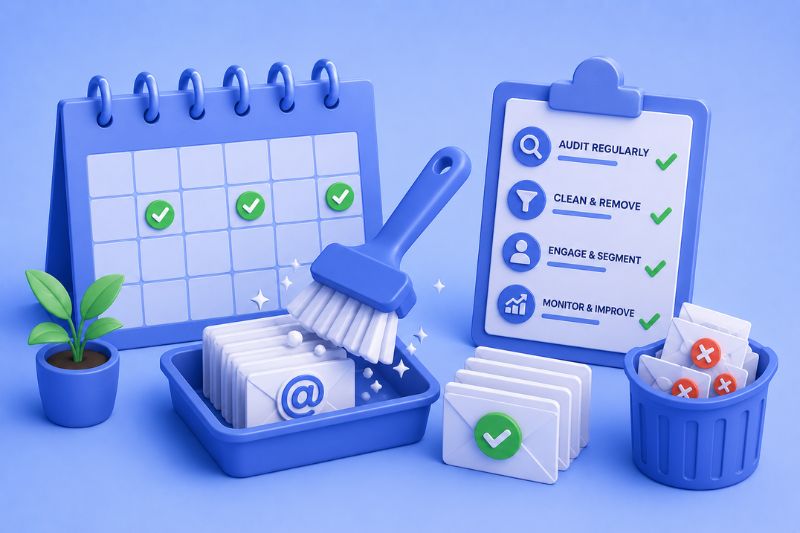
Every six months for most programs. Quarterly above 100,000 contacts. But the calendar is a floor, not a ceiling. Clean immediately when:
- Bounce rate climbs past 0.5%
- Spam complaints approach 0.3%
- You’re switching email service providers or importing data from another source
- A campaign or event brought in a large batch of new addresses at once
Inherited lists deserve extra scrutiny. If you don’t know how the data was collected, who opted in, or when it was last revised, clean before sending anything. The downside of a precautionary clean is a slightly smaller list. The downside of skipping it is finding out three email campaigns later that you’ve been mailing spam traps.
What you’re protecting at the end of the day
Every practice above is defending the same thing: sender reputation.
Email providers calculate it from bounce rates, complaint rates, engagement patterns, and sending consistency over time. So treat list hygiene as part of normal operations, and you’ll rarely have to think about deliverability. Treat it as optional, and eventually you’ll think about nothing else.
If reputation is the asset you’re protecting, InboxAlly is how you actively build it before inbox placement becomes something you have to explain. Book a free demo and see it hands-on in your own setup.