How many times have you sent an informational email only for it to end up in the Promotions tab? Your message may hold useful information for your readers, but if it doesn’t reach Gmail’s Primary inbox, the open rates can go down.
You should understand what’s causing your emails to be categorized as promotional so you can adjust your strategy accordingly. This article covers why Gmail files email under Promotions, when it is worth aiming for Primary, and the practices that help.
Key takeaways
- Gmail sorts mail into tabs automatically, and Google describes Promotions as “deals, offers, and other promotional emails.” No sender can guarantee Primary placement.
- Google’s sender guidelines tie authentication and consistent sending to delivery and spam filtering. They don’t say either one decides which tab a campaign lands in.
- Asking subscribers to move your emails to Primary can help over time. Gmail Help says each move “helps Gmail learn your preferences and sort your email more accurately.”
Why Do Emails Go to the Promotions Tab?
Gmail automatically sorts your emails into categories when a reader uses the Default inbox. Google describes Promotions as “deals, offers, and other promotional emails.”
Primary holds “emails from people you know and messages that don’t appear in other tabs.” Updates holds automated confirmations, notifications, statements and reminders that may not need immediate attention, and Forums holds messages from online groups, discussion boards and mailing lists. Gmail Help doesn’t list the signals Gmail uses to pick a tab, so treat the reasons below as common sender observations, not Google rules.
Content Is Irrelevant to Recipients
Email content that does not match the reason people subscribed in the first place may end up being ignored, unsubscribed from, and even reported. This can lead to spam complaints, and Google says “maintaining a high spam rate can result in increased spam classification for your messages.”
Sending Patterns That Raise Spam Risk
For senders without a history of large volumes, Google says suddenly doubling your sending volume “could result in rate limiting or reputation drops,” and it advises cutting volume when messages start bouncing. Problems like these can get your emails sent to spam, rate limited or rejected. Google’s sender guidelines don’t say they move mail into Promotions.
Your domain, authentication, and how other users interact with your emails can also affect whether Gmail marks your email as spam.
Heavy HTML Structure & Design
If you use complex multi-column HTML templates, promotional templates, or multiple calls to action, messages become difficult to scan and read. This applies to mobile use, as the awkward spacing and buttons could make emails difficult to tap. Gmail Help and Google’s sender guidelines don’t say whether layout affects which tab an email lands in, so treat this as something to test.
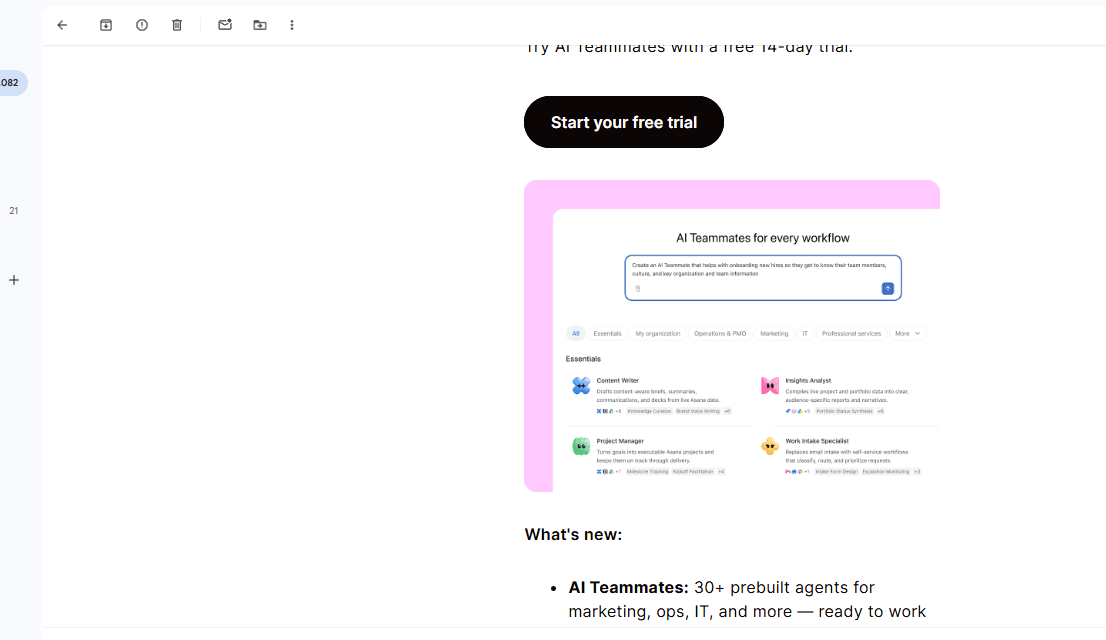
Source: Screenshot of a promotional email in Gmail.
High Link and Button Density
An email with many links, social icons, and competing buttons can overwhelm readers and distract them from the message. Readers may click away and abandon an email like this. Google’s sender guidelines don’t give a link count that decides Promotions placement. They say links “should be visible and easy to understand.”
Promotional Keywords and Sales Language
Google describes Promotions as the tab for “deals, offers, and other promotional emails,” so a campaign built around a discount or a limited offer fits that description, whatever words it uses. Gmail Help and Google’s sender guidelines don’t list words that send mail there. Vague urgency or exaggerated claims may also make a message read as a promotion, and Google’s sender guidelines say message content “should be accurate, and not misleading or deceptive.”
What Readers Do With Your Emails
The way recipients interact with your content can influence how Gmail sorts the emails. Gmail Help says that when a reader moves an email to another tab, “over time, this helps Gmail learn your preferences and sort your email more accurately.” Google describes this as learning each reader’s own preferences.
Sending more often than subscribers expect can lead to complaints and unsubscribes. Google asks senders to send “at a reasonable volume, expected by your recipients,” and its guidance links complaints to spam filtering.
When Is It Worth Avoiding the Promotions Tab?
The Promotions tab isn’t spam. It’s where Gmail files deals, offers and other promotional email, and newsletters and offers can still perform well there when engagement is strong. Aiming for Primary is worth it for emails a reader needs to see soon, such as an onboarding step, an account update or a one-to-one follow-up, because a Promotions placement can make an email easier to miss. Our Gmail deliverability guide covers when to aim for Primary and when Promotions is the right place.
Here is what a Promotions placement can cost an email that belongs in Primary:
- Fewer opens: Some people check Primary every day and open Promotions only when they’re looking for a deal, so a campaign there can get fewer opens.
- Competition: The Promotions tab is packed with commercial offers and discounts. Still, in September 2025 Google announced a “most relevant” sort for the Promotions tab, rolling out on mobile for personal accounts. Google says it surfaces “senders and brands that matter most to you — including ones you engage with the most,” and readers can switch back to “most recent.” To prevent sinking below competitors, try to make your subjects and emails interesting enough so users interact with them.
- Fewer alerts: Gmail Help says that when readers turn on notifications for new mail, they only get notifications about messages in the Primary category.
For emails that belong in Primary, the practices below can help them get there.
How to Avoid the Gmail Promotions Tab
Gmail files deals, offers and other promotional emails under Promotions, so the practices below work best for emails that belong in Primary, such as onboarding steps, account updates and replies to a reader’s question. Each one also makes a campaign more relevant to the people who receive it, whichever tab it lands in.
Use a Simple Design and Layout
A simple layout helps readers find the information they need without scrolling through unnecessary design items. Each email should begin with a recognizable name, an opening that’s relevant to your message, and a proper explanation of the email’s purpose.
Add headings where they are needed, keep your paragraphs short, and make sure the call-to-action is not hidden behind bells and whistles.
Write With a Conversational Tone
Writing in a conversational tone makes your message easier to read and more relevant to the person receiving it. Subscribers are more likely to engage with a piece of content if it feels like it’s speaking to them and their pain point, and Google lists how users have interacted with similar content among the signals Gmail uses to sort mail.
Don’t deliver a generic sales pitch, but talk as if you’re explaining a useful feature to someone you already know. Automatically adding their name to the message won’t be enough, as you should reflect a subscriber’s current needs and relationship with the business.
Minimize Links and Images
Excessive images and links can make an email feel cluttered, so limit them to those that explain and support your message. You can use screenshots or charts to make technical explanations easier to follow, or you can add product images to guide subscribers.
Keep decorative images to a minimum, and only add links when they offer true value to the reader. Google’s sender guidelines don’t give an image or link limit that guarantees Primary placement.
Lower Your Spam Risk First
A good sender reputation lowers the chance that Gmail sends your campaigns to spam, which matters before any tab does. Consider fixing authentication, segmenting your subscribers, and investigating the bounce causes. Google’s tips for senders say to keep spam rates reported in Postmaster Tools below 0.1%.
Encourage Subscriber Engagement
Subscribers are more likely to read your email if they are active and truly interested in what you have to say. Remove invalid addresses, respect unsubscribed contacts, and keep campaigns relevant to user preferences. In your welcome email, you can also tell new subscribers how to move your emails to the Primary tab if they want them there.
Send Your Emails to the Right Tab
Avoiding the Gmail Promotions tab is not something you have full control over, but you can take steps to improve your email performance. Newsletters and offers can still perform well in Promotions when engagement is strong. For emails that belong in Primary, relevant conversational content and a simple layout can help them get there.
With InboxAlly, you can see where a campaign lands across its own mailboxes before it goes out, and build the sender reputation it takes to reach the inbox, whichever tab Gmail files it under.