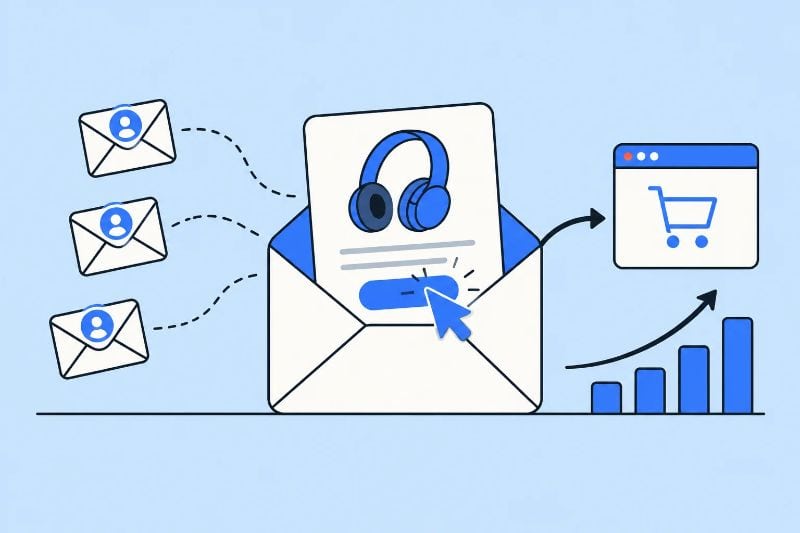
Affiliate email deliverability is harder than a brand newsletter’s.
A brand sending a newsletter only has to prove it’s a legitimate sender. An affiliate has to prove that too, while selling someone else’s product through a link to someone else’s domain, which creates more than one trust problem.
Most affiliates don’t realize this until clicks drop during a big promo, so they try to fix it by:
- Rewriting the subject line
- Removing “spammy” words
- Switching to a different platform
These can help, but the bigger problem is usually how mailbox providers see affiliate email to begin with. In this article, we’ll talk about what they look at, what makes them suspicious, and how to make sure your next promo isn’t a victim of someone else’s sketchy tracking domain.
Key takeaways
- Raw affiliate links are one of the biggest affiliate-specific risks: spam filters check the domain of every link, and raw links often point to a tracking domain shared by many affiliates.
- Mailbox providers weigh how subscribers react to your email, so a small, engaged list is worth more than a big, inactive one.
- Keep complaints under 0.1%. Google requires every sender to stay below 0.3%, and launch weeks are when affiliates are most likely to cross it.
- Disclose affiliate links next to the recommendation; a footer line is easy to miss.
Keep shared tracking domains out of your email
Your affiliate dashboard puts a tracking link right in front of you, and nothing about it discourages you from pasting it straight into your email. That’s convenient for the network, and risky for you.
Spam filters scan every URL in an email and check its domain against blocklists like the Spamhaus Domain Blocklist (DBL), a list of domains with poor reputation, including domains used in spam. When you paste a raw affiliate link, the domain in your email isn’t yours or the merchant’s. It’s the network’s tracking domain, often shared by many other affiliates on the platform.
Some of those affiliates buy lists or mail people who never opted in. Your email then carries the reputation they gave that domain. You can be the most careful sender on the planet and still land in spam because of someone you’ve never met.
Instead, where your program allows it, redirect through a domain you own:
yourdomain.com/go/standing-desk → affiliate tracking URL
Now your email contains your domain, which matches the domain you send from. Most WordPress link plugins allow you to set this up in a few minutes.
A few rules:
- Never use public URL shorteners. Spammers use them to hide where links go, so shortener domains carry other people’s abuse, and abused ones get blocklisted.
- Keep redirects short. Your domain → the tracking domain → the merchant. Every extra hop is one more domain to be evaluated.
- Check your program’s terms first. Some programs, including Amazon Associates, restrict redirects and shorteners that obscure where a link leads. A redirect also changes only which domain appears. It doesn’t change your duty to disclose (more on that below).
It’s a quick setup that takes a shared tracking domain out of your email body.
Send one recommendation per email
A “Top 10 tools for X” roundup email can work against your deliverability.
Ten products means ten or more affiliate links, often from different networks, each pointing to a different tracking domain. That’s ten chances for one bad domain to drag down the entire email. From an affiliate marketing perspective, it also gives readers ten decisions to make, so most make none.
One recommendation with one link gives mailbox providers less to evaluate and gives readers an obvious next step. Save roundups for your blog.
Your sending domain is the foundation
A free Gmail address or a shared platform domain means you’re judged by every other sender on it. If they send spam, their reputation becomes yours.
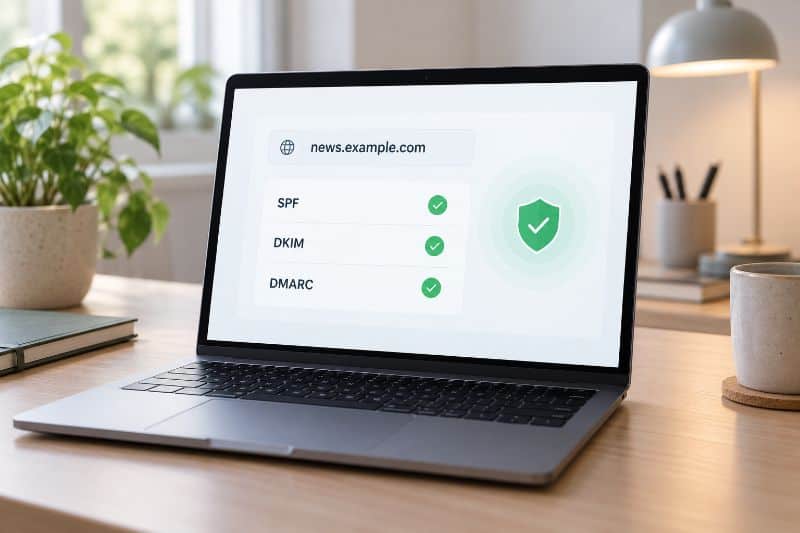
Use a domain you own instead. Experienced senders put marketing emails on a subdomain, like news.yourdomain.com, to keep it separate from everyday business email.
After that, set up authentication:
- SPF lists the servers allowed to send email for your domain.
- DKIM adds a digital signature that proves email wasn’t changed after you sent it.
- DMARC tells mailbox providers what to do with email that fails authentication.
Google’s sender guidelines require every sender to set up SPF or DKIM. If you send more than 5,000 messages a day to Gmail accounts, you also need SPF and DKIM together, DMARC, and one-click unsubscribe on marketing messages.
New domains need to be warmed up as well. Start with your most engaged subscribers in small batches, ramp up the volume over a few weeks, and check bounce and complaint rates before each step. Slow down if bounces pass 1% or complaints pass 0.1%. InboxAlly’s free warmup planner gives you a day-by-day ramp schedule.
Affiliates hate this because it delays the payout, but a launch-day promo from a domain you registered last week will cost you more than a few weeks of patience.
An engaged list beats a big one
List size is the most overrated number in affiliate email marketing. Affiliates brag about it in forums, put it in sponsorship decks, and chase higher numbers with giveaways. Mailbox providers care how recipients respond. Opens, clicks, replies, and spam reports all feed into where your email goes.
A list of 5,000 people who click usually earns you better inbox placement and more commission than 50,000 who never do.
This is also why double opt-in is the right call for affiliate marketers, even though it slows growth. Affiliate lead magnets are usually freebies, and freebies attract fake addresses and people who want the download and nothing else.
Double opt-in asks them to confirm before you email them. You’ll lose some signups, which is good. They were the least likely to buy and the most likely to complain.
Remove inactive subscribers before they hurt you
Inactive subscribers hurt placement in two ways.
First, mailbox providers see when your emails are ignored. Second, abandoned addresses can become spam traps, often after a year or more of bouncing, and providers use those traps to spot senders with poor list hygiene. Spamhaus calls hitting one a significant red flag.
Should you then judge activity by opens? Not anymore. Apple Mail Privacy Protection downloads email images in the background whether or not the recipient reads the message, which inflates open rates. Use clicks and replies instead.
Here’s a simple schedule you could use:
| Subscriber status | What it usually means | What to do |
|---|---|---|
| Hard bounce | The address doesn’t exist | Remove after the first bounce |
| Soft bounce | Temporary problem, like a full inbox | Retry for a few sends, then remove |
| No clicks in 90 days | Interest is fading | Send one or two re-engagement emails |
| No clicks in 180 days | They’ve moved on | Remove or suppress |
| Spam complaint | They don’t want your mail | Remove or suppress immediately |
Keep the 80/20 ratio during launch weeks
The classic affiliate rule of thumb is 80/20: four helpful emails for every promotional one.
Most affiliates know it, but few follow it during a launch week when a merchant is offering double commissions.
That’s when complaint rates go up. Google requires every sender to keep its spam rate below 0.3%, about three complaints per 1,000 messages delivered to the inbox. Gmail Postmaster Tools also flags a spam rate above 0.1%, the level Google recommends staying under. One pushy promo to a cold segment of your list can push you past that line.
But people rarely report spam because of the offer. Most often, they report it because they’re surprised. They don’t remember signing up, or their favorite newsletter suddenly turned into a sales flyer. Make unsubscribing one click. A surprised reader who can’t find the link often reaches for the spam button instead.
Set expectations in your welcome email
Your welcome email is your best defense against surprise complaints. It should tell new subscribers who you are, what you’ll send, and how often, and it should disclose upfront that some links are affiliate links.
Here’s a simple template you could use:
Subject: Welcome to [brand name]. Here’s what to expect
Hi [first name],
Thanks for joining [newsletter name]. Here’s your [lead magnet]: [download link]
Every [Tuesday], I’ll send you one practical tip about [topic]. A few times a month, I’ll recommend a product I’ve tested. Some of those are affiliate links, so I earn a commission if you buy, at no extra cost to you.
Quick favor: hit reply and tell me what you’re working on right now. I read every reply.
[Your name]
The reply request is there on purpose. Replies are one of the best ways subscribers show mailbox providers that they want your email.
Disclosure and consent rules for affiliate email
If you earn money when readers buy through your links, say so. US law prohibits deceptive advertising, and the FTC’s endorsement guidance says to disclose clearly and conspicuously. The closer the disclosure is to the recommendation, the better.
A tiny line in your footer is easy to miss. Good disclosures are short and simple:
- “I earn commission if you buy through this link.”
- “Affiliate link: I get paid if you purchase, at no extra cost to you.”
The CAN-SPAM Act also requires honest “From” names and subject lines, a physical postal address, and opt-outs honored within 10 business days. Google recommends honoring unsubscribes within 48 hours, so aim for that.
In the UK and EU, marketing email to individuals generally needs prior consent. The UK’s “soft opt-in” lets a business email people whose address it collected during a sale, about its own similar products, as long as it offered an opt-out when it collected the address and offers one in every message. It can’t be used to promote another company’s products, so affiliate offers don’t qualify.
Many affiliates fear that disclosures will kill conversions. A disclosure may cost a few clicks, but subscribers who click after reading one trust you, and trust keeps them away from the spam button.
Protect subscriber trust during launches
Subscribers’ trust and mailbox providers’ trust are the same thing, measured in different places. Launch weeks put both under pressure because every email sells.
In practice, that means the habits above: one recommendation per email, the 80/20 ratio even in launch week, and a disclosure next to every link.
With InboxAlly, you can see where a promo lands across its own mailboxes before it goes out, and build the sender reputation it takes to scale your launches. See how InboxAlly works for affiliate marketers.