The story behind InboxAlly 2.0.
Few things are more frustrating than watching a carefully planned email campaign disappear into spam.
The subject line looked good. The list was cleaned. The campaign passed every internal review. Yet open rates suddenly dropped, and no one could explain why.
Was the sending domain on a blocklist? Was authentication configured incorrectly? Did sending volume increase too quickly? Was the problem limited to Gmail, or were messages landing in spam everywhere?
For most senders, answering these questions means jumping between disconnected tools, creating multiple accounts and trying to interpret results written for deliverability specialists.
We thought there should be a better way.
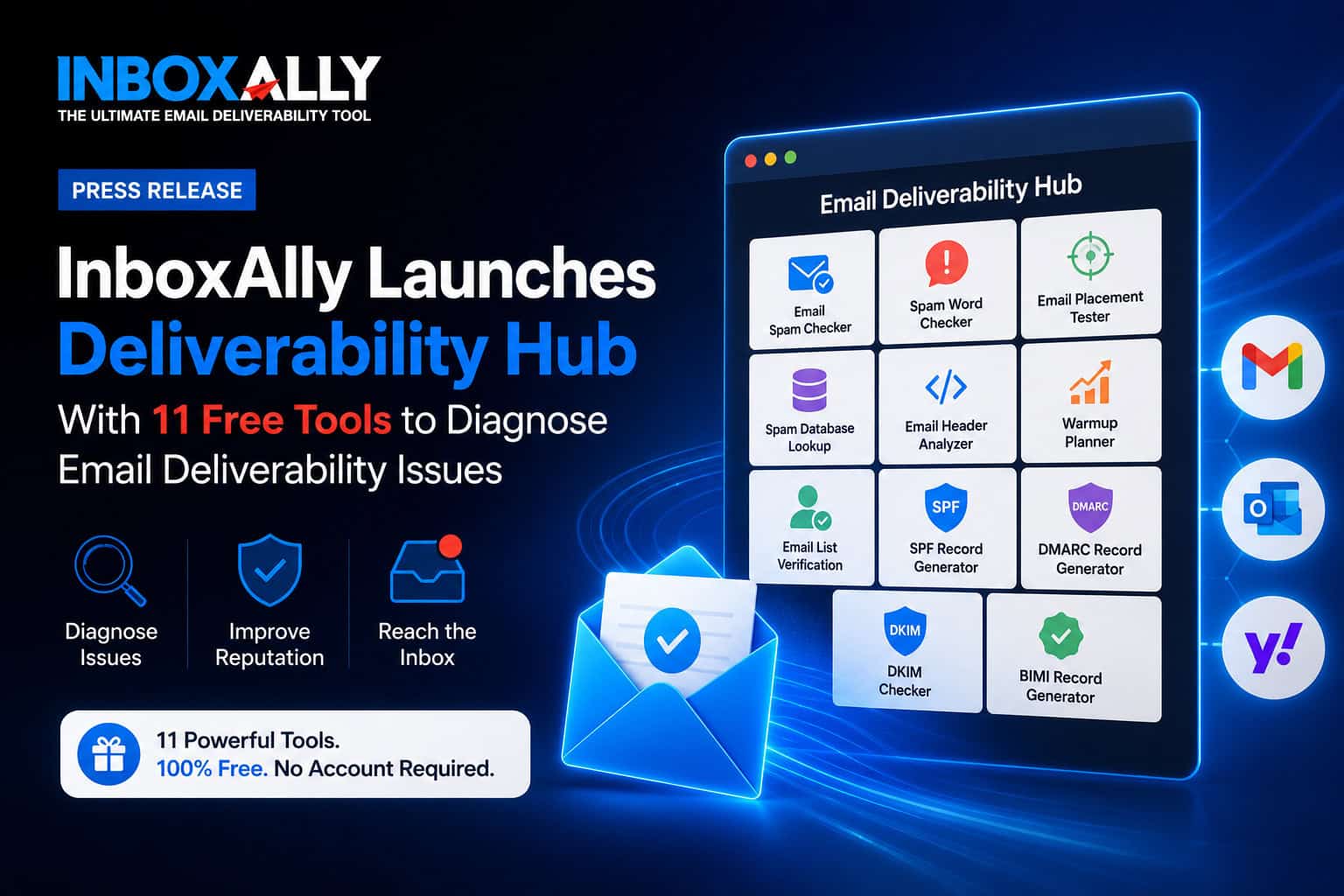
That is why we built 11 free email deliverability tools and brought them together as part of InboxAlly 2.0, our evolution from a reputation-repair platform into a more complete Email Deliverability Hub.
Every tool is free to use, works with any email sending platform and requires no account.
What We Learned From Helping Senders Fix Deliverability
Since 2020, InboxAlly has helped agencies, email marketers and businesses improve their inbox placement through automated engagement.
Our paid platform generates consistent, positive engagement signals through InboxAlly-managed inboxes. Senders can include InboxAlly email addresses in their existing campaigns or use Adaptive Autowarmup to automate the process.
There is no need to migrate to a new email service provider or replace the sending infrastructure already in place.
This approach can help senders establish, maintain or repair their sender reputation. Seido Knives, for example, used InboxAlly to raise its Klaviyo sender score from approximately 45 to an all-time high of 75. Over eight months, its spam-folder placement fell from more than 20% to under 2%, while its Google Postmaster domain reputation moved from Low to High.
But our conversations with customers repeatedly revealed another problem.
Before someone can fix deliverability, they need to understand what is wrong.
A sender with broken authentication needs a different solution from one with a damaged reputation. A blocklist problem is different from a poor-quality list. An aggressive increase in sending volume requires a different response from a single campaign containing problematic content.
Diagnosing those differences should not require a subscription or consultation. It should be the easiest part of the process.
That realization became the foundation for our free toolkit.
Eleven Tools Organized Around Real Deliverability Problems
We designed the toolkit around three stages: testing what is happening, preparing to send and establishing proper email authentication.
1. Testing and Analysis
These tools help senders identify where their messages are landing and what may be affecting the result.
Send a real email to a generated test address and receive a detailed analysis of its authentication, sender reputation, content, links and technical structure. The report identifies potential problems and provides specific recommendations instead of returning only a generic spam score.
Paste an email or subject line to scan it for more than 200 potentially risky words and phrases. The tool also reviews elements such as formatting, HTML and links. Individual words do not determine inbox placement by themselves, but the scan highlights content patterns worth reviewing before a campaign is sent.
Send one campaign to a generated tester list and see whether it reaches the inbox or spam folder at Gmail, Outlook and Yahoo. Results are reported separately for each provider, making it easier to distinguish a provider-specific problem from a broader reputation issue.
Check a domain or IP address against more than 50 email blocklists in one real-time scan. If a listing is found, the tool provides the relevant details and directs the sender toward the appropriate remediation process.
Paste a raw email header to see how the message was authenticated and routed. The analyzer reports SPF, DKIM and DMARC results, checks domain alignment, traces the delivery path and identifies delays or unusual routing behavior.
2. Planning and List Quality
These tools help senders prepare their sending strategy and audience before launching or increasing campaign volume.
Enter a target sending volume, domain age, list type and current deliverability level to generate a personalized 30-day ramp-up schedule. The plan includes daily campaign volume, recommended InboxAlly engagement volume and different pacing options. The complete schedule can also be exported as a CSV.
Check email addresses for invalid, disposable and potentially risky results before sending. The free tool is ideal for individual checks, while bulk verification for complete lists is available within the InboxAlly platform.
3. Email Authentication
These tools make it easier to create, inspect and validate the DNS records that support authenticated email.
Create a properly structured SPF record while accounting for authorized sending platforms and SPF’s 10-lookup limit. The tool can parse an existing record, identify included services and count recursive DNS lookups before the new record is published.
Build a syntactically valid DMARC record by selecting a policy, reporting addresses, subdomain handling and alignment settings. The resulting record is ready to copy into the domain’s DNS configuration.
Find and inspect DKIM records using only a sending domain. The checker analyzes MX and SPF records to infer likely sending platforms, searches relevant selectors, follows CNAME delegation and reports the actual key size and status of the records it finds.
Validate a brand logo against BIMI’s SVG requirements, confirm that the domain meets the necessary DMARC enforcement prerequisite and create a copy-ready BIMI record. The tool also provides guidance on the certificates that supporting mailbox providers may require before displaying a verified logo.
Why Are the Tools Free?
Deliverability affects every organization that depends on email, but the information needed to diagnose a problem is still unnecessarily fragmented.
We do not believe someone should have to enter a credit card simply to discover that an SPF record has too many lookups, a domain appears on a blocklist or a campaign is reaching spam at Outlook.
The free tools provide evidence. They help senders understand what is happening, correct technical and planning problems and make better decisions about what to do next.
InboxAlly’s paid platform serves a different purpose. It provides the engagement, automation, monitoring and reputation-repair capabilities needed when diagnosis alone is not enough.
The relationship is simple:
Use the free tools to identify and prevent deliverability problems. Use the InboxAlly platform when you need to actively establish, maintain or repair sender reputation.
Join Us on Product Hunt
We want InboxAlly to be the first place you go when your open rates drop or your emails start landing in spam. Use our free tools to identify the likely causes, then turn to the InboxAlly platform when you need to actively improve your sender reputation and inbox placement.
We are proud to officially launch InboxAlly 2.0 on Product Hunt.
Head over to our Product Hunt page to explore the new suite, try the free tools for yourself and let our team know what you think in the comments!