Yahoo’s Complaint Feedback Loop (CFL) is a reporting service through Yahoo Mail Postmaster that notifies you when Yahoo users mark your email as junk, providing spam rate data you can use to identify problem campaigns and suppress complainers. It is a useful monitoring tool for any sender targeting Yahoo domains, though not essential for lower-volume mailers.
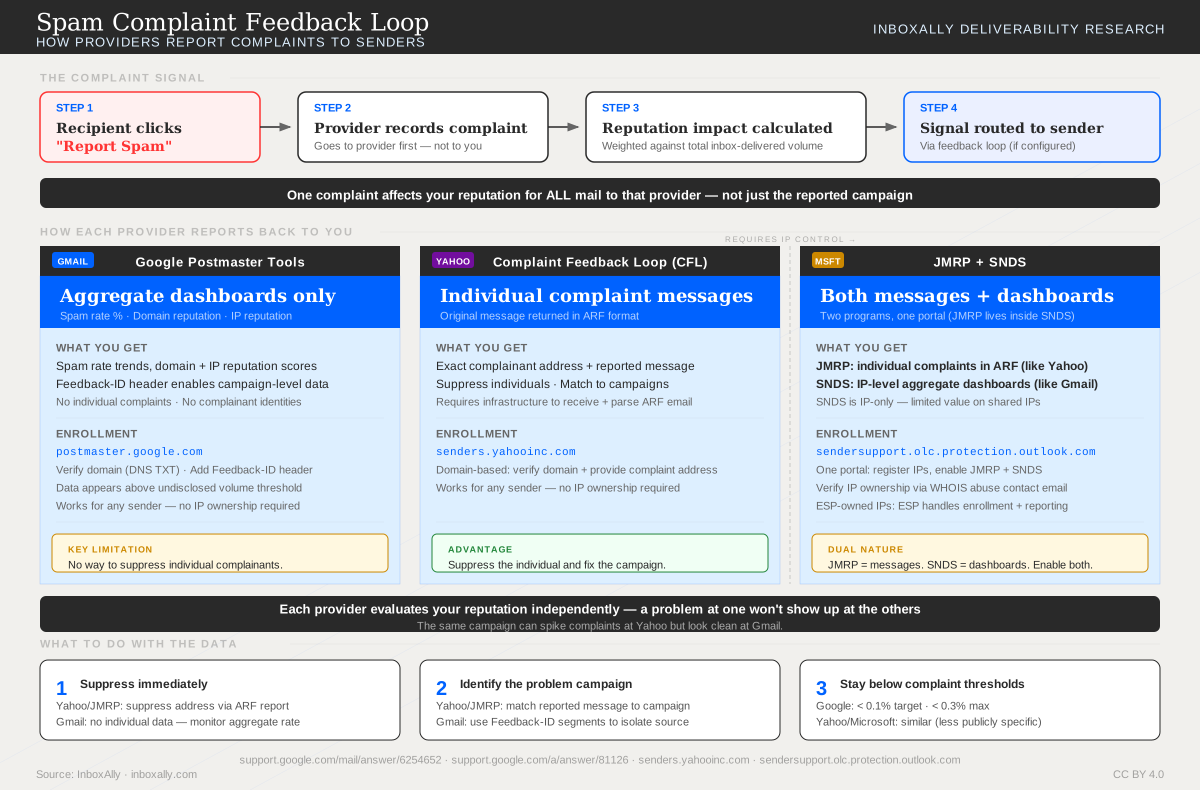
How Providers Report Complaints
Gmail, Yahoo, and Microsoft each handle spam complaints differently. This diagram compares all three feedback mechanisms side by side.
How to Create the CFL
There are a few steps required to get the CFL setup for Yahoo.
Create your mailboxes
The following two addresses need to be created for your sending domain.
- postmaster@
- abuse@
Important
These are standard email addresses that should always be setup on all sending domains. They are one of the most important methods used by mailbox providers, customers and others to ask questions, report abuse, and send notifications back to senders.
These inboxes should be regularly monitored so that you can process complaints and unsubscribe requests.
Register with Yahoo FBL
First, navigate to the Yahoo Complaint Feedback Loop subscription form. The form will look like this.
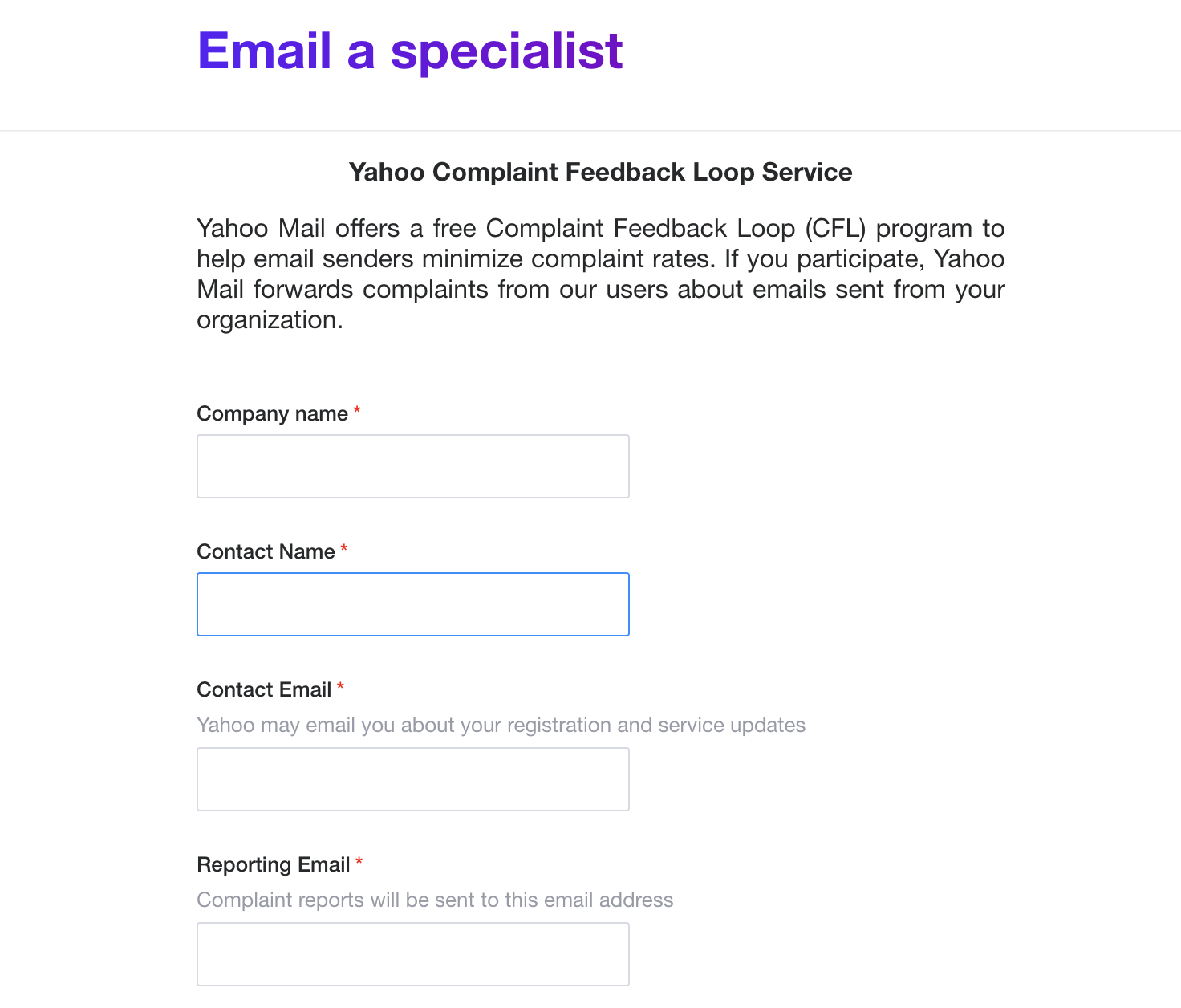
Next, complete all fields on the page. Make sure your reporting email and domain are entered correctly as you will get a verification code sent to postmaster@ after clicking submit.
| Field Name | Field Description | Example |
|---|---|---|
| Company Name | Your company name | ExampleCo |
| Contact Name | Your deliverability manager’s name | Sam Smith |
| Contact Email | Your deliverability manager’s email | ssmith@example.co |
| Reporting Email | The abuse email address | abuse@example.co |
| Selector | Enter * here for all | * |
| Domain | Your sending domain | example.co |
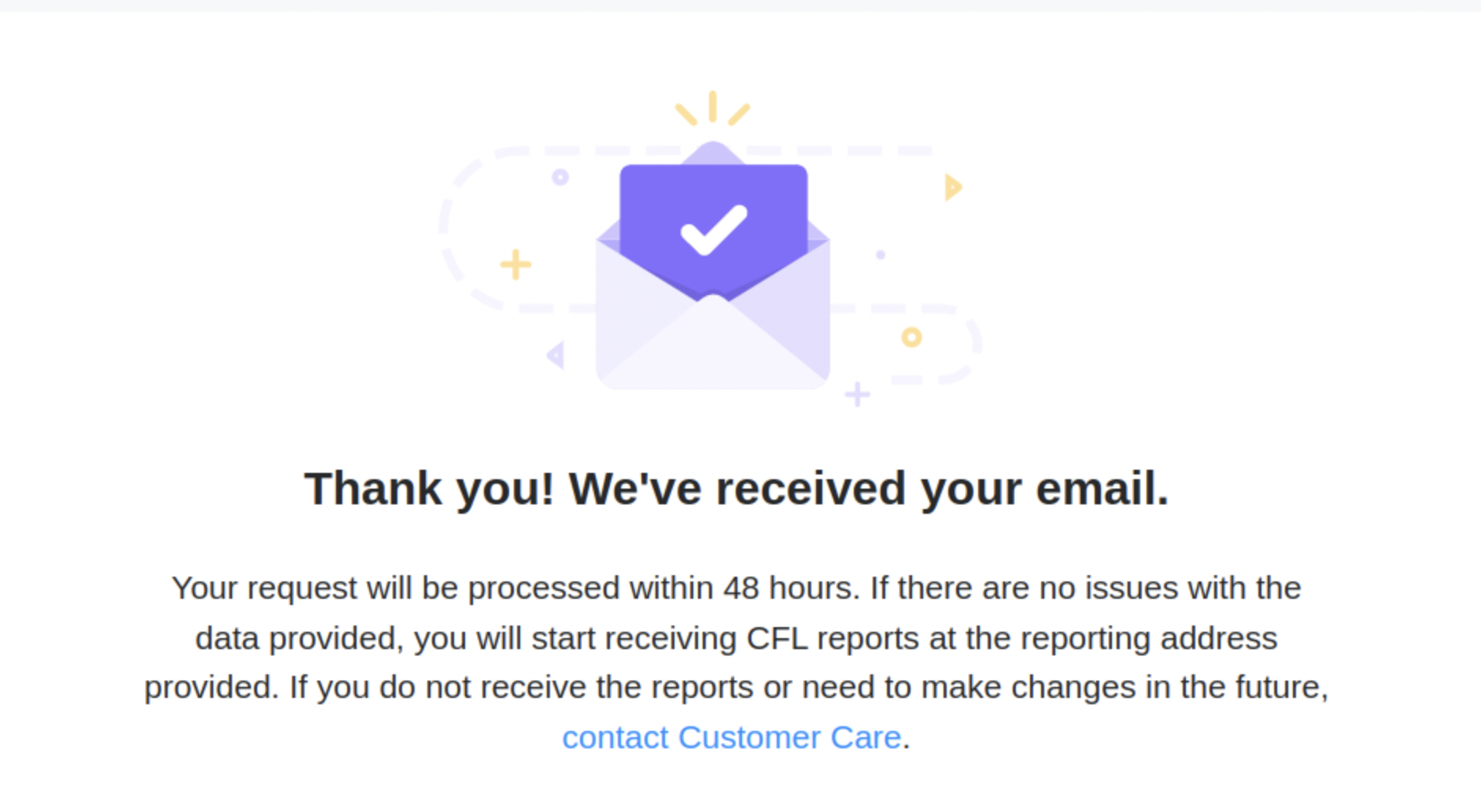
Last step, after submitting the form check your postmaster inbox and look for the validation code email from Yahoo. After you enter the code, you should see the success message.